How to Frame YouTube Videos for More Views
TL;DR
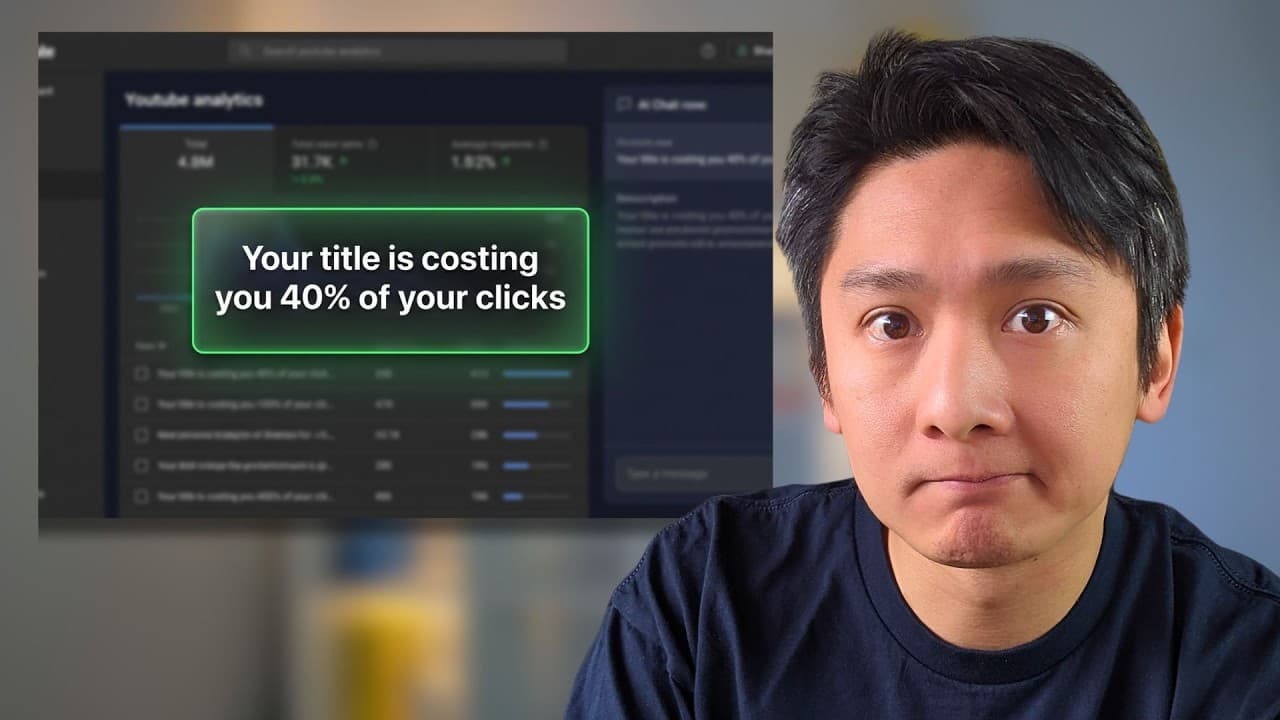
Frame each video through a title and thumbnail that clearly communicate what viewers will gain, because strong content can remain undiscovered when its packaging feels personal, vague, or confusing. VidIQ’s AI coach helped the creator analyze channel data, challenge emotional assumptions, and reframe existing content, but its recommendations still required judgment rather than automatic acceptance.
Transcript
Some would say growing a YouTube channel is easy while some would say it is difficult. I think the word difficulty is used very loosely here because what exactly is easy? And what exactly is difficult here? Is it not understanding the algorithm? Is it randomness? Is it people not getting what they expect to get? I've been on YouTube for years, prod... Read More
Key Insights
- YouTube growth is not proportional to the time and effort invested, according to the creator’s experience producing hundreds of videos. Similar levels of work resulted in periods of strong distribution and other periods with little to no view growth across months of uploads.
- Framing is the way a video’s title and thumbnail communicate its subject, value, and appeal before someone clicks. The creator concluded that weak framing, rather than major problems with editing or content quality, had prevented YouTube and potential viewers from properly understanding some uploads.
- VidIQ’s AI coach works by connecting to a YouTube channel and examining its available performance information. In the creator’s case, it reviewed statistics from hundreds of videos and identified patterns that led it to diagnose framing as the channel’s central weakness.
- A factually accurate title can still be weak when it emphasizes the creator instead of the audience’s potential takeaway. The title about spending two hours interrogating YouTube’s AI described the content correctly, but VidIQ judged it as overly personal and unclear about viewer value.
- Reframing can change how viewers interpret otherwise unchanged content. The creator replaced his original title with one focused on using YouTube’s AI to solve the algorithm, and he reports that the video received over 6,000 views after he tried the suggested framing.
- Titles and thumbnails also establish expectations about what viewers will receive from a video. Clear packaging does more than attract clicks, because it gives the audience a stronger understanding of the topic and promised outcome before playback begins.
- AI recommendations require selective judgment rather than complete obedience. The creator does not trust VidIQ’s search-volume figures, questions a displayed estimate of over 4 million monthly searches for VidIQ, and reports limited use for its clipping, ideas, and scripting features.
- VidIQ is most useful to the creator as an unbiased idea partner and channel coach. He uses it to test interpretations, request clarification, and understand what is working or missing, rather than expecting every recommendation to produce a successful upload automatically.
- More videos from this channel:
- More from this channel: Kevin Chee
Install to Summarize YouTube Videos and Get Transcripts
Explore YouTube Video Summarizer or Get YouTube Transcript Extractor
Questions & Answers
Q: How can framing help a YouTube video get more views?
Framing helps by making the subject, viewer benefit, and reason to click clearer through the title and thumbnail. The creator found that substantially similar content could receive a different response when labeled differently. Better framing also prepares viewers for what they will receive, giving both the audience and YouTube a clearer signal about the video’s intended topic and appeal.
Q: What does framing mean for a YouTube video?
Framing refers primarily to how a title and thumbnail present a video before it is watched. It shapes whether the upload appears relevant, understandable, and intriguing to a potential viewer. According to the creator, framing can make the same underlying content seem either overly personal and unclear or useful and compelling, depending on which perspective and promised outcome the packaging emphasizes.
Q: Why was the creator’s original YouTube title considered weak?
The original title focused on the creator spending two hours interrogating YouTube’s AI about his failing videos. Although accurate, VidIQ’s analysis said it made the upload sound centered on the creator and his channel, without clearly stating what viewers could learn. The creator initially assumed audiences would infer the benefit, but later recognized that this interpretation reflected his own cognitive bias.
Q: How did VidIQ analyze the creator’s YouTube channel?
VidIQ connected directly to the creator’s YouTube channel, pulled performance information from hundreds of uploaded videos, and analyzed the resulting patterns. Its AI coach concluded that the main issue was not the videos themselves but how they were framed. The creator could then question the diagnosis conversationally and request further explanations until the recommendation became clearer to him.
Q: What title change reportedly increased the video’s views?
The creator changed a title about spending two hours interrogating YouTube’s AI into a title focused on using YouTube’s own AI to solve the algorithm. He initially disliked the revision, but VidIQ explained that the new framing made the topic more obvious and intriguing. After trying it, he reports that the video received over 6,000 views, despite the underlying content remaining the same.
Q: Can VidIQ guarantee that a YouTube video will succeed?
VidIQ cannot guarantee success, according to the creator. He describes it as a tool that produces results only when used with judgment, and warns that following every suggestion exactly can still result in a video that performs poorly. His preferred approach is to use the AI coach for idea development, clarification, channel analysis, and challenges to his assumptions rather than treating its output as automatic instructions.
Q: Which VidIQ features did the creator find less useful?
The creator found VidIQ’s search-volume feature somewhat unreliable and therefore chose not to depend on it. He specifically questioned a displayed estimate suggesting more than 4 million monthly searches for VidIQ. He also said that the clipping, ideas, and scripting features had not been especially useful to him, although he remained interested in possibly testing the scripting feature later.
Q: How should creators use AI without letting it control their channel?
Creators can use AI as an outside perspective that examines channel information, challenges emotionally influenced assumptions, and explains possible weaknesses. The creator recommends treating VidIQ like a coach for bouncing around ideas, asking questions, and gaining clarity. Recommendations should still be evaluated selectively because not every feature is accurate or useful, and following every suggestion does not ensure that an upload will perform well.
Summary & Key Takeaways
-
The creator identifies inconsistent returns on effort as the central difficulty of YouTube growth. After hundreds of uploads and long periods of low views, he used VidIQ’s AI coach to examine statistics across his channel. The analysis suggested that his main weakness was not production quality, editing, or watch time, but framing.
-
Framing primarily involves the title and thumbnail, which determine how viewers interpret a video before clicking. One original title accurately described the creator’s work but focused too heavily on his personal experience. Rewriting it around solving the YouTube algorithm made the potential viewer benefit and central mystery easier to recognize.
-
VidIQ is presented as a coaching and analysis tool rather than a guaranteed growth system. The creator values it for questioning assumptions, explaining channel patterns, and providing an emotionally detached perspective. He remains skeptical of its search-volume estimates and does not regularly use every feature, including clipping, ideas, and scripting.
Read in Other Languages (beta)
Share This Summary 📚
Summarize YouTube Videos and Get Video Transcripts with 1-Click
Try YouTube Summary with ChatGPT & Claude or YouTube Transcript Generator
Explore More Summaries from Kevin Chee 📚


Summarize YouTube Videos and Get Video Transcripts with 1-Click
Try YouTube Summary with ChatGPT & Claude or YouTube Transcript Generator