How to Create a Webpage with HTML Step-by-Step
TL;DR
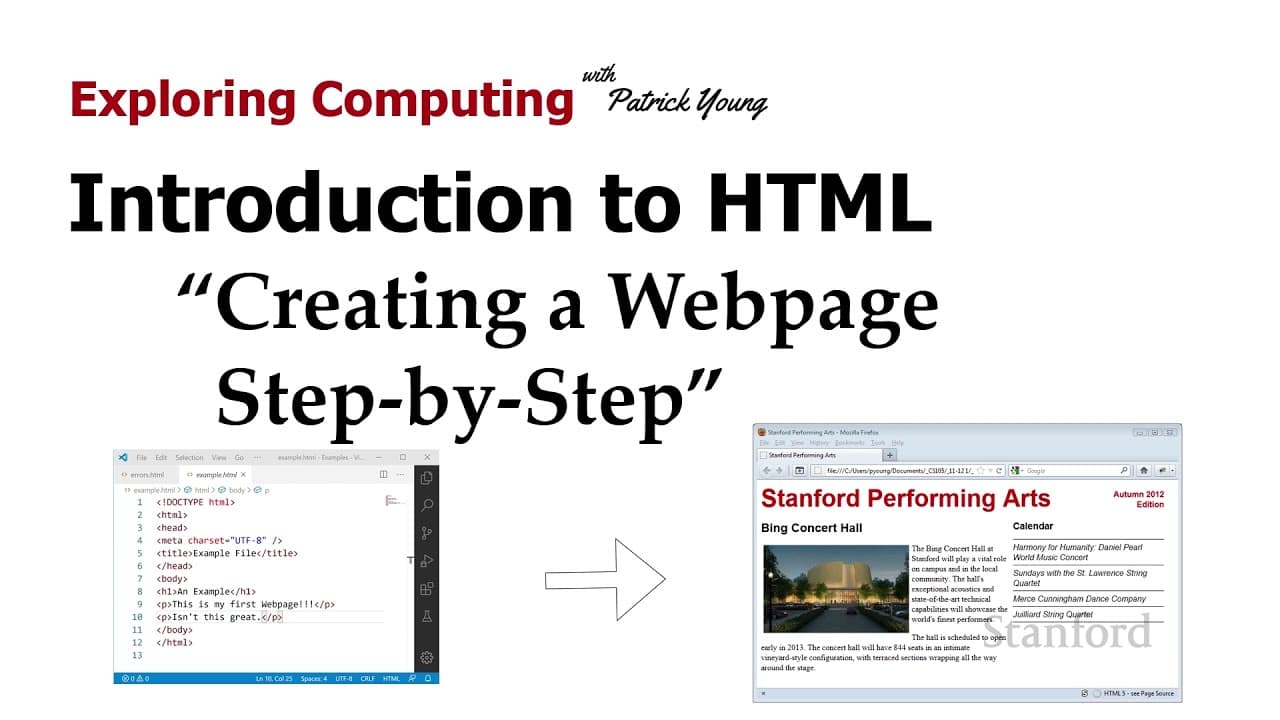
Mastering HTML involves using a text editor like Visual Studio Code, not a word processor. Begin by editing your HTML file and ensuring it's error-free through validation before loading it in a web browser like Firefox for testing. This cycle of editing, validating, and testing is crucial for successful web development.
Transcript
welcome to exploring computing today's video is introduction to html creating a web page step by step now this example web page we're showing right here we aren't going to quite get to that level of sophistication today but we will very shortly because that's actually on next week's homework assignment for now we're going to start off with somethin... Read More
Key Insights
- 👨💻 HTML code should be edited using a text editor, not a word processor, to maintain control over web page appearance.
- 🕸️ Visual Studio Code is a recommended text editor for creating HTML web pages, but other options like Sublime or Atom are also available.
- 📁 Displaying file extensions is recommended to differentiate between file types and avoid confusion during web page development.
- 👨💻 Validating HTML code using services like the one provided by the World Wide Web Consortium helps identify and fix errors, improving browser compatibility.
- 🫥 Errors in code may not be visible in web browsers, making validation an essential step in quality control.
- 🕸️ Web pages should be tested using reliable web browsers like Firefox to ensure consistency across different browsers and devices.
- 🕸️ The edit-debug cycle, involving code editing, validation, and web browser testing, is a common practice in web development.
Install to Summarize YouTube Videos and Get Transcripts
Explore YouTube Video Summarizer or Get YouTube Transcript Extractor
Questions & Answers
Q: Why is it recommended to use a text editor instead of a word processor for creating HTML web pages?
Text editors provide more control over the appearance of web pages, which need to be displayed on different devices with various characteristics. Word processors often add unwanted formatting and are not suitable for web development.
Q: What are some recommended text editors for creating HTML web pages?
Visual Studio Code, Sublime, and Atom are popular text editors used by professionals and are available for different platforms. Macintosh users can also consider Text Wrangler or BBEdit, but Text Edit should be avoided.
Q: Why is it important to validate HTML code?
Web browsers do not always display errors on web pages, so validating code helps identify and fix any issues that may cause inconsistencies across different browsers and devices. Failure to validate code can result in the loss of points in assignments.
Q: Why is Firefox recommended for testing web pages?
While different web browsers may interpret erroneous code differently, Firefox is used as a standardized browser for grading purposes in this course. Testing web pages in multiple browsers ensures compatibility and consistent appearance.
Summary & Key Takeaways
-
This video provides an introduction to creating web pages using HTML, starting with the basics.
-
It emphasizes the need for a text editor, such as Visual Studio Code, and explains why word processors like Microsoft Word are not suitable for web page development.
-
The importance of validating HTML code and using a reliable web browser like Firefox for testing is also highlighted.
-
(Content reviewed on 2026-08-27.)
Read in Other Languages (beta)
Share This Summary 📚
Summarize YouTube Videos and Get Video Transcripts with 1-Click
Try YouTube Summary with ChatGPT & Claude or YouTube Transcript Generator
Explore More Summaries from Stanford Online 📚





Summarize YouTube Videos and Get Video Transcripts with 1-Click
Try YouTube Summary with ChatGPT & Claude or YouTube Transcript Generator