How to Easily Theme Your Ubuntu Terminal with Theme.sh
TL;DR
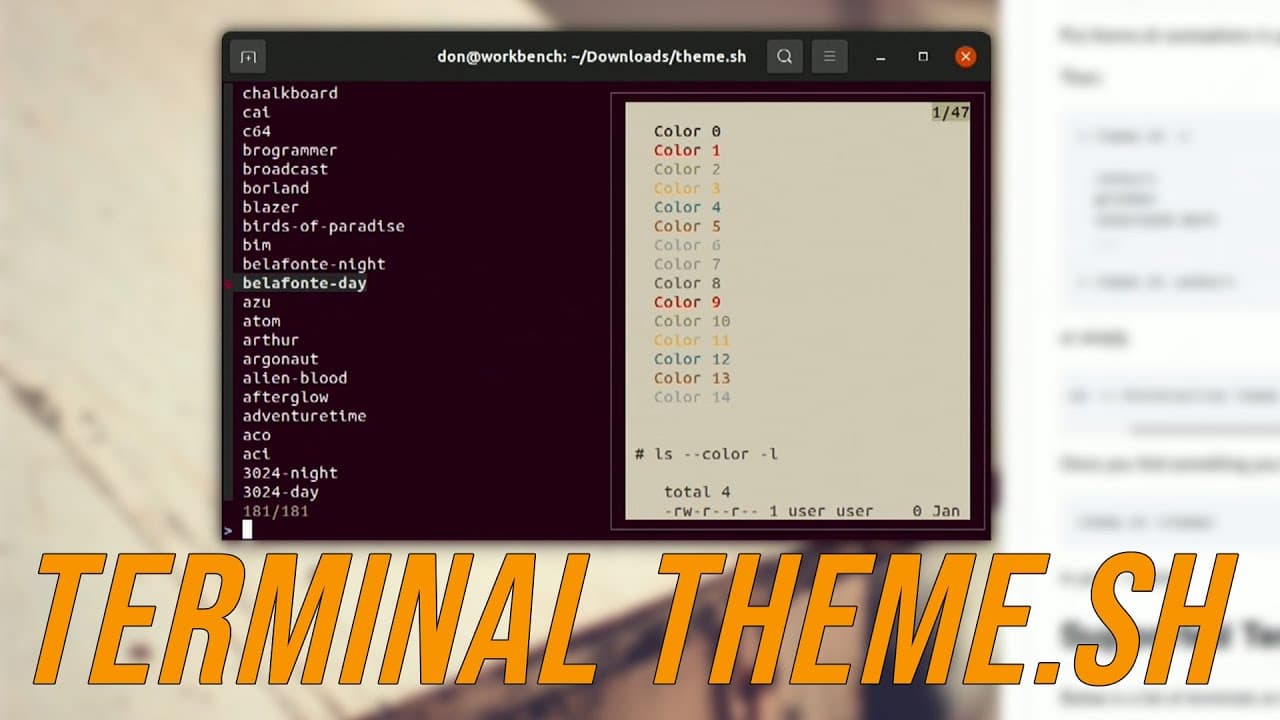
You can easily change your Ubuntu terminal themes with Theme.sh, which includes 150 pre-packaged themes accessible through a simple command or an interactive search. To make your chosen theme persistent on startup, add the command to your .bashrc file, ensuring your preferred theme loads automatically each time you open the terminal.
Transcript
hey guys it's don here from nova spare tech and welcome back to the channel and i just found the easiest way to theme your terminal so let's get started now i'm currently in the middle of doing another project with this computer right now where it required me to actually reformat my system reinstall a fresh copy of ubuntu 2010 and the first thing i... Read More
Key Insights
- 👀 Theme.sh is a recent addition to terminal customization tools, providing a straightforward solution for users looking to personalize their interface.
- 🎨 The software is designed to function seamlessly with popular terminals like Gnome Terminal and is recognized for its extensive collection of themes.
- 👨🔬 Users can quickly switch between themes with a simple command or by utilizing an interactive search, enhancing their overall experience.
- 🧘 Persistent theming is achievable by making simple edits to the bashrc configuration file, which stores user-defined settings for terminal sessions.
- 😄 The ease of installation and usage makes Theme.sh accessible to both novice and experienced users in the Linux community.
- ❓ The ability to customize the terminal can enhance productivity by creating a more visually appealing workspace.
- 💗 From a development perspective, the active support and recent updates indicate a growing interest in terminal tools and customization options among users.
Install to Summarize YouTube Videos and Get Transcripts
Explore YouTube Video Summarizer or Get YouTube Transcript Extractor
Questions & Answers
Q: What is Theme.sh and how does it help with terminal theming?
Theme.sh is a software tool designed to enhance the terminal experience by offering approximately 150 pre-packaged themes. It allows users to change their terminal's appearance quickly and easily through command-line inputs or an interactive shell, making the theming process much simpler, especially for those who may find it challenging.
Q: Do I need any additional software to use the interactive shell feature of Theme.sh?
Yes, to utilize the interactive shell feature of Theme.sh, you must install fzf, which is a command-line fuzzy finder. Installing it is straightforward; simply run "apt-get install fzf" in your terminal. This installation enables you to browse the available themes in a more user-friendly manner.
Q: How can I ensure my selected theme starts automatically each time I open the terminal?
To have your chosen terminal theme load automatically when you open your terminal, you need to add the command "theme.sh [theme-name]" to your bashrc file. You can do this by editing the file with a text editor like nano and placing the command at the end. This way, your selected theme will initialize every time a shell session begins.
Q: What happens if I exit the terminal and open it again after changing the theme?
If you change the terminal theme using Theme.sh and then exit the terminal, upon reopening it, the theme will revert to the default Ubuntu theme. To maintain your selected theme after closing the terminal, you must copy the theme.sh script to your local bin and modify your bashrc file to automatically execute your desired theme on startup.
Summary & Key Takeaways
-
The presenter introduces Theme.sh, a tool that simplifies terminal theming for Ubuntu users, particularly those who struggle with design.
-
Theme.sh comes pre-packaged with 150 themes, allowing users to switch easily between them using a single command or an interactive shell.
-
The tutorial explains how to set Theme.sh for persistent theming by modifying the bashrc file, ensuring the chosen theme loads automatically on terminal startup.
Read in Other Languages (beta)
Share This Summary 📚
Summarize YouTube Videos and Get Video Transcripts with 1-Click
Try YouTube Summary with ChatGPT & Claude or YouTube Transcript Generator
Explore More Summaries from Novaspirit Tech 📚






Summarize YouTube Videos and Get Video Transcripts with 1-Click
Try YouTube Summary with ChatGPT & Claude or YouTube Transcript Generator