How to Navigate n8n 2.0: Key Changes and Migration
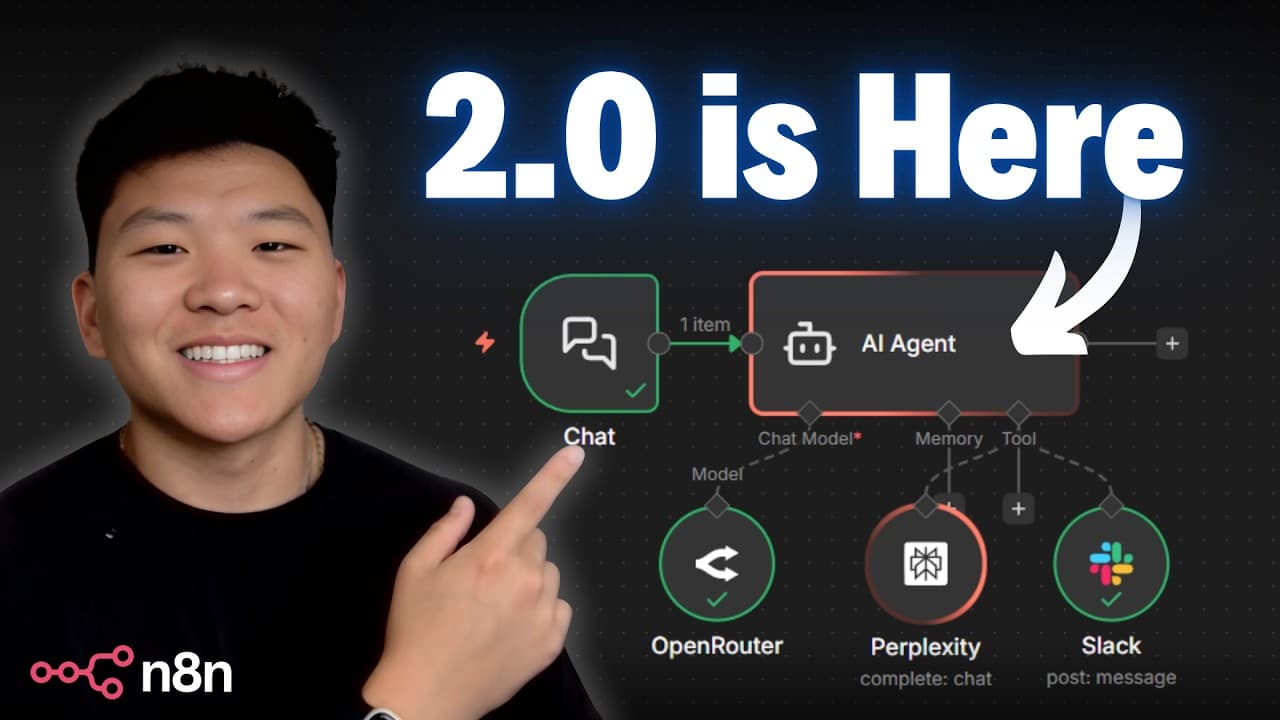
TL;DR
n8n 2.0 introduces a refreshed UI with smoother animations and a notable change: subworkflows must be published before they can be called. It also brings better processing visuals, easier access to settings, and faster saves. The migration overview covers publishing workflows and testing transitions.
Transcript
NN version 2 is finally here and I've spent multiple hours comparing version one with version two. And so in today's video I'm going to be walking through the things that you actually need to know as well as going over the breaking changes. So let's not waste any time and get straight into the video. So what we're looking at right now is version tw... Read More
Key Insights
- n8n 2.0 has a refreshed UI with embedded nodes and a minimalistic look.
- The processing animation now uses a red outline for thinking and a green outline for completed tasks.
- Node connectors on hover pop out and show a white outline for clearer interaction.
- The sidebar is expandable in the new version, improving navigation and space use.
- Settings are more accessible in v2, making configuration quicker.
- Subworkflows must be published before they can be invoked by another workflow in v2.
- V2 emphasizes security, reliability, and performance improvements behind the scenes.
- A new behavior change is that subworkflow data can wait and return data to the main workflow under certain conditions.
Install to Summarize YouTube Videos and Get Transcripts
Explore YouTube Video Summarizer or Get YouTube Transcript Extractor
Questions & Answers
Q: How does n8n 2.0 change subworkflow handling compared to version 1.0
In n8n 2.0, subworkflows must be published before they can be called by another workflow, which is a change from version 1.0 where an inactive subworkflow could be used by a main workflow. This ensures better control over workflow dependencies and versioning during automation development.
Q: What visual changes are introduced in n8n 2.0 UI
The new UI features more embedded nodes with a modern look and minimalistic styling. Processing animations use a red outline while nodes are thinking and a green outline when execution completes, providing clearer feedback across the workflow canvas.
Q: How are connectors and hover interactions different in n8n 2.0
Connectors now pop out with a white outline when hovered, and the visual indicators for different connector types are more distinct. This improves readability of workflow graphs, especially when arranging complex branches and integrations.
Q: What affects settings access in n8n 2.0
Settings have moved to a more accessible location in the new version, allowing quicker navigation to configuration options without multiple clicks through the profile, which reduces friction when adjusting credentials, executions, and other workflow parameters.
Q: What is the migration process for subworkflows in n8n 2.0
To migrate, publish the subworkflow in the new version, provide a version name and description, and then you can call the published subworkflow from another workflow. This establishes a clear publish and versioning flow for subworkflows during migration.
Q: What is a notable performance improvement mentioned for n8n 2.0
One notable improvement is faster save operations, with the expectation that autosave will arrive in January 2026. While autosave is not yet released, the current behavior is already more instantaneous compared to version 1.0, and this mirrors a broader focus on reliability and speed.
Q: How does the video describe the impact of v2 on existing workflows
The presenter demonstrates that existing workflows paste into version 2.0 and retain their properties, indicating that the underlying JSON structure remains compatible. This reduces friction for users upgrading, as most workflows can be migrated without needing major rewrites.
Q: What future topics are mentioned as coming to n8n 2.0
The video mentions an emphasis on security, reliability, and performance as backend changes to support scalability. It also references upcoming features like autosave and ongoing migration guidance, suggesting ongoing improvements and more robust workflow management in future updates.
Summary & Key Takeaways
-
The video highlights a refreshed UI and more embedded node visuals, creating a modern, minimal look that emphasizes ease of use. It also notes subtle changes in connectors and hover behavior that improve clarity when building workflows. The content centers on how these changes affect day to day usage.
-
A major breaking change discussed is that subworkflows must be published to be called by another workflow, with a concrete example showing how unpublished subworkflows behave differently. The presenter also explains how this affects the testing and deployment flow for users.
-
The video concludes with migration tips, including expectations for a January 2026 autosave feature, and guidance on how to compare v1 and v2 side by side to minimize disruption during the upgrade.
Read in Other Languages (beta)
Share This Summary 📚
Summarize YouTube Videos and Get Video Transcripts with 1-Click
Try YouTube Summary with ChatGPT & Claude or YouTube Transcript Generator
Explore More Summaries from Nate Herk | AI Automation 📚






Summarize YouTube Videos and Get Video Transcripts with 1-Click
Try YouTube Summary with ChatGPT & Claude or YouTube Transcript Generator