What Is the Zema Blade and How Does It Improve Home Labs?
TL;DR
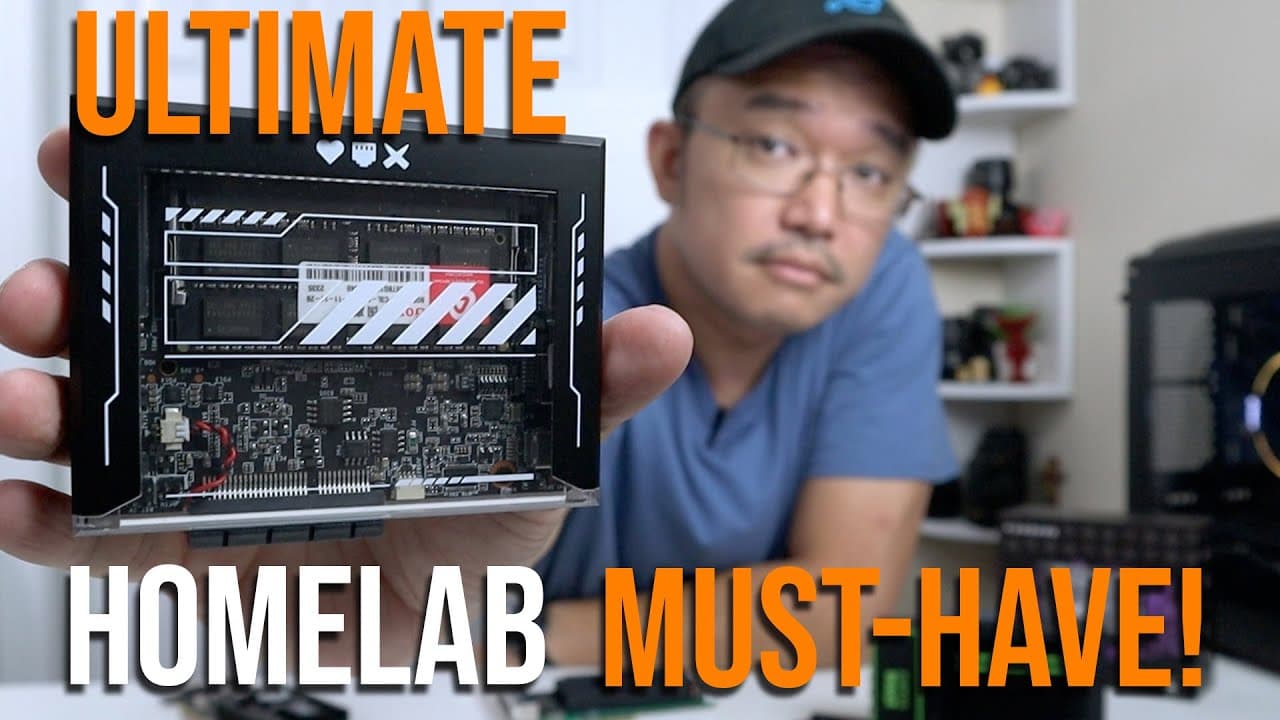
The Zema Blade enhances home lab setups with a USBC port for power and display, and slottable RAM for customization. It features a J3455 CPU for improved performance and minimal thermal throttling, making it ideal for applications like NAS and Plex servers. Cassa OS simplifies Docker management, providing an efficient platform for various tech projects.
Transcript
hey guys what's going on it's Don here from Nova Spirit Tech and welcome back to the channel and today I got a really exciting product to show you guys which is the zema blade so let's get started just as I thought when the zema board could not get any better they go ahead and develop the zema blade now this thing answers a lot of the problems that... Read More
Key Insights
- ✊ The addition of a USBC port for power and display greatly enhances connectivity and versatility in setups.
- 🥺 Slottable RAM allows users to customize memory options, leading to more efficient performance tailored to specific tasks.
- 🙂 The J3455 CPU gives a noticeable yet modest performance improvement, catering to users requiring slightly better computing power.
- 😒 The design of the Zema Blade includes a robust cooling mechanism that prevents overheating during extended use, ensuring reliability.
- 😒 Ideal for dual-use, the Zema Blade is versatile enough to function as a Plex server while supporting gaming applications.
- 📫 Built-in Cassa OS is optimized for server usage, providing Docker integration right out of the box, making it relevant for developers and tech enthusiasts.
- 🤗 The ability to use PCIe expansion cards opens up further possibilities for customization, catering to diverse home lab scenarios.
Install to Summarize YouTube Videos and Get Transcripts
Explore YouTube Video Summarizer or Get YouTube Transcript Extractor
Questions & Answers
Q: What are the key upgrades in the Zema Blade compared to the Zema Board?
The Zema Blade introduces two significant upgrades: a USBC port for power delivery and display, and slottable RAM options. This change allows users to select RAM sizes according to their needs rather than being limited to fixed amounts with soldered options on the previous model. This flexibility enhances overall performance and user experience.
Q: How does the performance of the CPU in the Zema Blade compare to the previous model?
The Zema Blade utilizes the J3455 CPU, providing a slight performance boost of about 10% over the Zema Board’s N3450. Although the power usage increases slightly from 6 watts to 10 watts TDP, users can expect better speed for various benchmarks, making it a suitable choice for demanding applications.
Q: Can the Zema Blade be used for gaming purposes?
Yes, the Zema Blade is suitable for retro gaming, capable of supporting games up to PlayStation 2. The enhanced performance from its GPU allows for smooth gameplay, and it can handle various demands that come with retro game emulation, making it a viable gaming device alongside its other functions.
Q: What kind of projects is the Zema Blade particularly good for?
The Zema Blade is ideal for home lab setups, NAS devices, and Plex servers. Its ability to support multiple hard drives and expand via PCIe slots makes it versatile for various uses, including media streaming and data management, alongside potential for retro gaming and other computing tasks.
Q: How does the cooling system of the Zema Blade work?
The Zema Blade features a plastic construction with a heat sink design at its base, directly connected to the CPU through a thermal pad. This effective cooling solution prevents thermal throttling, ensuring stable performance even under load, which is crucial for long-running home lab tasks.
Q: What operating system comes installed on the Zema Blade?
The Zema Blade comes with Cassa OS pre-installed. This operating system is designed for server and home lab use, featuring a web GUI for easy management and support for Docker, allowing users to install various server applications efficiently.
Q: Why is the flexibility of RAM configurations important for users?
Flexibility in RAM configurations is crucial as it allows users to optimize their system according to specific needs and tasks. Unlike the soldered RAM in the previous Zema Board, the Zema Blade permits upgrades and custom configurations, enhancing overall system performance for different applications without unnecessary expense.
Q: What are the user experiences with Cassa OS?
Users generally report that Cassa OS is intuitive and well-organized, facilitating easy navigation and management of different applications and server functionalities. The built-in application store is an added advantage, allowing for straightforward software installations, making the setup process fluid for home lab projects.
Summary & Key Takeaways
-
The Zema Blade improves upon the Zema Board by introducing a USBC port for power delivery and a slottable RAM feature, allowing for greater customization in hardware setups.
-
With enhanced CPU and GPU performance and minimal thermal throttling, the Zema Blade acts as an efficient tool for various applications such as NAS and Plex servers.
-
Its built-in operating system, Cassa OS, provides a user-friendly interface for Docker and server management, enabling users to leverage its potential for home lab projects effectively.
Read in Other Languages (beta)
Share This Summary 📚
Summarize YouTube Videos and Get Video Transcripts with 1-Click
Try YouTube Summary with ChatGPT & Claude or YouTube Transcript Generator
Explore More Summaries from Novaspirit Tech 📚






Summarize YouTube Videos and Get Video Transcripts with 1-Click
Try YouTube Summary with ChatGPT & Claude or YouTube Transcript Generator