How to Install Steam Link on Raspberry Pi 3
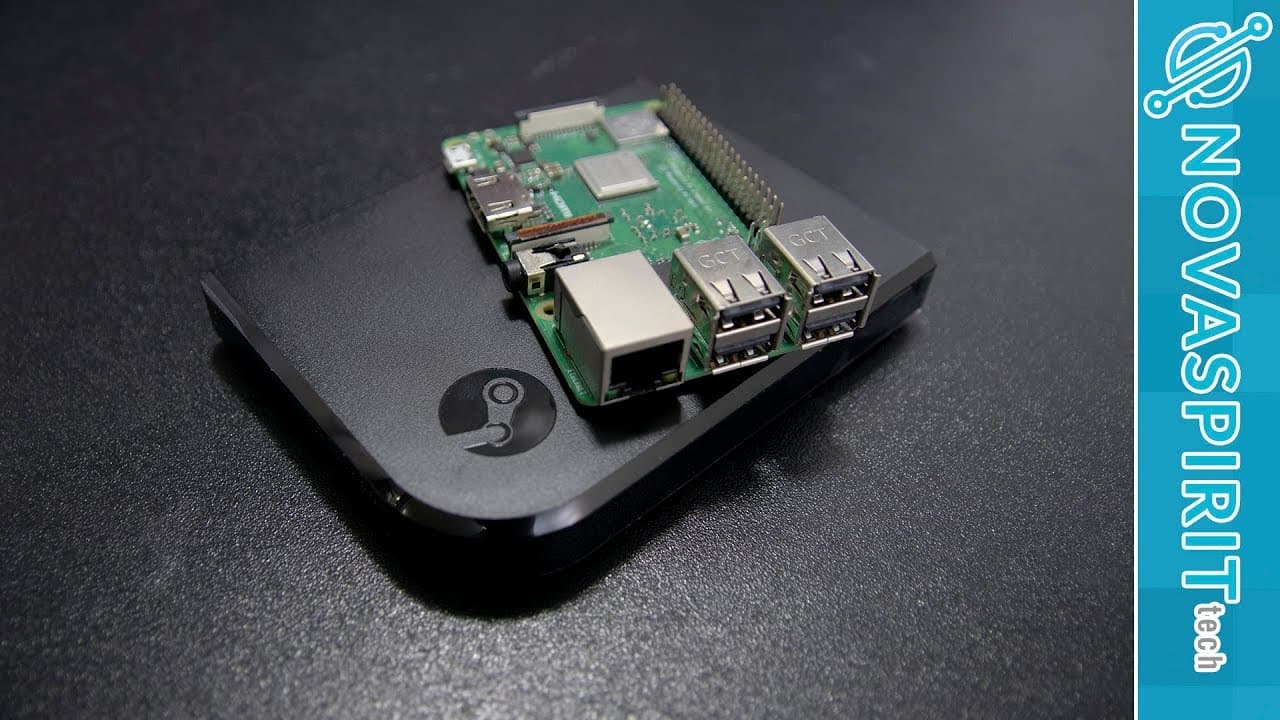
TL;DR
To install Steam Link on Raspberry Pi 3, first set up Raspbian on an SD card, then run two simple commands to download and install the software. The app enhances game streaming options, but performance varies significantly depending on your internet connection, with Ethernet providing a much smoother experience compared to Wi-Fi.
Transcript
hey guys going on it's down here from Nova spirit Tech and Christmas came a little early for us raspberry pi users that's because steam officially dropped their steam link application for the Raspberry Pi that's where we're gonna be checking out today so let's get started so the guys didn't know steam link is an actual Hardware piece where steam of... Read More
Key Insights
- 😀 The launch of the Steam Link app for Raspberry Pi marks a shift from hardware to software solutions for game streaming.
- 😀 The app installation process involves using Raspbian OS and simple command-line inputs, making it accessible for users with basic technical skills.
- 🇫🇮 Performance testing shows Ethernet connections provide smoother gameplay, while Wi-Fi may introduce lag, impacting the gaming experience.
- 👾 Users interested in a seamless gaming experience need to consider their connection type when streaming games.
- 😀 While the app enhances gaming options for Raspberry Pi users, it may not be ideal for competitive online gaming due to potential latency issues.
- 😀 The discussion around the app highlights user preferences for traditional gaming setups versus the flexibility of streaming solutions.
- 😀 Retro gaming enthusiasts may find the combination of the Steam Link app with RetroPie appealing for a nostalgic gaming experience.
Install to Summarize YouTube Videos and Get Transcripts
Explore YouTube Video Summarizer or Get YouTube Transcript Extractor
Questions & Answers
Q: What does the Steam Link app allow Raspberry Pi users to do?
The Steam Link app allows Raspberry Pi users to stream games from their desktop to a TV or other display devices, replacing the need for the original hardware product which has been discontinued. Users can access their Steam library and play games remotely, providing flexibility in gaming setups.
Q: How does the performance of the Steam Link app differ between Wi-Fi and Ethernet?
The performance of the Steam Link app is significantly better with an Ethernet connection compared to Wi-Fi. While using Wi-Fi, users may experience noticeable lag and hiccups in gameplay, especially during scenes with high movement or pixel changes. In contrast, Ethernet provides better bandwidth, resulting in a smoother, more responsive gaming experience.
Q: Is the Steam Link app suitable for all types of games?
While the Steam Link app can be used for various games, its suitability depends on the game type. Games that require quick reflexes, such as first-person shooters or competitive strategy games, may suffer from latency issues, making the experience less enjoyable. However, it works well for RPGs and less time-sensitive genres.
Q: What are potential alternative setups for using the Steam Link app effectively?
One potential setup for the Steam Link app is to use it with a RetroPie configuration, allowing users to play retro games with a joystick and the Steam Link software. Additionally, it can be effectively utilized with a small screen or mobile Bluetooth controllers, making gaming on-the-go a viable option for RPGs and casual games.
Summary & Key Takeaways
-
Steam Link, originally a hardware product for game streaming, is discontinued but now has a software version for Raspberry Pi users.
-
The installation process for the Steam Link app on Raspberry Pi is straightforward, requiring Raspbian OS and a couple of commands to set up.
-
The performance test showed a noticeable difference in streaming quality based on the connection type, with ethernet providing a significantly smoother experience compared to Wi-Fi.
Read in Other Languages (beta)
Share This Summary 📚
Summarize YouTube Videos and Get Video Transcripts with 1-Click
Try YouTube Summary with ChatGPT & Claude or YouTube Transcript Generator
Explore More Summaries from Novaspirit Tech 📚






Summarize YouTube Videos and Get Video Transcripts with 1-Click
Try YouTube Summary with ChatGPT & Claude or YouTube Transcript Generator