How to Filter and Monitor Kids' Internet Use
TL;DR
Parents need layered technical controls because rules, awareness, and a single device restriction cannot reliably protect children across phones, tablets, televisions, game systems, and other connected devices. Effective supervision must account for accidental exposure, deliberate searches, contact with strangers, software installation, travel outside the home, and the different needs of younger children and teenagers.
Transcript
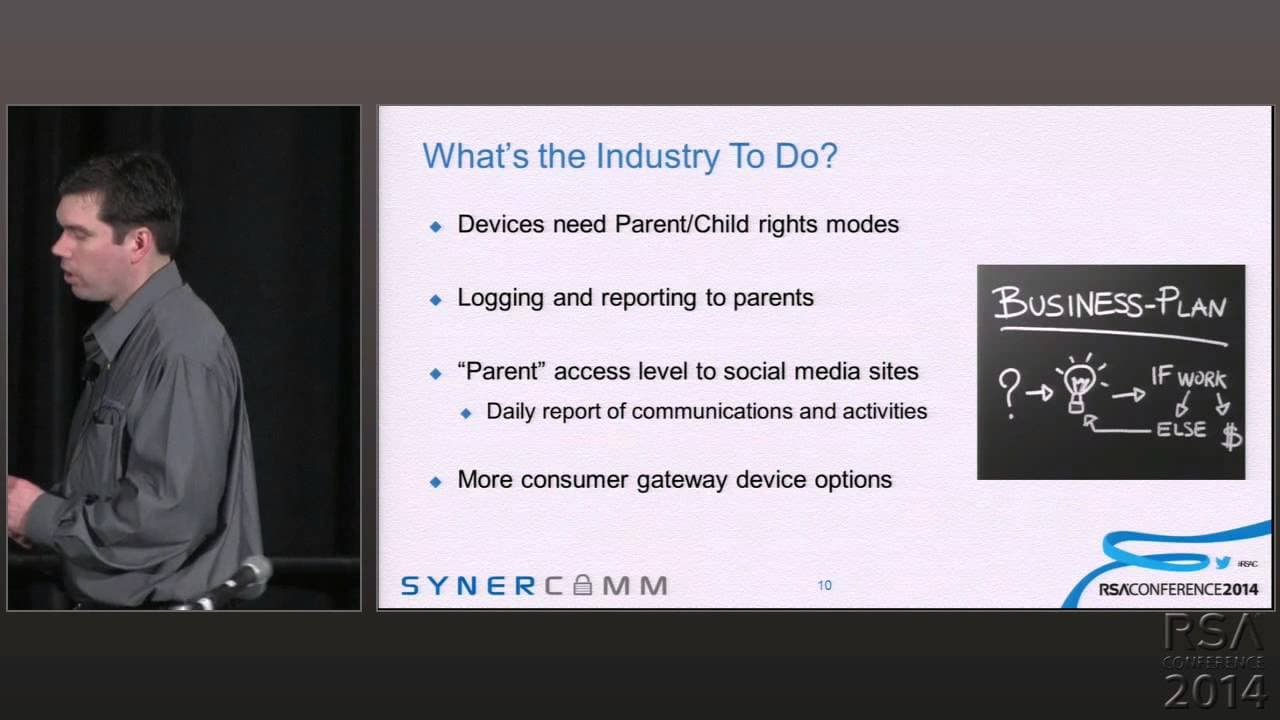
Thank you. Thank you everybody for coming. Um, so yeah, I'm here to talk about kind of w- what's available today, what's, what's the industry at right now when it comes to, uh, parental controls on, uh, web media. Um, why is this of interest to me? So my son is thirteen years old. He has, uh, learning delays and some other special needs, uh, uh, no... Read More
Key Insights
- Connected-device diversity makes household filtering difficult because children can browse through phones, tablets, televisions, game systems, and media players. A control applied only to the family computer leaves other internet-capable devices and connections outside the home beyond its protection.
- Parental awareness alone is not a reliable safeguard because children may misjudge serious online risks. The school example involved a girl arranging for an unknown adult man from Florida to collect her in Wisconsin, while recruiting a friend instead of abandoning the dangerous plan.
- Household rules alone can fail because children may deliberately seek prohibited content or encounter it unintentionally. A complete ban can stop device use, but the Boy Scout parent’s response also left an expensive media player and its purchased music sitting unused in a drawer.
- Suggested-video navigation can carry young children far from parent-selected material. A child starting with a dance song on YouTube may choose successive recommendations, and within three or four clicks reach content that differs substantially from the original parent-approved selection.
- Endpoint controls remain attached to a device when a child visits a friend or attends an outing. This portability is valuable, but the approach only works on supported devices and may require restricting the child’s ability to install browsers, games, or other programs.
- Application restrictions can create unintended usability problems. Blocking browser access did not prevent installing another browser, while later blocking new installations stopped that bypass but also caused existing games to fail when they could not receive required updates.
- Built-in parental controls are inconsistent across connected products. Kindles and iPods may provide built-in or third-party options, while the described Google TV offered no endpoint filtering method even though it included a browser, leaving parents without a device-level remedy.
- Parental-control technologies can be grouped into endpoint software, DNS-based controls, ISP or cloud services, and family filtering routers. Each category addresses a different part of the problem, so parents must consider both device-level protection and the network through which access occurs.
Install to Summarize YouTube Videos and Get Transcripts
Explore YouTube Video Summarizer or Get YouTube Transcript Extractor
Questions & Answers
Q: Why are traditional parental controls no longer enough?
Traditional advice focused on placing a single computer in a shared living area and installing filtering software. That model no longer covers a home filled with phones, tablets, televisions, game systems, and media players that include browsers. Children also carry devices to friends’ homes and outings or use phone-network internet access, so protection tied to one computer or household connection has major gaps.
Q: Why should parents use technical controls alongside internet safety education?
Safety education can help, but it cannot guarantee that every child will recognize or avoid danger. The school incident described a girl who arranged for an unknown adult man from Florida to pick her up in Wisconsin. She recognized enough risk to recruit a friend, yet did not cancel the plan. The example shows why parents cannot rely exclusively on judgment and awareness.
Q: How can children reach inappropriate content accidentally on YouTube?
A parent may select an appropriate dance or music video and then hand the tablet to a young child. After it ends, the child can choose one of the suggested videos and continue following recommendations. The talk states that within three or four clicks, the child may be far from the original subject, creating exposure that was neither sought by the child nor approved by the parent.
Q: What are the main types of parental web filtering controls?
The talk organizes technical controls into four categories: endpoint software, DNS-based filtering, ISP or cloud services, and family filtering routers. Endpoint controls operate through downloaded software or settings built into an individual device. The other categories address filtering through name resolution, a service provider or cloud offering, or equipment designed to manage internet access for the household.
Q: What are the advantages of endpoint parental-control software?
Endpoint protection stays with the device rather than depending entirely on the home network. If a child takes an iPod, tablet, or computer to a friend’s house or a Boy Scout outing, its restrictions can remain active. The talk cites NetNanny and K9 as computer examples and notes that some Kindles, iPods, and other devices offer built-in or third-party control options.
Q: What limitations can device-level parental controls create?
Device-level controls may force parents to block software installation so children cannot add a second browser and bypass the disabled original browser. That restriction can also prevent legitimate game updates and cause existing games to stop working. Some connected devices provide no suitable filtering option at all, as illustrated by a Google TV that had a browser but no available endpoint filtering method.
Q: Why is taking away a connected device an incomplete solution?
Confiscating a device can prevent immediate misuse, but it also eliminates acceptable uses. One parent removed a media player after his son used it to look for pornography, leaving the device and its purchased music unused in a drawer. The example presents a strict prohibition as a failed policy because it sacrifices the product’s legitimate value instead of managing how the child accesses online content.
Q: Why had ISP-provided filtering become difficult to find?
The speaker recalled that internet service providers had offered filtering for ten dollars a month about ten years earlier, but he could not find comparable ISP options while preparing the talk. He believed providers found the service expensive, attracted too few customers, and generated substantial support demands because a common system had to accommodate many households with different access preferences.
Summary & Key Takeaways
-
Internet safety has become harder because children can connect through tablets, media players, phones, televisions, game systems, and other devices. Moving one computer into a shared room is no longer sufficient. Parents must consider every browser-equipped device, connections outside the home, accidental content discovery, deliberate searches, and online communication with unknown people.
-
Rules and safety education remain important, but the presented examples show that neither can be treated as a dependable control. Children may ignore restrictions, misunderstand danger, trust strangers, conceal intentional behavior, or encounter inappropriate material accidentally. Completely confiscating a device prevents harm, but it also wastes its legitimate educational and entertainment functions.
-
Available technical approaches fall into four categories: endpoint software, DNS-based filtering, ISP or cloud services, and family filtering routers. Endpoint controls travel with a device but can disrupt installation and updates or leave unsupported products unprotected. ISP filtering had become difficult to find, while smaller specialist providers were filling that gap.
-
Key Insights provided as factual takeaways independent from the narrative context.
Read in Other Languages (beta)
Share This Summary 📚
Summarize YouTube Videos and Get Video Transcripts with 1-Click
Try YouTube Summary with ChatGPT & Claude or YouTube Transcript Generator
Explore More Summaries from RSAC Cybersecurity 📚





Summarize YouTube Videos and Get Video Transcripts with 1-Click
Try YouTube Summary with ChatGPT & Claude or YouTube Transcript Generator