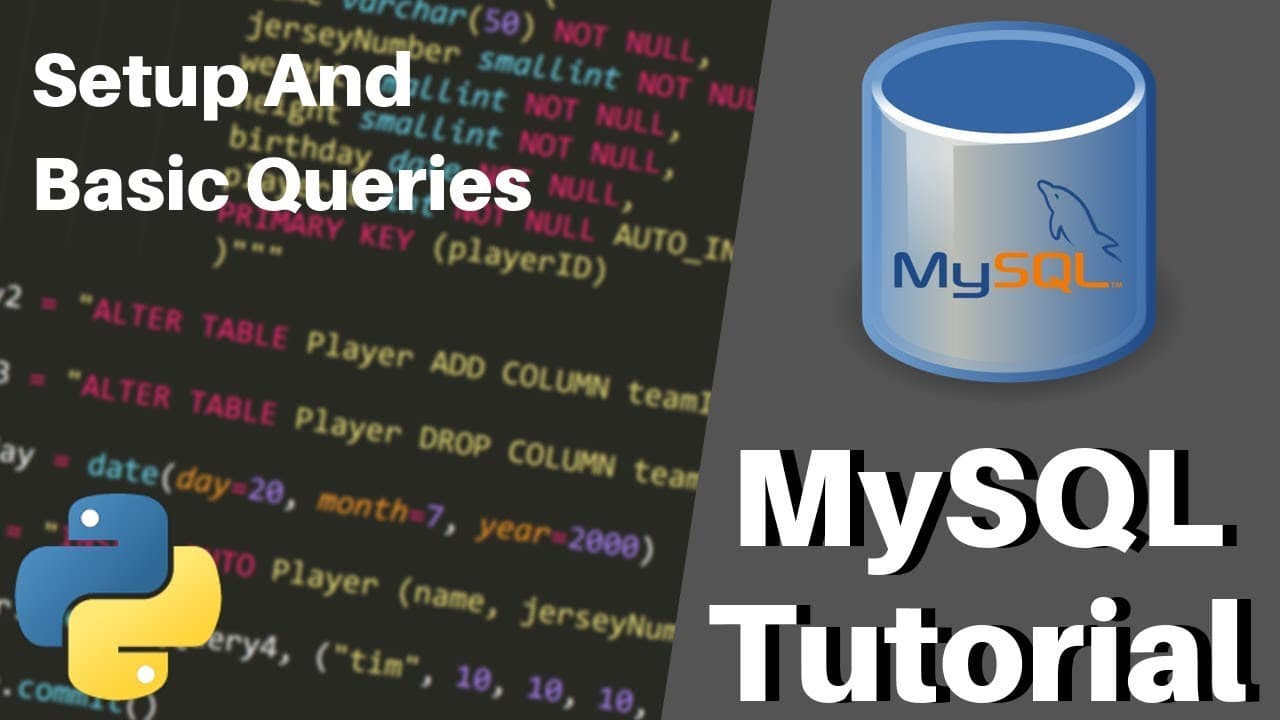
How to Set Up MySQL with Python Connector
TL;DR
To set up MySQL with Python, first download and install MySQL and the MySQL Connector for Python. Ensure the installation is correct by importing MySQL Connector in Python. Create a database and connect to it using Python code. This setup is crucial for executing SQL queries from Python, a skill often required in programming jobs.
Transcript
hello everyone and welcome back to a brand new tutorial series on MySQL SQL and Python now the goal of this series is to get you familiar with SQL which is a structured query language that is used in all different kinds of databases and then to apply that knowledge to MySQL which is a popular database that's used by a lot of companies and a lot of ... Read More
Key Insights
- SQL is a required skill for most programming jobs, even entry-level positions.
- MySQL is a popular relational database management system often used for large applications.
- MySQL typically runs on a dedicated server, unlike SQLite which runs locally.
- To install MySQL, download the installer and choose the 'developer default' option during setup.
- Configure MySQL as a Windows service to run it continuously in the background.
- Install the MySQL Connector for Python to enable SQL queries from Python code.
- Use the Python command
pip install mysql-connectorto install the connector if needed. - Create a new database in MySQL using the command
CREATE DATABASE [database_name].
Install to Summarize YouTube Videos and Get Transcripts
Explore YouTube Video Summarizer or Get YouTube Transcript Extractor
Questions & Answers
Q: How to install MySQL for Python development?
To install MySQL for Python development, download the MySQL installer from the official website. During installation, select the 'developer default' option to include necessary components like the server and client software. Configure MySQL as a Windows service to run in the background continuously, facilitating easier future access. Ensure the installation is correct by testing with Python code.
Q: What is the MySQL Connector for Python?
The MySQL Connector for Python is a library that enables Python programs to interact with MySQL databases. It allows developers to execute SQL queries directly from Python code, facilitating database operations like creating tables, inserting data, and retrieving information. Installing the connector is crucial for integrating MySQL capabilities into Python applications, a common requirement in many programming roles.
Q: How to create a new database in MySQL using Python?
To create a new database in MySQL using Python, first ensure the MySQL Connector is installed and correctly configured. Use Python to import the connector and establish a connection to the MySQL server. Create a cursor object and execute the SQL command CREATE DATABASE [database_name] through the cursor to create a new database. Confirm the creation by connecting to the new database.
Q: Why is MySQL preferred over SQLite for large applications?
MySQL is preferred over SQLite for large applications because it is designed to run on dedicated servers, providing more robust performance and scalability. It supports multi-user access and concurrent transactions, making it suitable for complex applications with heavy database loads. In contrast, SQLite is lightweight and runs locally, making it more suitable for smaller, single-user applications or development purposes.
Q: What are the common issues during MySQL installation?
Common issues during MySQL installation include failure to install the MySQL Connector for Python, incorrect configuration of MySQL as a Windows service, and connection errors when attempting to connect to the database. These can often be resolved by ensuring the correct version of Python is used, running the installer again, or manually downloading the connector from the official website and installing it.
Q: How to verify MySQL installation with Python?
To verify MySQL installation with Python, attempt to import the MySQL Connector in a Python script. If the import is successful without errors, the installation is correct. Next, establish a connection to the MySQL server using the connector and execute a simple SQL query, such as creating a database, to ensure that the connection and query execution are functioning properly.
Q: What is the role of a cursor in MySQL operations with Python?
In MySQL operations with Python, a cursor is an object that allows interaction with the database. It facilitates the execution of SQL queries and retrieval of results. Once a connection to the database is established, a cursor is created to execute SQL commands, such as creating databases, inserting data, or fetching records. It acts as a conduit between Python code and the database.
Q: Why configure MySQL as a Windows service?
Configuring MySQL as a Windows service allows it to run continuously in the background, making it readily accessible for database operations without needing to manually start it each time. This configuration is particularly useful for development and production environments where persistent database connections are required, ensuring that the database server is always running and available for use.
Summary & Key Takeaways
-
MySQL is a crucial skill for programming jobs, often required for database management. This video guides through setting up MySQL on a local machine, which usually runs on a dedicated server, and configuring it to run as a Windows service. Installing the MySQL Connector for Python is essential for executing SQL queries through Python.
-
The video provides a step-by-step guide to downloading and installing MySQL, choosing the 'developer default' setup, and configuring it as a Windows service. It emphasizes the importance of the MySQL Connector for Python, allowing SQL queries to be executed from Python code, a common requirement in programming roles.
-
After installation, the video demonstrates creating a database using SQL queries and connecting to it with Python. It highlights troubleshooting steps for common installation issues, ensuring a smooth setup process. This foundational setup is critical for integrating SQL capabilities into Python applications, enhancing database management skills.
Read in Other Languages (beta)
Share This Summary 📚
Summarize YouTube Videos and Get Video Transcripts with 1-Click
Try YouTube Summary with ChatGPT & Claude or YouTube Transcript Generator
Explore More Summaries from Tech With Tim 📚





Summarize YouTube Videos and Get Video Transcripts with 1-Click
Try YouTube Summary with ChatGPT & Claude or YouTube Transcript Generator