How to Play Music Using Your 3D Printer's G-Code
TL;DR
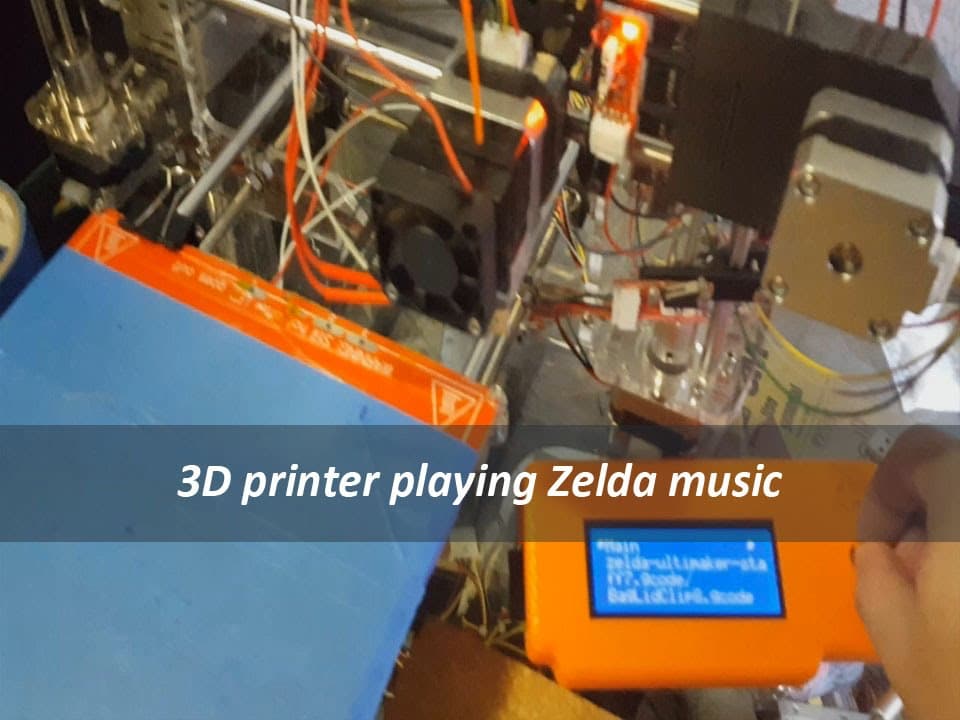
You can play music with your 3D printer by downloading G-code files that trigger melodies upon print completion. For example, you can use soundtracks from games like Zelda and Final Fantasy by modifying your printer's end code. This creative integration enhances the printing experience and adds a fun audio element to your projects.
Transcript
hey YouTube It's Don here and today I'm going to show you how to make music with your 3D printer all right I was digging through the internet for something the other day um trying to um come up with a code where when the print finishes it actually kind of tells me or notifies me or maybe tweets me or something like that but this place that has thes... Read More
Key Insights
- 🍄 Integrating music into 3D printing introduces a fun element to an otherwise technical process, demonstrating creativity within the maker community.
- 💄 The process of downloading specific soundtracks and integrating them requires minimal technical knowledge, making it accessible for hobbyists.
- 👾 Popular game soundtracks can evoke nostalgia, attracting both gamers and makers to experiment with printer capabilities creatively.
- 💪 Modifying G-code requires caution and attention to detail to ensure commands work correctly and do not disrupt printing functionality.
- 🖐️ The notion of using 3D printers for multi-purpose functions, such as playing music, highlights the versatility of modern printing technology.
- 🫵 The tutorial encourages viewers to personalize their printing experience, fostering a deeper connection between the creator and their 3D prints.
- 🖨️ The concept of automated notifications upon print completion offers a potential for enhanced functionality in future printer designs.
Install to Summarize YouTube Videos and Get Transcripts
Explore YouTube Video Summarizer or Get YouTube Transcript Extractor
Questions & Answers
Q: How does the G-code allow a 3D printer to play music?
The G-code uses specific commands that can trigger sounds to play through the printer's hardware. By integrating sound snippets into the printer's commands, users can instruct the printer to produce melodies as part of its operation, enhancing the printing experience with music.
Q: What soundtracks are demonstrated in the video?
The video emphasizes soundtracks from well-loved video games, specifically the Zelda series and Final Fantasy. By downloading these soundtracks as G-code files, the printer can reproduce familiar tunes, providing a nostalgic and entertaining finish to the printing process.
Q: What software tools are mentioned for modifying the G-code?
The host mentions using Notepad++ to edit the G-code easily. This tool allows for simple code adjustments, enabling users to paste sound commands into their printer’s end code, ensuring music plays as soon as the printing task is completed.
Q: Can any printer play music using this method?
Most 3D printers that support G-code customization can potentially play music using this method. However, compatibility may vary by model. It's important to check if the printer’s firmware allows for such modifications and if it has the capability to output sound effectively.
Summary & Key Takeaways
-
The video showcases a creative approach to integrating music production with 3D printing by using G-code, enabling printers to play melodies.
-
The host demonstrates downloading soundtracks, specifically from popular games like Zelda and Final Fantasy, to play as the printer finishes a job.
-
Viewers are guided through modifying the end code in their 3D printer’s software to trigger music playback after printing completes.
Read in Other Languages (beta)
Share This Summary 📚
Summarize YouTube Videos and Get Video Transcripts with 1-Click
Try YouTube Summary with ChatGPT & Claude or YouTube Transcript Generator
Explore More Summaries from Novaspirit Tech 📚






Summarize YouTube Videos and Get Video Transcripts with 1-Click
Try YouTube Summary with ChatGPT & Claude or YouTube Transcript Generator