How to Give Claude or ChatGPT a Memory of Everything You Have Read

Oct 29, 2026
5 min read
0 views
You read a lot: articles, papers, long YouTube videos, Kindle books, threads on X, even good answers from AI chats. Weeks later, you ask Claude or ChatGPT about the topic, and it answers from the general internet, not from the specific things you read and found worth keeping. This guide shows how to give your AI assistant access to your own reading, so it can find the passage you remember only vaguely and show you where it came from.
The usual way, and where it breaks
ChatGPT and Claude both have built-in ways to carry context forward. They can remember facts and preferences you share in conversation, and you can paste notes, quotes, or whole documents into a chat or a project. For a single article or a short set of notes, pasting works well, and it costs nothing.
The limit is that both only know what happened inside the chat. Memory features keep things you said to the assistant, not the article you read in your browser last Tuesday. Pasting means you have to find the passage first, which is the hard part, and you have to do it again in every new conversation. Once your reading spans hundreds of pages across the web, PDFs, videos, and books, copy and paste stops scaling.
The Glasp way: highlight once, let your AI search it
1. Highlight while you read, wherever you read.
Install the Glasp Web Highlighter extension for Chrome, Safari, Firefox, Edge, Brave, or Opera, and highlight the sentences that matter as you read. It works on web articles, PDFs, YouTube transcripts (each highlight keeps its timestamp), and posts on X. On iPhone and iPad, the Glasp Safari extension comes with the iOS app. (How to install Glasp, How to highlight a PDF on Chrome, How to highlight YouTube transcripts, How to highlight X posts)
You can also highlight answers on AI chat sites like ChatGPT, Claude, Gemini, and Perplexity, so a good explanation from last month is not lost in your chat history. Those highlights are private on every plan. (How to save and highlight AI chat answers)
2. Bring in your Kindle highlights.
Books are often the reading you most want to recall. Import your Kindle highlights into Glasp, and turn on Auto-Sync (free, Beta) to bring in new ones daily, every 3 days, or weekly. (How to auto-sync Kindle highlights)
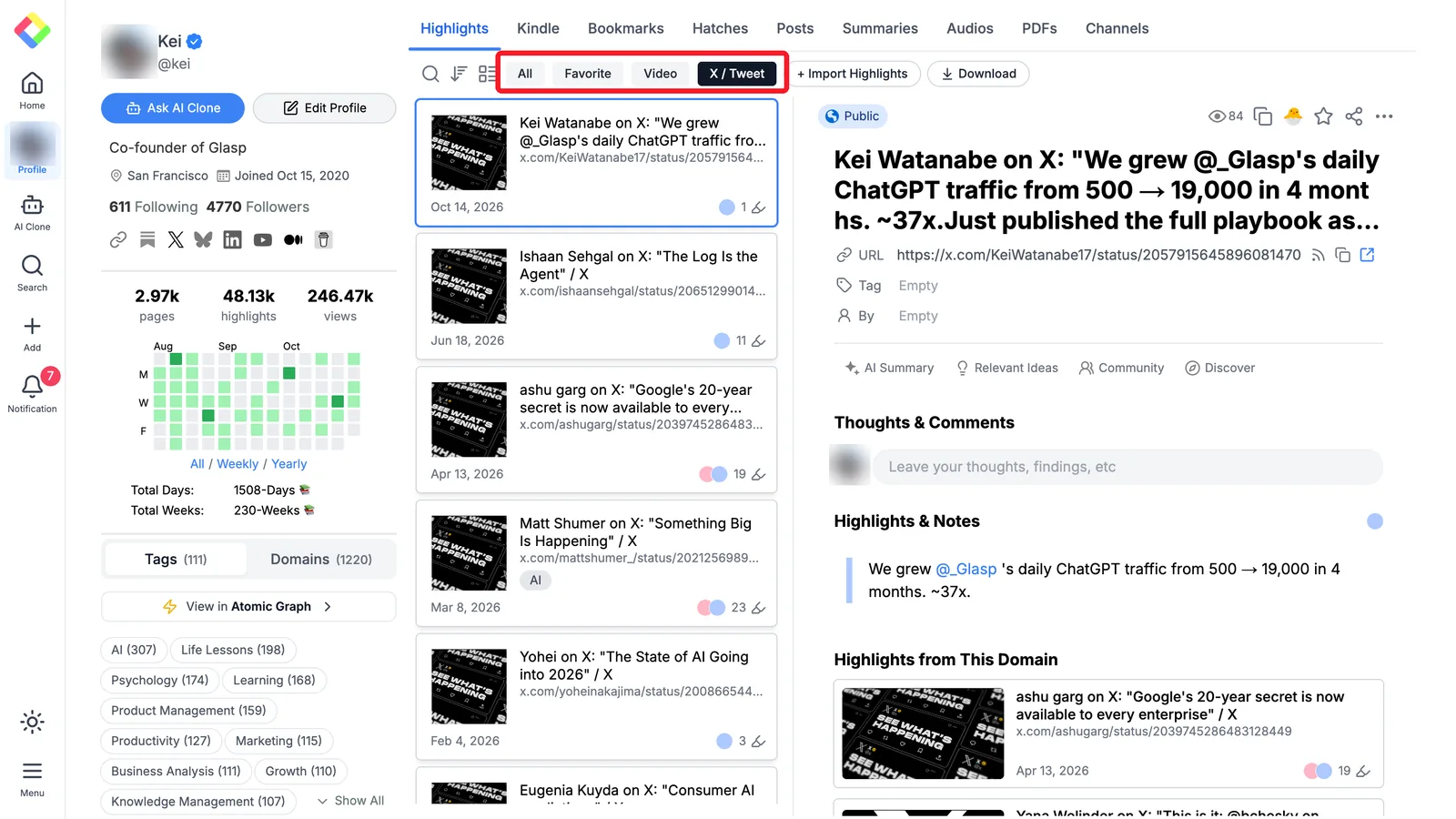
Everything you highlight lands on your Glasp profile, in one place, whatever the source.
3. Connect Glasp to Claude or ChatGPT.
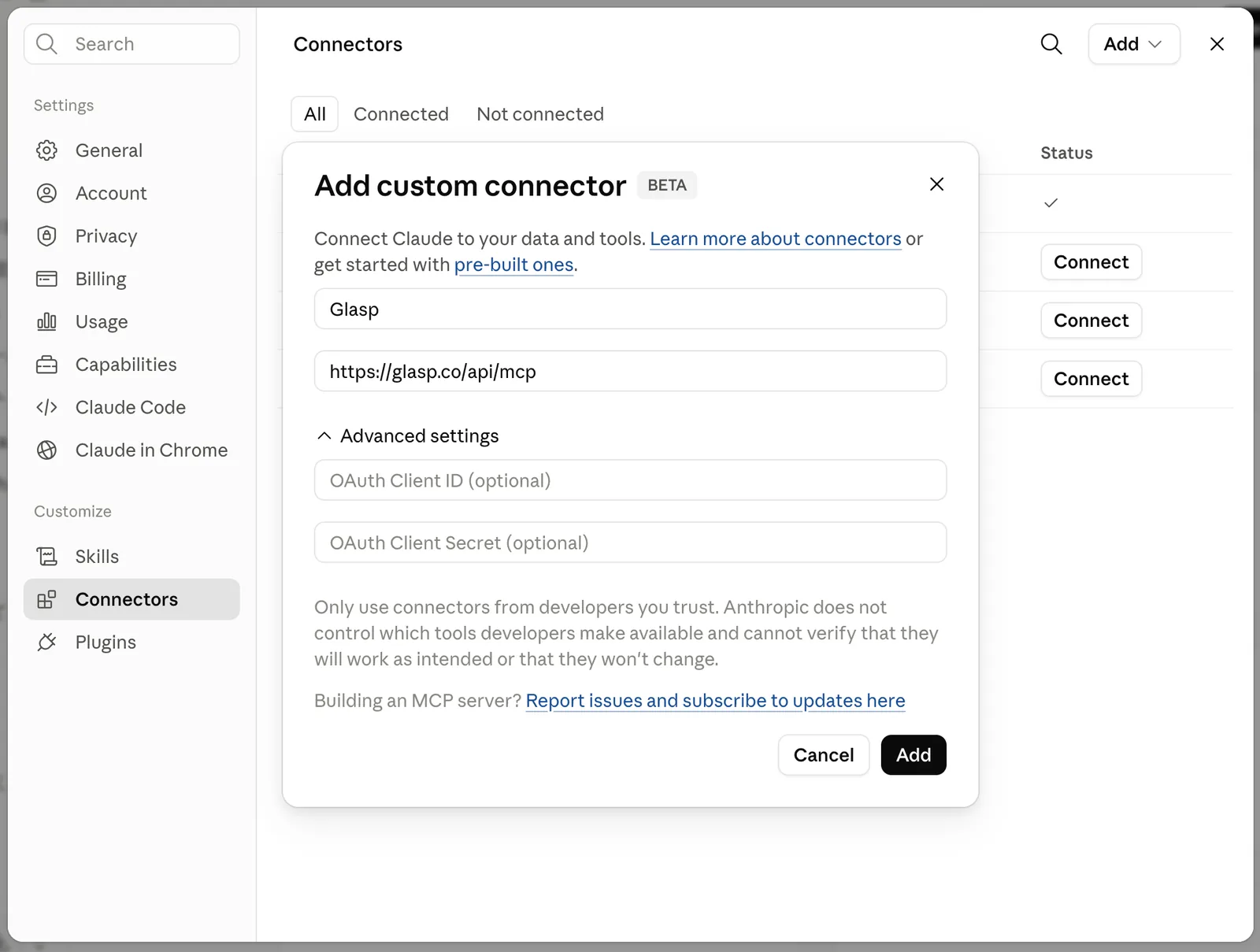
The Glasp MCP Connector links your highlights to Claude (web, desktop, and Claude Code), ChatGPT, or any client that supports the Model Context Protocol. In Claude, you add it as a custom connector with the server URL https://glasp.co/api/mcp and sign in to Glasp once. The full steps for each app are in How to connect Glasp to Claude, ChatGPT, and Claude Code. Learn more at glasp.co/mcp.
4. Ask in plain language.
Now you can ask your assistant about your own reading, the way you would ask a colleague who read everything with you:
"What have I highlighted about pricing for subscription products? Quote the passages and give me the links."
"Find the passages I saved on habit formation, from articles and Kindle books, and group them by idea."
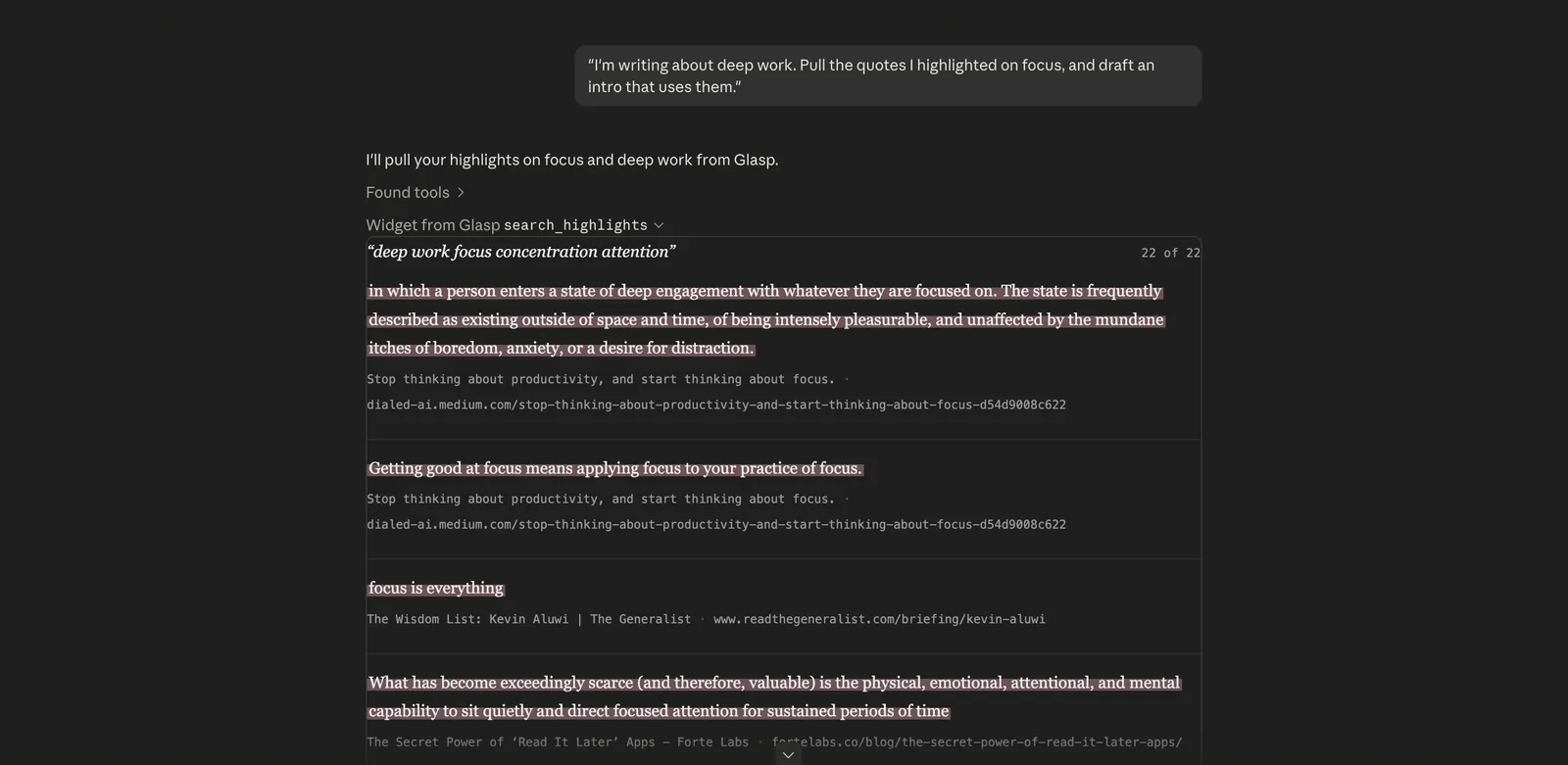
"I'm writing about remote team culture. Pull my highlights on it and draft an outline that cites them."
The search is by meaning, not exact words, so "pricing" can find a passage that talks about "what customers will pay".
5. Check what comes back.
For each match, the assistant gets the highlighted passage, the page title, the link, and your note if you wrote one, along with the color and date. It does not get a separate author field, so if the author matters, ask the assistant to read it from the page title, or open the link. Because every answer points to its source, checking a quote takes one click.
The connector can also list your recent highlights, the highlights on a given page, your Kindle highlights, your bookmarks, and the AI summaries you created in Glasp.
Two tips that make it work better
Open X posts before you highlight them. Click the post so it opens on its own page (the address contains /status/). Highlights made in the Home feed are saved without the post's own link, so your assistant cannot point you back to it.
Add a short note to the highlights that matter. A note like "counterpoint to the growth essay" or "use in Q3 plan" gives the search more to match on, and tells your future self why you kept it.
Privacy
The MCP Connector is read-only. Your AI assistant can search and read your highlights, but it cannot change or delete anything in Glasp. Keep in mind that web highlights are public on your Glasp profile by default. Highlights on AI chat sites, mail apps, and feed pages are always private, and uploaded PDFs are always private. If you want everything private, private highlighting is part of the Pro and Unlimited plans (how to highlight privately).
FAQs
Doesn't ChatGPT or Claude already have memory?
They do, but it covers what you share in conversation. Glasp adds the reading you did outside the chat, with the exact passage and a link back to where you read it.
Which AI assistants can use my Glasp highlights?
Claude (web, desktop, and Claude Code), ChatGPT, and any client that supports the Model Context Protocol.
Does it read whole articles or video transcripts?
No. It returns what you highlighted, plus your notes, page titles, and links. That keeps answers focused on the parts you chose to keep.
Can the AI change or delete my highlights?
No. The connector is read-only.
Are my Kindle highlights included?
Yes. Once your Kindle highlights are in Glasp, the assistant can search them along with your web highlights.
Will the assistant make things up?
It answers from passages it retrieved, and each one comes with its link, so you can verify any quote before you use it.
Before you leave
If you have any questions, please refer to the FAQ or contact us.
👉 X
See you next time,
Glasp team