10 Best Claude Code Videos and Tutorials

Jul 31, 2026
10 min read
53 views
Last updated: July 2026
This is a ranked watch list of ten videos that take you from installing Claude Code to running real automations, built for founders who want to work with it directly rather than read about it. Each pick answers a specific question, from first setup to giving the agent persistent memory.
The set runs about four and a half hours end to end and is ordered as a learning path, not by view count. It pulls from Anthropic's own walkthrough, engineers who prompt Claude Code daily, and operators like Greg Isenberg and Andrej Karpathy, which is what makes it canonical.
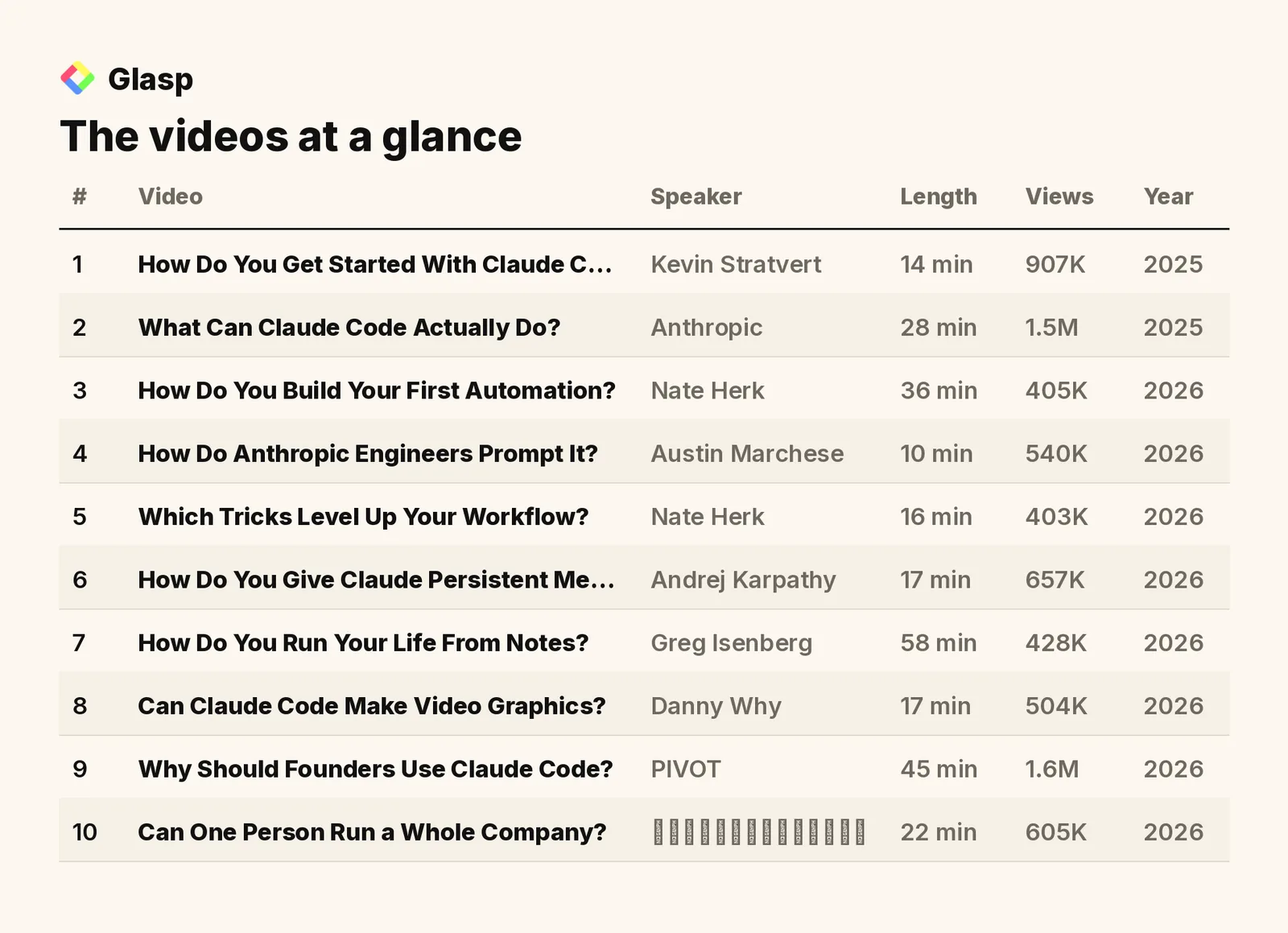
The videos on this list, in the order to watch them, are:
How Do You Get Started With Claude Code? (Kevin Stratvert)
What Can Claude Code Actually Do? (Anthropic)
How Do You Build Your First Automation? (Nate Herk)
How Do Anthropic Engineers Prompt It? (Austin Marchese)
Which Tricks Level Up Your Workflow? (Nate Herk)
How Do You Give Claude Persistent Memory? (Andrej Karpathy)
How Do You Run Your Life From Notes? (Greg Isenberg)
Can Claude Code Make Video Graphics? (Danny Why)
Can One Person Run a Whole Company? (プログラミングチュートリアル)
Total: 10 videos, 263 minutes of watch time (about 4 hours), and 7.5M combined views.
1. How Do You Get Started With Claude Code?

Kevin Stratvert · 14 min · 907K views · 2025
In short: Install Claude Code for your OS, connect it to VS Code, then structure clear prompts and review its Plan mode like a senior engineer.
This is the cleanest first watch: it walks through installation, creating an app, and integrating with an existing codebase. It answers how a complete beginner goes from nothing to a working setup and a first change.
Key takeaways
Claude Code installation differs by operating system, with distinct scripts and commands required for Mac and Windows setups before first use.
Integrating Claude Code with Visual Studio Code lets developers write and modify applications without leaving their existing coding environment.
Prompt structuring guides Claude Code in understanding tasks, and reviewing its Plan mode works like collaborating with a senior engineer.
Onboarding Claude Code to an existing codebase involves creating a CLAUDE.md file that holds project-specific details and standards.
Watch on YouTube · Read the summary and Q&A
2. What Can Claude Code Actually Do?

Anthropic · 28 min · 1.5M views · 2025
In short: Claude Code is an agentic assistant that writes entire functions, integrates with major IDEs, and answers questions directly against your codebase.
This is the canonical overview, made by the team that builds the tool. It answers what Claude Code does beyond autocomplete and why it fits into an existing engineering workflow.
Key takeaways
Claude Code is fully agentic, building features and writing entire functions rather than completing individual lines of code.
Claude Code keeps data local and private, since it does not index or upload code to remote servers.
The code-based Q&A feature lets new hires ask questions directly against a codebase, reducing onboarding time significantly.
Claude Code is multimodal and supports custom commands, so users can input images and tailor repetitive tasks to their workflow.
Watch on YouTube · Read the summary and Q&A
3. How Do You Build Your First Automation?
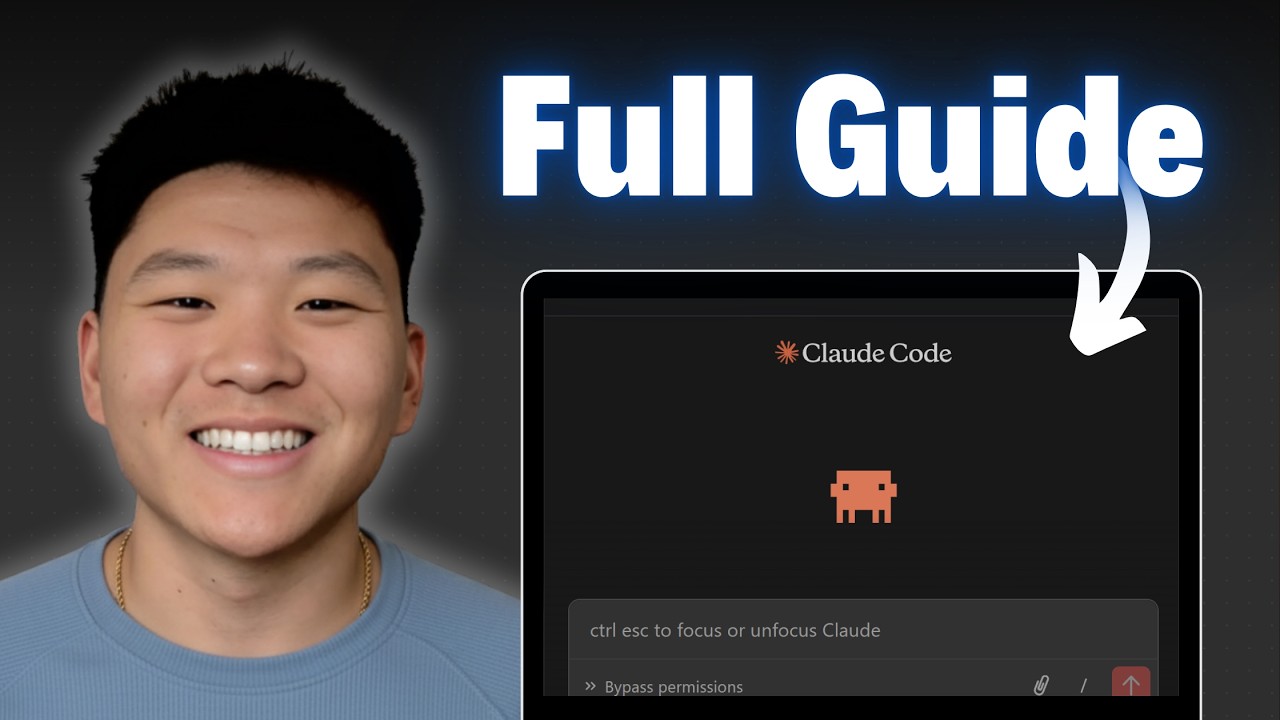
Nate Herk · 36 min · 405K views · 2026
In short: Use the WAT framework of workflows, agents, and tools with MCP servers to plan, build, test, and deploy real automations quickly.
Once setup is done, this video moves you into building. It demonstrates a real workflow end to end and answers how someone with no coding background structures and ships an automation.
Key takeaways
The WAT framework organizes automation into workflows, agents, and tools, giving a repeatable structure for building with Claude Code.
MCP servers act like an app store for automations, simplifying API interactions across the tools Claude Code connects to.
Testing and optimization should happen before deployment, and platforms like Modal let automations run on a schedule without manual work.
Clear planning and communication with Claude Code matter more than coding experience when building complex automations from scratch.
Watch on YouTube · Read the summary and Q&A
4. How Do Anthropic Engineers Prompt It?

Austin Marchese · 10 min · 540K views · 2026
In short: Anthropic engineers build reusable, composable skills rather than one-off prompts, organizing procedural knowledge into layers of description, instructions, and tools.
This shifts you from prompting to systems thinking. It answers how the people who build Claude Code get consistent results, and why skills beat writing a fresh prompt every time.
Key takeaways
Claude skills are organized collections of procedural knowledge, comparable to apps on a smartphone that Claude can invoke.
Skills consist of three layers: a description, instructions, and tools, each contributing to how a task gets executed.
Composable skills, rather than fully custom ones, make task management reusable and easier to maintain over time.
Skills improve as users refine them from past interactions, creating a compounding loop of consistency and accuracy.
Watch on YouTube · Read the summary and Q&A
5. Which Tricks Level Up Your Workflow?

Nate Herk · 16 min · 403K views · 2026
In short: Run /init to generate a project cheat sheet, keep contexts small, and deploy sub-agents to run parallel tasks efficiently.
With the basics in hand, this is the optimization layer. It answers how to keep sessions fast and clean, and how to use sub-agents and status lines to handle bigger projects.
Key takeaways
Running /init generates a project file outlining architecture and key files, which streamlines how Claude Code starts on a project.
A terminal status line shows the active model, context percentage, and costs, helping users manage each session.
Keeping context small and focused on the current task improves Claude Code's performance and reduces context rot.
Sub-agents enable parallel processing of tasks, and agent teams communicate to improve output on complex projects.
Watch on YouTube · Read the summary and Q&A
6. How Do You Give Claude Persistent Memory?

Andrej Karpathy · 17 min · 657K views · 2026
In short: Store notes as plain markdown files that the model organizes into a queryable wiki, giving Claude persistent memory without vector databases.
This covers the memory problem that trips up most users. It answers how to build a knowledge base Claude can query across sessions, using markdown files instead of heavy infrastructure.
Key takeaways
The method uses LLMs and plain markdown files to build knowledge bases, avoiding infrastructure like vector databases.
Obsidian serves as the interface to visualize and organize the markdown files the model structures into a wiki.
Knowledge bases built this way are persistent, unlike ephemeral chat interactions, and the basic setup takes about five minutes.
Token efficiency improves substantially with this approach, though it suits small to medium projects more than large enterprises.
Watch on YouTube · Read the summary and Q&A
7. How Do You Run Your Life From Notes?
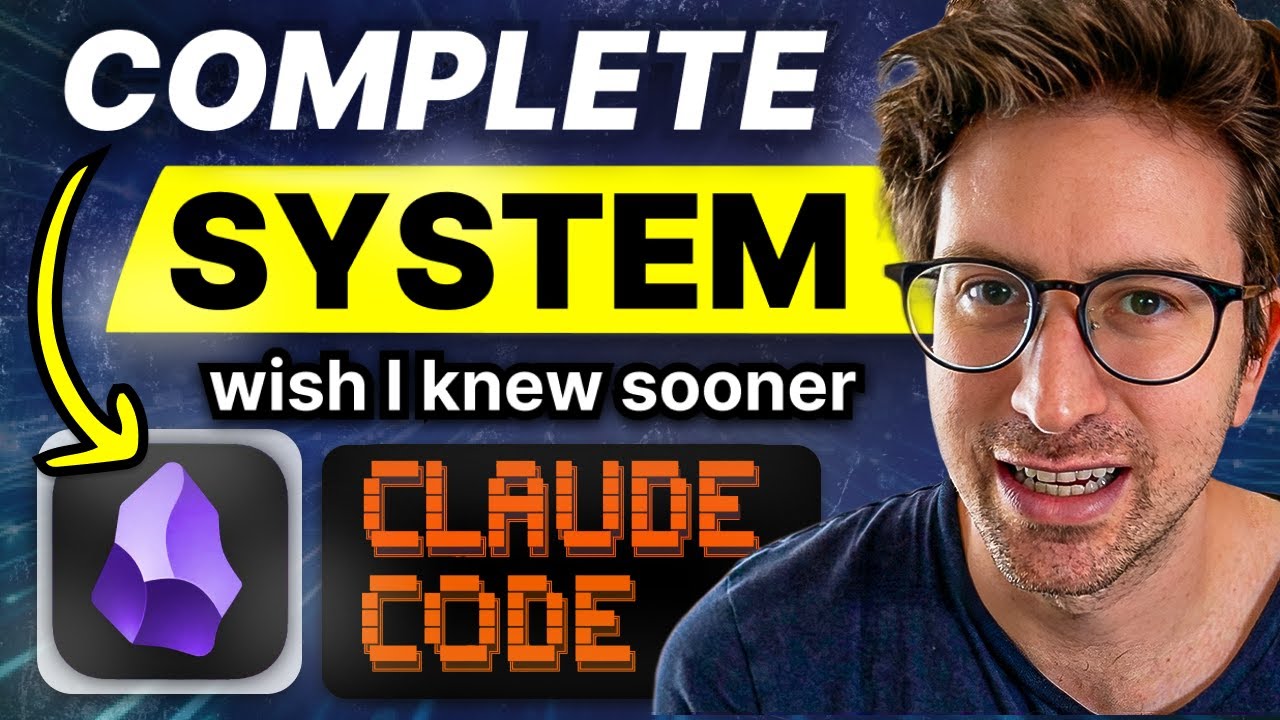
Greg Isenberg · 58 min · 428K views · 2026
In short: Pair Obsidian's interlinked markdown notes with Claude Code's command line and custom slash commands to surface patterns and generate ideas.
This extends the knowledge base idea into a personal operating system. It answers how writing and reflection become an input Claude Code can act on to surface patterns you would otherwise miss.
Key takeaways
Claude Code is a command line agent that controls a computer through natural language and persistent context files.
Obsidian's interlinked markdown files and backlinks let Claude Code understand both the notes and the relationships between them.
Custom slash commands such as /trace and /connect uncover patterns and ideas that manual analysis does not surface.
Regular writing and daily reflection feed the system, giving the agent context to offer meaningful cross-domain insights.
Watch on YouTube · Read the summary and Q&A
8. Can Claude Code Make Video Graphics?

Danny Why · 17 min · 504K views · 2026
In short: Install Claude Code with VS Code, NodeJS, Git, and Remotion, then generate motion graphics from simple prompts without traditional editing software.
This shows Claude Code applied outside pure engineering. It answers how a creator generates motion graphics from prompts, and why the setup lets you focus on ideas over manual editing.
Key takeaways
Claude Code generates motion graphics from simple prompts, removing the need for traditional video editing software.
Using Claude Code requires a Claude subscription plus installing Visual Studio Code, NodeJS, and Git.
Remotion is a plugin that converts code-based graphics into video format, viewable and editable in its own editor.
The workflow lets creators focus on ideas, since rendered graphics integrate into standard video editing software afterward.
Watch on YouTube · Read the summary and Q&A
9. Why Should Founders Use Claude Code?

PIVOT · 45 min · 1.6M views · 2026
In short: Claude Code lets non-engineer executives automate tasks and aggregate information through a chat interface, freeing them to focus on strategic decisions.
This reframes Claude Code as a management tool, not just a developer one. It answers why executives without an engineering background should use it and how it supports faster decisions.
Key takeaways
Claude Code is positioned as a management tool that non-engineers, especially executives, can use to run operations efficiently.
AI agents automate tasks and aggregate information to support faster, more efficient decision making for leaders.
The chat interface makes Claude Code operable without complex programming knowledge, lowering the barrier for business users.
Splitting tasks around memory limits lets AI agents process work efficiently and maximize their output.
Watch on YouTube · Read the summary and Q&A
10. Can One Person Run a Whole Company?

プログラミングチュートリアル · 22 min · 605K views · 2026
In short: Claude Code lets a solo founder assign tasks to AI staff, using plugins, skills, and MCP to automate and manage operations.
This is the most ambitious application in the list. It answers how a solo founder structures AI staff to run a company, and how plugins and MCP hold the operation together.
Key takeaways
Claude Code can place AI staff inside a company structure and assign them tasks to raise operational efficiency.
AI holds context beyond human memory, recording and analyzing business activity as it runs day to day.
Plugins and skills extend what the AI staff can do, drawing out more capability from Claude Code.
MCP connects external tools so information stays centralized and operations can be automated in one place.
Watch on YouTube · Read the summary and Q&A
Frequently asked questions
What is Claude Code?
Claude Code is an agentic AI assistant that writes entire functions, integrates with major IDEs, and can act on your computer through natural language commands.
Do I need to know how to code to use Claude Code?
No. Several tutorials show non-engineers and executives building automations and running tasks through Claude Code's chat interface with clear prompts.
What are Claude Code skills?
Skills are reusable, composable collections of procedural knowledge, built from a description, instructions, and tools, that Claude invokes like apps to complete tasks consistently.
What is a CLAUDE.md file?
A CLAUDE.md file onboards Claude Code to a project by storing architecture notes, key files, and standards so it has project-specific context.
How do I give Claude Code memory across sessions?
Store notes as plain markdown files, which the model organizes into a queryable knowledge base, giving Claude persistent memory without vector databases.
Who should learn Claude Code?
Claude Code fits developers, founders, and non-coders alike: the videos cover everything from a first setup and a first automation to running solo businesses and generating video graphics, so both technical and non-technical users have an entry point.
Where should I start with Claude Code as a complete beginner?
Start with getting Claude Code installed and running, then move to what it can actually do, and only after that build a first automation. Tips, tricks, and advanced workflows like persistent memory and note-driven systems make more sense once the basics are working.
Is Claude Code only for writing code?
Claude Code is not limited to writing software: it is also used to build automations, run personal systems from notes, create video graphics, and support founders in running a business.
How do I get better at prompting Claude Code?
Learning how Anthropic's own engineers prompt Claude Code is one of the fastest ways to improve, since their techniques come from daily use of the tool. Pairing those prompting habits with workflow tricks and a persistent memory setup compounds the results.
How to use this list
Watch these in order to move from setup to building your own systems, and revisit the skills and tricks videos once you have a project open. If you only have time for one, start with Anthropic's Mastering Claude Code in 30 minutes for the canonical foundation, then add Kevin Stratvert's beginner tutorial when you sit down to install it.
Related lists
💡 Want summaries and transcripts for any YouTube video? Try YouTube Summary with ChatGPT & Claude.