How to build an agentic OS with Hermes and Claude
TL;DR
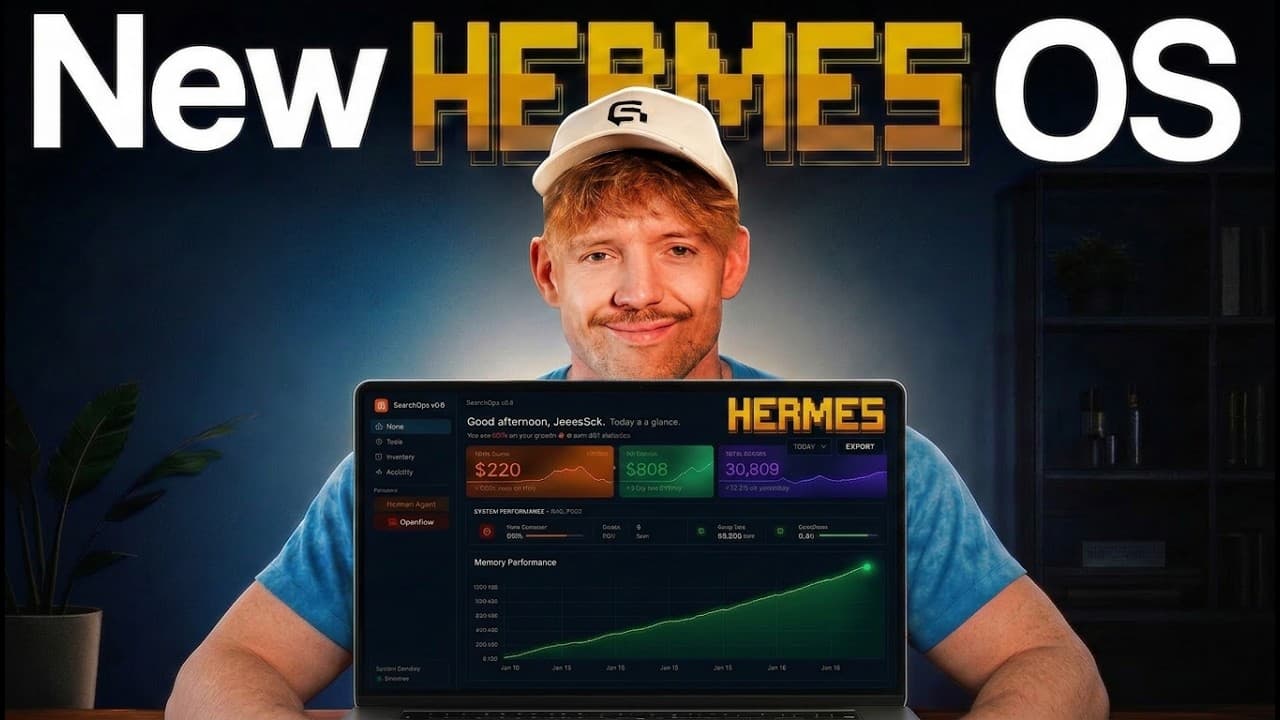
An agentic OS unifies Hermes, Claude and other tools in one place, enabling a dreaming function, contextual memory and visual personas. It provides a dashboard for goals, costs and data integration, and it can generate actionable insights that accelerate progress while reducing waste. This setup centers on unifying AI footprints and improving decision making.
Transcript
Hermes is the number one AI agent in the world, but when you give it an agentic operating system, you unlock capabilities that 99% of people don't even know exist. And in this video, I'm going to show you exactly how to build a visual intelligence layer for Hermes agent and claude code, which will make using Hermes 10 times easier, meaning you don'... Read More
Key Insights
- The system unifies multiple AI tools into a single operating environment to reduce context isolation and simplify workflow management.
- The dreaming function enables the agent to analyze past conversations and actions to generate daily improvement suggestions and strategic insights.
- Personas and skills are organized in a visual Pantheon that lets users assign roles, models and prompts for dynamic delegation.
- Memory is central to the OS, collecting data from connected sources and allowing the agent to reference past activities for better decision making.
- The mission control feature creates a midterm plan by asking clarifying questions and outlining goals, tasks and responsibilities.
- Cost breakdowns and live usage metrics help users optimize spending by matching tools and models to needs and budgets.
- Data linking between the data lake, Claude and Hermes allows cross-tool insights and richer context for smarter decisions.
- Onboarding and installation prompts are emphasized to ensure clients are properly integrated and can begin building their own customized agentic OS.
Install to Summarize YouTube Videos and Get Transcripts
Explore YouTube Video Summarizer or Get YouTube Transcript Extractor
Questions & Answers
Q: How does an agentic OS reduce context isolation across tools?
An agentic OS brings together Hermes, Claude, and other tools into one location, creating a unified context rather than exporting data to separate silos. By centralizing memory, conversations and model access, the system enables more informed decisions, smoother handoffs between tools and faster iteration on tasks. This consolidation eliminates the friction of switching between apps and losing context during complex workflows.
Q: What is the dreaming function and why is it powerful?
The dreaming function allows the agent to review all conversations and interactions across Hermes and Claude, and then generate daily suggestions and insights. It can identify patterns, opportunities and potential improvements without explicit prompts, helping you optimize goals, workflows and resource use. This capability effectively provides your system with a proactive planning assistant that operates around the clock.
Q: How are personas used in the Pantheon feature?
Personas in the Pantheon are specific roles or skill sets assigned to the agent with a defined system prompt and preferred model. This creates modular, reusable capabilities that can be invoked for different tasks. By visualizing these personas, you can quickly tailor the agent's behavior, allocate appropriate computational resources, and ensure consistent performance across projects.
Q: What does mission control do in this OS?
Mission control acts as a dashboard for setting and tracking goals, midterm objectives and actionable tasks. You copy a prompt into Hermes, answer a few clarifying questions, and it generates a plan with milestones, responsibilities and steps. This structured approach helps you maintain focus, measure progress and adjust strategy as needed.
Q: How does the memory stack improve decision making?
The memory stack collects and organizes data from all connected sources such as Obsidian, Claude, Hermes and external tools. With richer historical context, the agent can reference past decisions, track changes in skills and conversations, and infer more accurate next actions. This memory enables more personalized and context-aware responses.
Q: How can cost breakdowns help manage AI spend?
Cost breakdowns provide live usage data by hour and by tool, showing which models and platforms are consuming resources. This transparency lets you downgrade plans, reallocate tasks to cheaper options or prune unnecessary capabilities. The result is optimized spending without sacrificing essential performance or capabilities.
Q: What is the role of the data lake in this OS?
The data lake serves as a central repository that connects data from various sources like Claw Code Hermes and other tools. It enables cross-tool insights by allowing the agent to query and correlate information from multiple contexts, which leads to more comprehensive analyses and smarter, data-driven decisions.
Q: What are the initial steps to start building the OS according to the video?
The video outlines installing the core components and then wiring together Graf and Code Graph prompts, followed by linking the data sources and setting up the dashboard. After installation, you validate the workflow by testing with a real invoice and syncing it to your visual dashboard, ensuring the system behaves as intended and delivers actionable insights.
Summary & Key Takeaways
-
The video describes an agentic operating system that unifies multiple AI tools such as Hermes, Claude and ChatGPT to reduce context isolation and create a single workflow hub. It emphasizes a visual interface, mission control, and a data lake connection for better insights and efficiency.
-
It outlines features like dreaming, personas, cost breakdown and memory management, plus the ability to monitor AI spend and onboarding for clients. The system aims to simplify complex tool usage and reveal optimization opportunities.
-
The presenter demonstrates practical steps to install and start building the OS, including linking to a dashboard, syncing data across Obsidian and other sources, and testing with real invoices to validate the workflow.
Read in Other Languages (beta)
Share This Summary 📚
Summarize YouTube Videos and Get Video Transcripts with 1-Click
Try YouTube Summary with ChatGPT & Claude or YouTube Transcript Generator
Explore More Summaries from Jack Roberts 📚

Summarize YouTube Videos and Get Video Transcripts with 1-Click
Try YouTube Summary with ChatGPT & Claude or YouTube Transcript Generator