How to deploy generative AI with NVIDIA Nim?
TL;DR
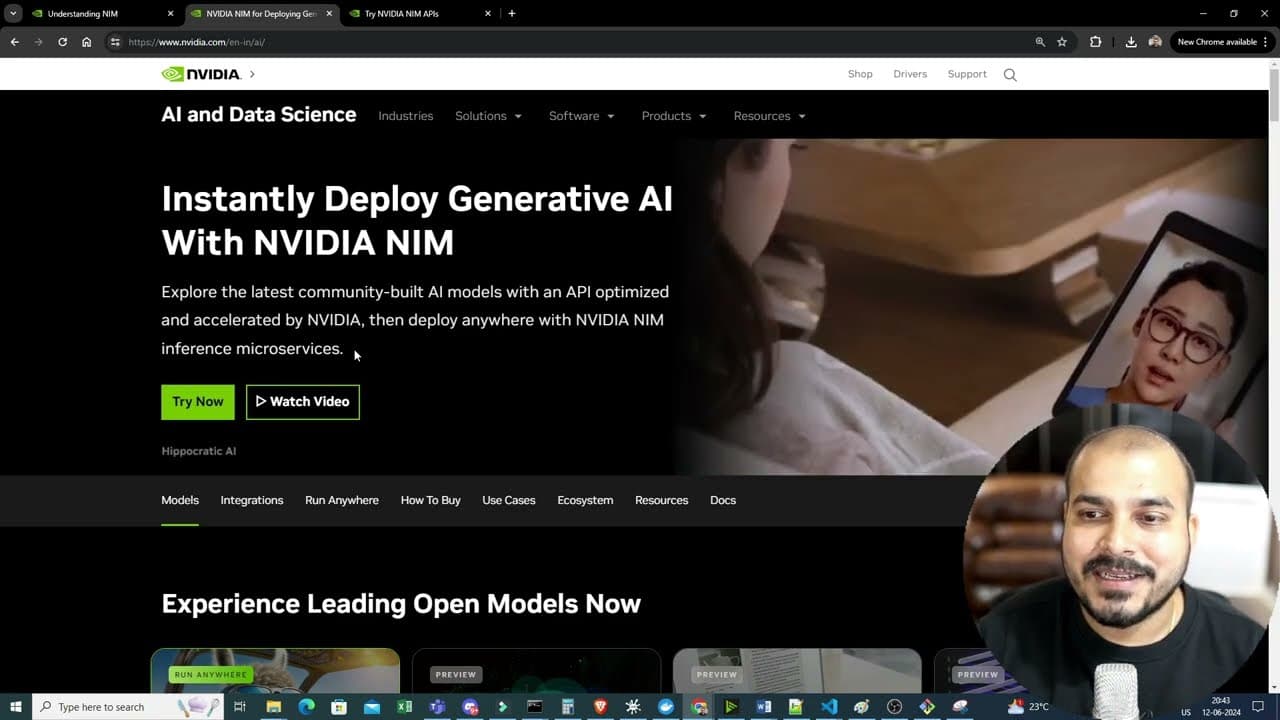
NVIDIA Nim inference microservices simplify deploying generative AI by using hosted Nim models and Launchpad. You can obtain API keys, credits, and run code in Python, Node, or shell, then deploy models in local or enterprise environments. The process includes selecting models and using docker or cloud options for deployment.
Transcript
hello all my name is krishak and welcome to my YouTube channel so guys in this particular video we are going to discuss about how we can deploy generative AI models with Nvidia Nim inference microservices now recently Nvidia has announced about Nvidia Nim and it is quite amazing because your entire deployment of the generative AI models it becomes ... Read More
Key Insights
- NVIDIA Nim hosts a range of open source models accessible via APIs for inference.
- The platform grants credits and API keys to allow usage of hosted Nim models.
- NVIDIA Launchpad provides enterprise level deployment and management for models, not available to everyone.
- Code samples exist for Python, Node, and shell to connect to Nim hosted models.
- Docker-based deployment is supported for local workstation setups.
- Various models are listed including Meta Llama 370B Instruct, Mistral, and Gamma series.
- Deployment can be done on local GPUs or remote cloud infrastructure through Launchpad.
- The video demonstrates practical steps to login, generate API keys, and run example code.
Install to Summarize YouTube Videos and Get Transcripts
Explore YouTube Video Summarizer or Get YouTube Transcript Extractor
Questions & Answers
Q: A real search query about using NVIDIA Nim hosted models
NVIDIA Nim hosted models can be accessed via an API key after logging in to obtain credits for usage. The process involves selecting a model such as Meta Llama 370B Instruct, copying the API base URL, and using the provided code templates in Python, Node, or shell to query the model. This enables rapid experimentation and testing of inference on hosted models.
Q: What is Launchpad and who can use it
Launchpad is a tool that allows enterprises or developers working for enterprises to deploy and serve ML models for multi user inference on their own infrastructure or on remote third party services. It automates environment setup and provides a managed path for deploying models like Lama 3, making scalable deployment more accessible to organizations with NVIDIA integration.
Q: How do you run a sample Python client for a hosted model
To run a Python client, you import the appropriate libraries, set the base URL to the Nim host, and provide an API key obtained from the Nim API portal. You then construct a completion request for the model, specify the prompt, and iterate over the response chunks to assemble the output. This demonstrates how to perform inference using hosted models.
Q: What are the available model families mentioned
The video mentions models including Meta Llama 370B Instruct, Mistral family models, Gamma 7B, as well as vision, retrieval, biology, and other categories. These models represent the variety of open source options accessible through NVIDIA Nim hosted models for different inference tasks.
Q: What languages are supported for integrating Nim models
Code examples are provided for Python and Node.js, with additional shell and Docker workflows. This shows Nim hosted models can be accessed through multiple programming environments, enabling developers to choose the language and deployment method that best fits their existing stack and infrastructure.
Q: What is the purpose of API keys and credits in Nim
API keys authenticate requests to Nim hosted models and credits determine how many requests you can make. The video demonstrates generating an API key and utilizing the credits to perform model inferences, illustrating how access control and usage quotas are managed within Nim’s hosted service.
Q: What deployment steps are illustrated for Launchpad
The walkthrough covers injecting an API key into the Launchpad environment, exporting environment variables, and launching a container to serve a model such as Lama 3. This depicts a practical sequence for deploying a model on Launchpad and making it available for multi user inference in a hosted or on premise setup.
Q: What are the general takeaways for deploying generative AI with Nim
NVIDIA Nim provides hosted models with API access and credits, combined with Launchpad for enterprise deployment. The workflow supports multiple languages and deployment modes, including Docker, local GPUs, and remote cloud environments, enabling rapid experimentation and scalable production deployments for generative AI models.
Summary & Key Takeaways
-
NVIDIA Nim provides hosted Nim models accessible via APIs with credits and an API key system, enabling quick access to various models for inference.
-
NVIDIA Launchpad offers enterprise access to deploy models at scale, handling environment setup and multi-user inference, though access is restricted to enterprises or developers.
-
The workflow covers multiple languages and deployment options, including Python, Node, shell commands, and Docker, plus examples of running models like Meta Llama 370B instruct and other open source models.
Read in Other Languages (beta)
Share This Summary 📚
Summarize YouTube Videos and Get Video Transcripts with 1-Click
Try YouTube Summary with ChatGPT & Claude or YouTube Transcript Generator
Explore More Summaries from Krish Naik 📚





Summarize YouTube Videos and Get Video Transcripts with 1-Click
Try YouTube Summary with ChatGPT & Claude or YouTube Transcript Generator