How to Start Programming in C# for Beginners
TL;DR
Install Visual Studio Community with the .NET desktop development package, create a C# console application, and run it with the green play button. Begin with Console.WriteLine for output, then progress through variables, input, operators, loops, methods, exception handling, arrays, classes, inheritance, polymorphism, and interfaces while practicing with calculators and simple games.
Transcript
hey what's going on everybody it's you bro hope you're doing well and in this video i'm going to show you all everything you need to know to get started writing code in c-sharp so sit back relax and enjoy the show if you wouldn't mind please like comment and subscribe one like equals one prayer for the youtube algorithm i'm gonna tell you why you n... Read More
Key Insights
- C# is a flexible programming language used in the course for console applications, web services, and games. The introduction specifically recommends it to aspiring game developers and presents Visual Studio Community as the development environment for writing and running the examples.
- Visual Studio Community provides the tools needed to create the demonstrated C# programs. During installation, the .NET desktop development package is selected for C#, while the Unity package is presented as an additional option for learners interested in using Unity.
- The Main method is the entry point where the demonstrated C# console program begins. Statements inside its curly-braced body execute from the top downward, and removing the Main method from the shown project produces build errors that prevent the program from running.
- Console.WriteLine displays its supplied text and moves subsequent output to a new line. Console.Write displays text without adding that line break, so following output appears immediately beside it on the same line unless formatting explicitly introduces separation.
- Comments document code without appearing in the console output. Two forward slashes introduce a single-line comment, while a forward slash followed by an asterisk begins a multiline comment that closes with an asterisk and forward slash.
- Escape sequences modify the formatting of string output. The demonstrated sequences use a backslash followed by a character, including backslash-t for a tab, backslash-b for a backspace, and backslash-n for a new line within displayed text.
- Variables require declaration and initialization in the course's introductory explanation. Declaration identifies the type of data and gives the variable a unique name, with int shown as the type used to store an integer value.
- The course progresses from syntax fundamentals to structured and object-oriented programming. Its listed lessons include conditions, loops, arrays, methods, exception handling, classes, objects, constructors, inheritance, abstract classes, method overriding, polymorphism, and interfaces, alongside several small practice programs.
Install to Summarize YouTube Videos and Get Transcripts
Explore YouTube Video Summarizer or Get YouTube Transcript Extractor
Questions & Answers
Q: How do you set up Visual Studio for C# programming?
Download Visual Studio Community and follow its installation procedure. In the package selection screen, choose .NET desktop development for working with C#. The Unity package can also be selected if Unity development is of interest. After installation, Visual Studio can be started without signing in, and its color theme, editor font, and font size can be adjusted through the available settings.
Q: How do you create and run a C# console application?
Open Visual Studio, choose File, New Project, and select a C# console application. Give the project a name, continue through the setup, and create it. Visual Studio generates a small starter program. Clicking the green play button compiles and runs the code, opening a console window that displays output such as the starter message, Hello World.
Q: What is the Main method in a C# console program?
The Main method is the entry point where the demonstrated program begins executing. Its body is the code enclosed by the curly braces following the method declaration. Execution starts with code at the top of that body and proceeds downward through subsequent statements. In the shown project, removing Main causes build errors, so the program cannot run in that form.
Q: What is the difference between Console.Write and Console.WriteLine?
Console.WriteLine displays the supplied string and then moves to a new line, similar to pressing the Enter key after the message. Console.Write displays its supplied text without creating that new line. As a result, a later message can appear immediately after text printed with Console.Write, while separate Console.WriteLine statements normally place their messages on separate lines.
Q: How do comments work in the demonstrated C# code?
Comments are notes placed in source code that do not appear as console output. A single-line comment begins with two forward slashes, and the text following them is ignored as output. A multiline comment begins with a forward slash and asterisk, then ends with an asterisk and forward slash, allowing a note to span more than one line.
Q: How can escape sequences format C# console output?
An escape sequence is added inside a string by typing a backslash followed by a character with a formatting effect. The course demonstrates backslash-t to insert a tab, backslash-b to apply a backspace, and backslash-n to begin a new line. These sequences change how the string appears when it is printed with a console output method.
Q: How are variables introduced in the C# course?
A variable is introduced as a way to store data such as numbers, characters, words, or Boolean values that are true or false. Creating one involves declaration and initialization. Declaration states the data type and assigns the variable a unique name. The example begins with int, short for integer, and names the declared variable x before ending the statement with a semicolon.
Q: What topics and projects does the C# beginner course cover?
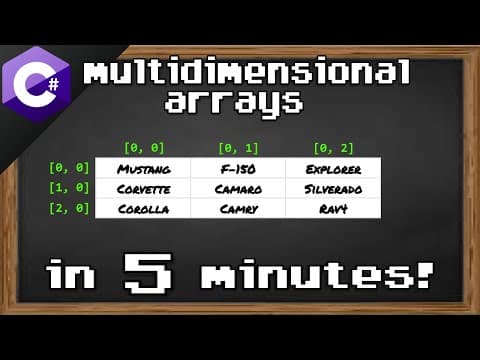
The course starts with output, variables, constants, type casting, user input, arithmetic operators, the Math class, random numbers, strings, conditions, switches, logical operators, and loops. It continues through arrays, methods, exception handling, multidimensional arrays, classes, objects, constructors, inheritance, abstraction, overriding, polymorphism, and interfaces. Listed projects include calculators, a number guessing game, and rock-paper-scissors.
Summary & Key Takeaways
-
C# can be used for console applications, web services, and games. The course begins by installing Visual Studio Community, selecting the .NET desktop development package, and creating a C# console application. It introduces the Main method as the program entry point and demonstrates how statements execute from top to bottom.
-
Console output begins with Console.WriteLine, which prints text and then starts a new line, while Console.Write keeps subsequent output on the same line. The course also introduces semicolons, string literals, single-line and multiline comments, escape sequences, Console.ReadKey, variables, constants, type casting, user input, arithmetic operators, and the Math class.
-
Later lessons cover random numbers, conditional statements, switches, logical operators, loops, arrays, methods, exception handling, string interpolation, and multidimensional arrays. Practice projects include a hypotenuse calculator, number guessing game, rock-paper-scissors game, and calculator. Object-oriented topics include classes, objects, constructors, inheritance, abstraction, overriding, polymorphism, and interfaces.
Read in Other Languages (beta)
Share This Summary 📚
Summarize YouTube Videos and Get Video Transcripts with 1-Click
Try YouTube Summary with ChatGPT & Claude or YouTube Transcript Generator
Explore More Summaries from Bro Code 📚
Summarize YouTube Videos and Get Video Transcripts with 1-Click
Try YouTube Summary with ChatGPT & Claude or YouTube Transcript Generator