How to Create an Efficient Workspace for Content Creation
TL;DR
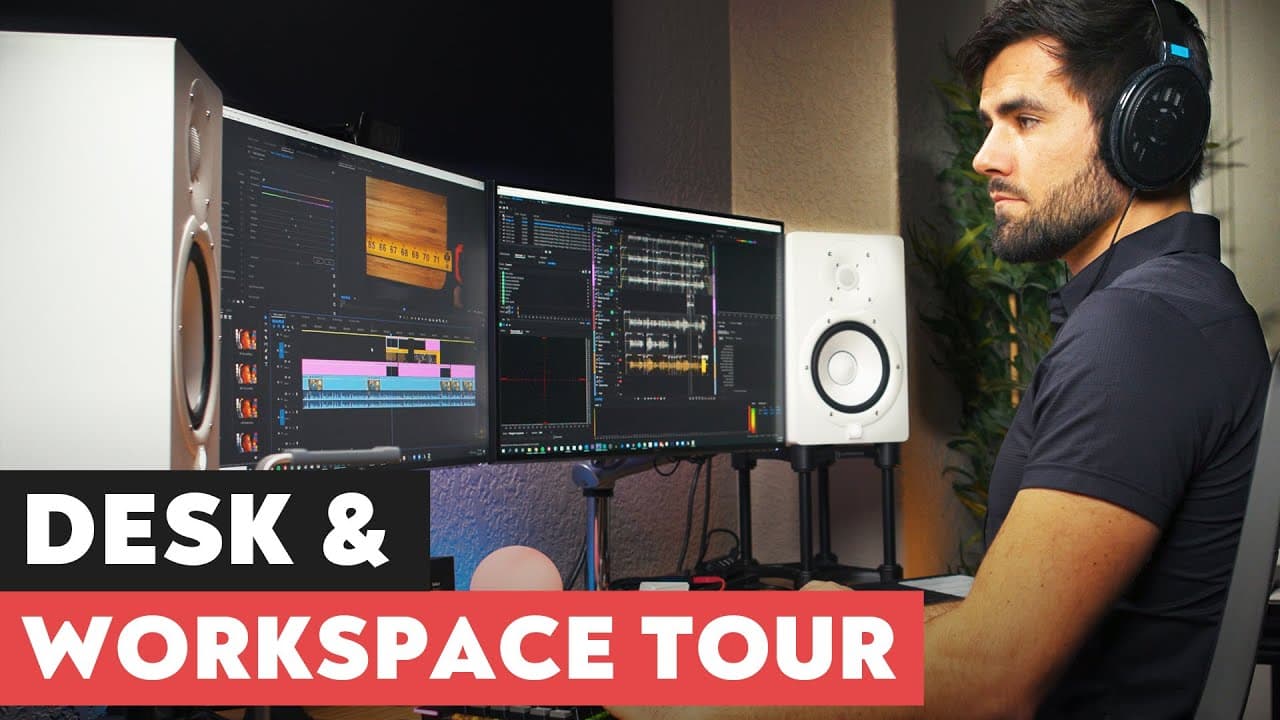
To create an efficient content creation workspace, start with a dedicated 400 square foot area that includes a versatile desk, a podcasting/film set, a music area, and organized storage. Prioritize reducing friction in your workflow by using adjustable equipment and keeping essential tools within easy reach for streamlined production.
Transcript
- So, the keen-eyed among you have noticed that the last few videos on my channel have been filmed in a brand new space, and that is because in the last couple of months I have been building a brand new workspace and studio, and in this video, I'm gonna give you a quick tour of that workspace. Let's get started. (elegant music) Okay, so, the bigges... Read More
Key Insights
- 🍧 The content creator emphasizes the importance of having a dedicated workspace separate from personal living areas.
- 👻 Versatile equipment, such as a standing desk and adjustable monitors, allows for flexibility and customization in the workspace.
- ⚙️ Efficient organization and quick access to gear and equipment are essential for reducing friction in the creative process.
- 🤕 The content creator prioritizes reducing friction and improving workflow by using tools like auto hotkey and GorillaPod heads on tripods.
- ✋ Proper audio monitoring and equipment placement are important for achieving high-quality audio production.
- 😫 Multiple areas in the workspace, including a desk area, podcasting/film set area, music area, and storage area, provide versatility for different types of content creation.
- 🔧 The content creator highlights the usefulness and benefits of various equipment and tools, such as tripods, C-stands, and the El Gato Stream Deck for their workflow.
Install to Summarize YouTube Videos and Get Transcripts
Explore YouTube Video Summarizer or Get YouTube Transcript Extractor
Questions & Answers
Q: What is the significance of the standing desk in the workspace?
The standing desk, a Jarvis Bamboo Standing Desk, allows the content creator to easily switch between sitting and standing positions and has programmable presets.
Q: How do the Yamaha HS7 monitors enhance the audio production in the workspace?
The Yamaha HS7 monitors, placed at ear height on speaker stands, provide optimal listening conditions for mixing music and other audio despite the room not being perfectly treated.
Q: How does the El Gato Stream Deck enhance the content creator's workflow?
The content creator has customized the El Gato Stream Deck with auto hotkey bindings to quickly access frequently used folders on the computer, improving efficiency and reducing time spent navigating through files.
Q: What is the purpose of the hair light and how is it used?
The hair light is a light positioned above the content creator's desk and is used to create a backlighting effect in regular videos and to provide top-down lighting for overhead shots during B-roll footage.
Summary & Key Takeaways
-
The content creator has moved out of their bedroom and now has a spacious 400 square foot workspace.
-
The workspace consists of a desk area with a standing desk and dual 4K monitors, a podcasting and film set area with Audio-Technica microphones, a music area with various instruments and equipment, and a storage area for gear and equipment.
-
The content creator emphasizes the importance of reducing friction in the creative process by using versatile equipment and organizing the workspace efficiently.
Read in Other Languages (beta)
Share This Summary 📚
Summarize YouTube Videos and Get Video Transcripts with 1-Click
Try YouTube Summary with ChatGPT & Claude or YouTube Transcript Generator
Explore More Summaries from Thomas Frank 📚
Summarize YouTube Videos and Get Video Transcripts with 1-Click
Try YouTube Summary with ChatGPT & Claude or YouTube Transcript Generator