Can You Work Entirely in Notion for a Day?
TL;DR
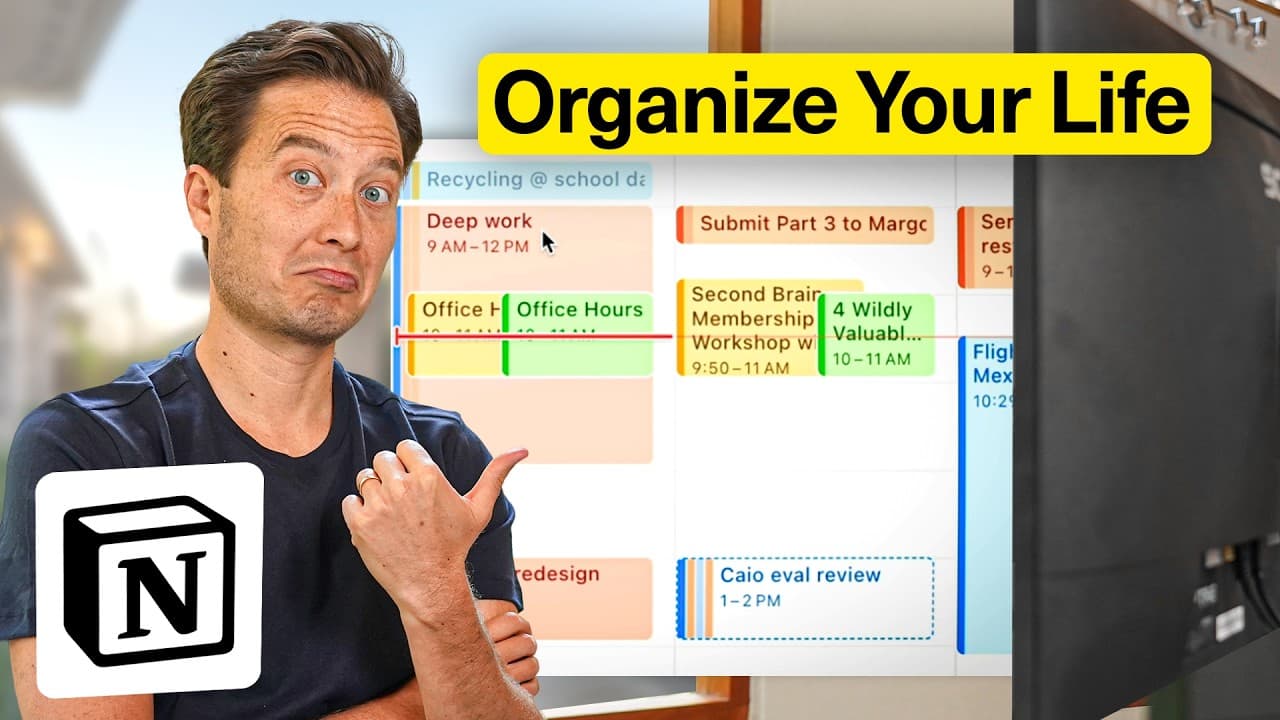
Using Notion exclusively for a workday can significantly enhance focus and productivity by consolidating tasks, projects, and communication into a single platform. While some external tools like Google Chat may still be necessary, Notion's comprehensive features like task management, email integration, and scheduling provide a streamlined workflow.
Transcript
Productivity apps promise us clarity and simplicity, yet we always end up juggling dozens of them. But today, I'm betting on one app that claims to do it all. If you're new here, welcome. I'm Thiago Forte. My mission is to help you organize your digital life. Today is about one simple question. Can one app really handle every single part of your wo... Read More
Key Insights
- Notion is a versatile tool that can centralize tasks, projects, and communication.
- The key to maximizing Notion is using a minimalistic approach to avoid over-optimization.
- Daily pages in Notion serve as a dynamic inbox for ideas and tasks.
- Notion Calendar and Task Manager streamline scheduling and prioritization.
- Notion Mail integrates email management with features like auto-labeling and scheduling.
- Templates in Notion can automate repetitive tasks, increasing efficiency.
- Notion supports deep work by reducing the need to switch between different apps.
- The PARA method in Notion helps organize projects, areas, and resources effectively.
Install to Summarize YouTube Videos and Get Transcripts
Explore YouTube Video Summarizer or Get YouTube Transcript Extractor
Questions & Answers
Q: How can Notion improve productivity?
Notion improves productivity by consolidating tasks, projects, and communication into a single platform, reducing the need to switch between multiple apps. Its features like task management, email integration, and scheduling streamline workflows, enhance focus, and minimize distractions. Notion's templates and automation capabilities further increase efficiency by automating repetitive tasks.
Q: What are the key features of Notion Mail?
Notion Mail offers features like auto-labeling and scheduling, which simplify email management by automatically categorizing emails and facilitating meeting scheduling. It integrates seamlessly with other Notion tools, allowing users to manage communication and tasks within a single platform. This integration reduces the need for separate email applications, enhancing workflow efficiency.
Q: How does the PARA method work in Notion?
The PARA method in Notion organizes information into Projects, Areas, Resources, and Archives. This structure helps users categorize and manage tasks, notes, and resources efficiently. Projects are active endeavors, Areas represent ongoing responsibilities, Resources are collections of information, and Archives store inactive items. This method ensures a clear and organized digital workspace.
Q: What is the benefit of using daily pages in Notion?
Daily pages in Notion act as a dynamic inbox for capturing ideas, tasks, and notes throughout the day. They provide a centralized space for organizing daily activities, helping users prioritize tasks and track progress. This feature enhances focus by reducing mental clutter and ensuring that important information is easily accessible and organized.
Q: Can Notion replace all productivity apps?
While Notion can significantly reduce the need for multiple productivity apps by consolidating tasks, projects, and communication, some external tools may still be necessary for specific functions, such as instant messaging or specialized document editing. However, Notion's integration capabilities allow users to link these tools within its platform, providing a more streamlined workflow.
Q: How does Notion support deep work?
Notion supports deep work by centralizing all essential tasks, projects, and communications in one platform, reducing the need to switch between different applications. This consolidation minimizes distractions and enhances focus, allowing users to engage in uninterrupted, concentrated work sessions. Notion's customizable templates and automation features further streamline repetitive tasks, facilitating a more efficient workflow.
Q: What are the advantages of Notion templates?
Notion templates provide a structured and customizable framework for organizing tasks, projects, and information. They automate repetitive processes, saving time and effort. Users can tailor templates to suit their specific needs, ensuring consistency and efficiency in their workflow. This flexibility makes Notion a powerful tool for managing diverse projects and tasks effectively.
Q: How does Notion integrate with other tools?
Notion integrates with other tools by allowing users to link external applications like Google Docs, Google Sheets, and email clients within its platform. This integration enables seamless access to necessary resources without leaving Notion, enhancing workflow efficiency. Notion's ability to consolidate multiple tools into one interface reduces the need for constant app switching, streamlining productivity.
Summary & Key Takeaways
-
Notion can effectively manage an entire workday by consolidating tasks, projects, and communication into one platform. Its features like task management, email integration, and scheduling enhance productivity. While external tools like Google Chat may still be needed, Notion's comprehensive capabilities streamline workflows and minimize distractions.
-
By using Notion's daily pages and task manager, users can prioritize tasks and schedule effectively. Notion Mail's auto-labeling and scheduling features simplify email management. The PARA method organizes projects, areas, and resources, making Notion a powerful tool for productivity.
-
Notion's ability to centralize workflow reduces the need for multiple apps, enhancing focus and productivity. Its templates and integration features automate repetitive tasks, providing a seamless work experience. Notion supports deep work by minimizing app switching and distractions.
Read in Other Languages (beta)
Share This Summary 📚
Summarize YouTube Videos and Get Video Transcripts with 1-Click
Try YouTube Summary with ChatGPT & Claude or YouTube Transcript Generator
Explore More Summaries from Tiago Forte 📚


Summarize YouTube Videos and Get Video Transcripts with 1-Click
Try YouTube Summary with ChatGPT & Claude or YouTube Transcript Generator