How to Use Gimkit's Draw That Mode for Classroom Reviews
TL;DR
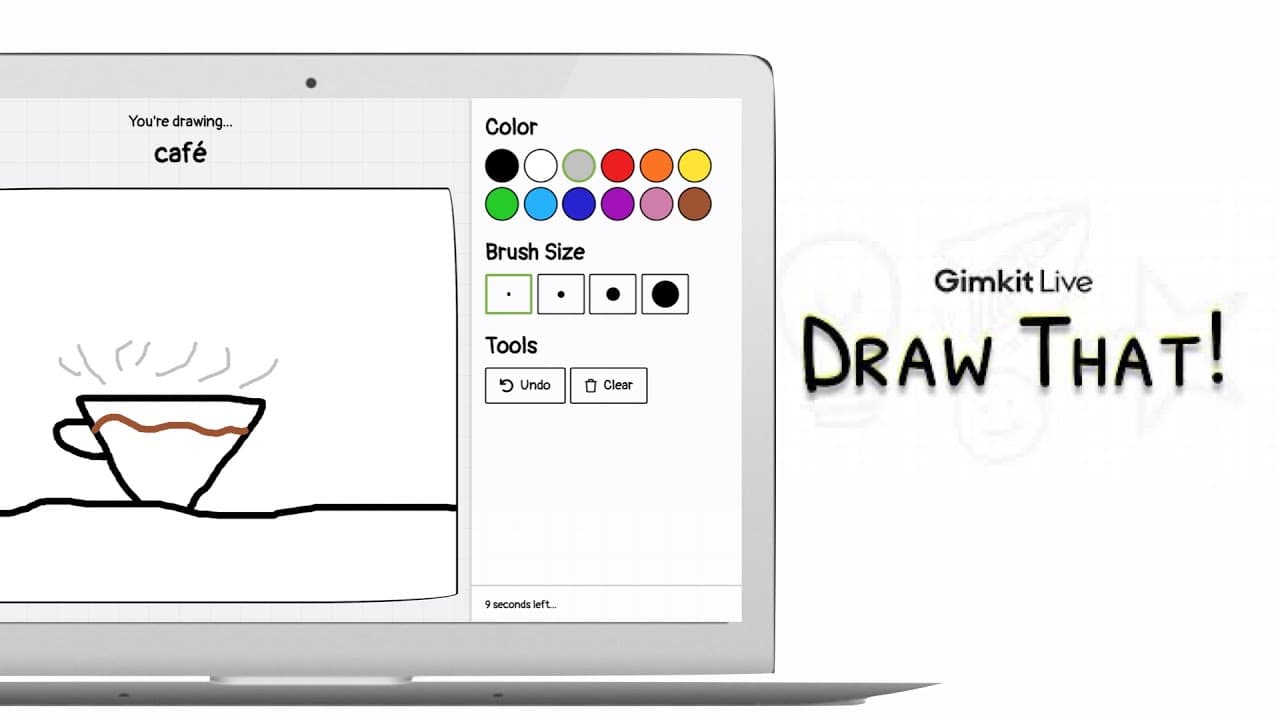
To use Gimkit's Draw That Mode for interactive classroom reviews, teachers select a vocabulary list, and a student draws a term while classmates guess. The mode includes real-time drawing, hint letters, and scoring based on correct answers, ensuring engagement and participation in the learning process.
Transcript
if you're looking for a new way to review concepts in your class you might want to explore the new draw that mode in gimkit instead of only answering questions this new feature will allow one student to draw the vocabulary term while the rest of the class tries to guess the answer it's just like the game pictionary and here's how it works once teac... Read More
Key Insights
- 👶 Draw That Mode in Gimkit brings a new dimension of interactivity to classroom review sessions.
- 🧑🎓 Students actively engage in drawing terms while others guess, promoting participation.
- ⛩️ Real-time hints and scoring systems enhance learning and encourage accurate responses.
- 🎮 Teachers can monitor and control the game, ensuring student accountability.
- 🧑🎓 The feature adds variety to review sessions, preventing monotony and increasing student interest.
- 🤔 Draw That Mode fosters creativity and critical thinking skills through interactive gameplay.
- 😥 Students earn points based on accurate guesses, incentivizing participation and learning.
Install to Summarize YouTube Videos and Get Transcripts
Explore YouTube Video Summarizer or Get YouTube Transcript Extractor
Questions & Answers
Q: How does Gimkit's Draw That Mode enhance classroom learning?
Gimkit's Draw That Mode allows students to actively participate by drawing terms while classmates guess, adding an interactive element to traditional review sessions. This fosters engagement and makes learning enjoyable.
Q: What features does Draw That Mode offer to teachers?
Draw That Mode allows teachers to monitor real-time drawings, control game settings, and ensure accountability among students. Teachers can intervene if inappropriate drawings occur, maintaining a safe learning environment.
Q: How does scoring work in Gimkit's Draw That Mode?
In Draw That Mode, students earn points based on successfully guessing drawn terms. The drawing student scores based on how many classmates guess correctly. This incentivizes active participation and accurate answers.
Q: Why is Draw That Mode a valuable addition to the Gimkit platform?
Draw That Mode in Gimkit adds a dynamic and engaging element to traditional review games, keeping students interested and actively involved in the learning process. It promotes creativity, teamwork, and critical thinking skills.
Summary & Key Takeaways
-
Gimkit introduces Draw That Mode for interactive classroom review sessions.
-
Teachers can select terms for students to draw while others guess.
-
Real-time drawing, hints, and scoring make learning engaging and fun.
Read in Other Languages (beta)
Share This Summary 📚
Summarize YouTube Videos and Get Video Transcripts with 1-Click
Try YouTube Summary with ChatGPT & Claude or YouTube Transcript Generator
Explore More Summaries from EdTech Hustle 📚






Summarize YouTube Videos and Get Video Transcripts with 1-Click
Try YouTube Summary with ChatGPT & Claude or YouTube Transcript Generator