How to Build AI Agents in Make for Content Ops
TL;DR
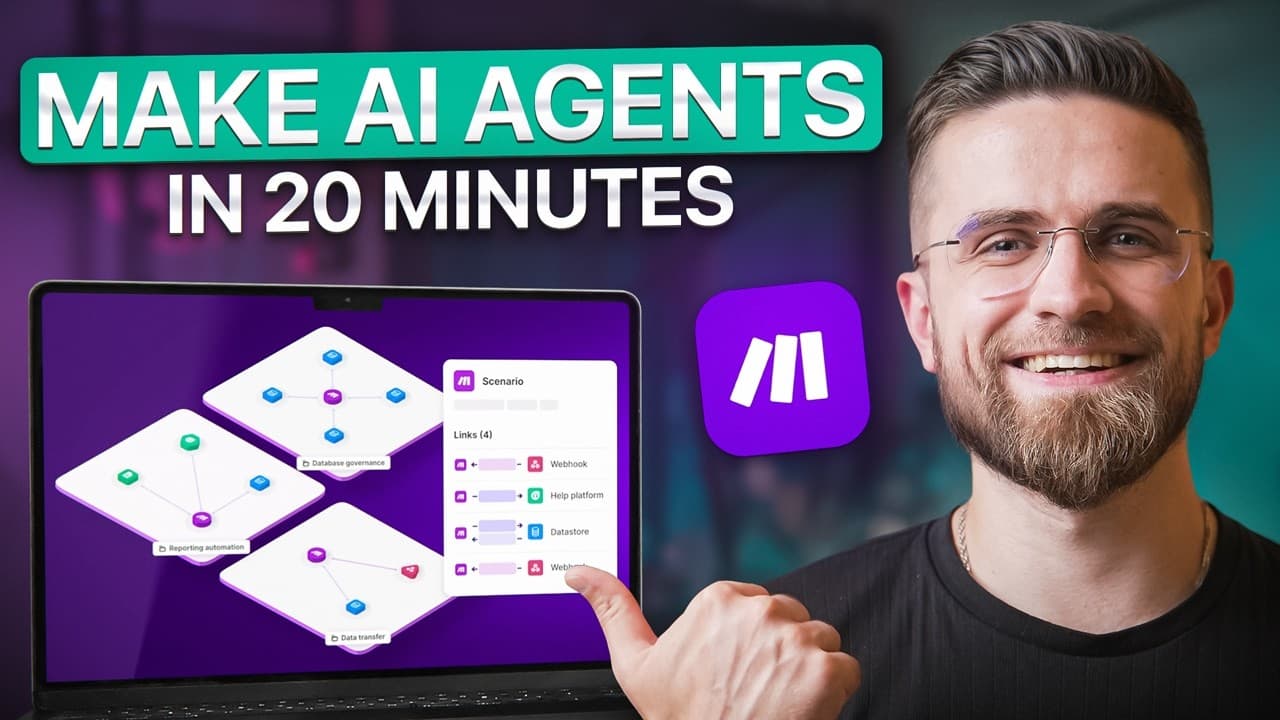
AI agents in Make orchestrate a three agent system that handles intake, monitoring, and creative optimization without coding. The setup uses a visual grid to show data flow, contextual decision making, and automatic escalation, leading to faster, scalable content workflows and fewer missed handoffs.
Transcript
Our content operations have a problem. Manual handoffs, scattered data, tasks falling through the cracks. So make reached out to us and I built an AI agent ecosystem in make to handle the entire content processing pipeline. Hands-free, adaptive, scalable. Today showing you exactly how these agents think, what they can automate, and why make turned ... Read More
Key Insights
- AI agents in Make hold context across steps and make decisions rather than just passing data between services.
- The three agents cover distinct layers: intake and routing, performance monitoring and alerts, and creative optimization for underperforming content.
- The grid interface in Make gives clear visibility into data flow, aiding debugging and future expansion.
- Automation is designed to adapt to changing requirements with minimal reconfiguration, avoiding brittle preset rules.
- Agent one logs requests, computes urgency, and routes to standard or high priority queues with automatic confirmations.
- Agent two runs on a fixed cadence to compare metrics against baselines and generates actionable, AI assisted recommendations.
- Agent three is manually triggered and produces a complete optimization package including titles, thumbnails, descriptions, and tags.
- The system delivers benefits like time savings, zero missed handoffs, higher throughput, and improved team morale by shifting work to strategy and creativity.
Install to Summarize YouTube Videos and Get Transcripts
Explore YouTube Video Summarizer or Get YouTube Transcript Extractor
Questions & Answers
Q: How do AI agents in Make differ from traditional automation tools?
AI agents in Make differ by holding context across steps, making conditional decisions, and adapting to changing inputs rather than executing preset linear workflows. The system uses a visual grid to show data flow, enabling non coding orchestration of complex logic, dynamic rerouting, and immediate impact without redeployment.
Q: What are the three AI agents and their roles?
The three AI agents are: agent one for content request intake and routing, which extracts key data, applies routing rules, logs to Google Sheets, and sends confirmations; agent two for performance monitoring and alerting, which runs on a schedule to flag drops and provide AI generated recommendations; agent three for creative optimization, which is manually triggered to deliver a full optimization package.
Q: How does agent one determine when to escalate a request?
Agent one determines escalation by evaluating simple routing logic during intake: if the email is marked urgent or ASAP, if the priority flag is high, or if the deadline is less than 48 hours out. When any condition is true, the agent escalates and notifies the team lead, logging high priority.
Q: What is the cadence and purpose of agent two?
Agent two runs on a fixed cadence, for example every six hours, to pull performance metrics from a Google Sheet and compare them against baseline averages. If performance drops, it creates a formatted alert email with AI generated recommendations; if normal, it logs as all clear and exits.
Q: How does agent three contribute to content optimization?
Agent three activates manually and ingests the video performance data and metadata. It then generates three improved title options, three upgraded thumbnail prompts, retention improvements for the first 30 seconds, an SEO optimized description, suggested tags, and a one sentence diagnosis, delivering the complete package within seconds.
Q: What practical outcomes does this Make AI system deliver for teams?
The system delivers time savings by converting tasks that used to take minutes into seconds, enables fully automated workflows that scale without more staff, prevents missed handoffs through enforced routing, and boosts adaptability so changes in strategy require only minor tweaks to prompts, not rebuilds.
Q: Why is the visual grid important in this workflow?
The visual grid is important because it provides clarity at scale by showing the entire ecosystem on one canvas. It helps identify where data flows, where bottlenecks occur, and where to add new branches or data sources, enabling rapid, code free adjustments without causing production breaks.
Q: What makes the AI agents in Make feel smart rather than brittle?
The agents feel smart because they hold context across steps, make decisions based on that context, and adapt to changing variables. This enables dynamic routing, real time decision making, and resilient behavior under evolving inputs, ensuring the workflow remains coherent even as requirements shift.
Summary & Key Takeaways
-
The system is built around three agents in Make that manage intake, routing, performance monitoring, and creative optimization, enabling a hands-free workflow.
-
The Make grid provides a visual representation of data flow and decision points, allowing quick adjustments when requirements change without redeployments.
-
The outcome is time savings, consistent handoffs, improved morale, and a scalable, adaptive operation that responds to changing priorities.
Read in Other Languages (beta)
Share This Summary 📚
Summarize YouTube Videos and Get Video Transcripts with 1-Click
Try YouTube Summary with ChatGPT & Claude or YouTube Transcript Generator
Explore More Summaries from AI Master 📚





Summarize YouTube Videos and Get Video Transcripts with 1-Click
Try YouTube Summary with ChatGPT & Claude or YouTube Transcript Generator