How to Get More from Your iPhone 16 Pro Max
TL;DR
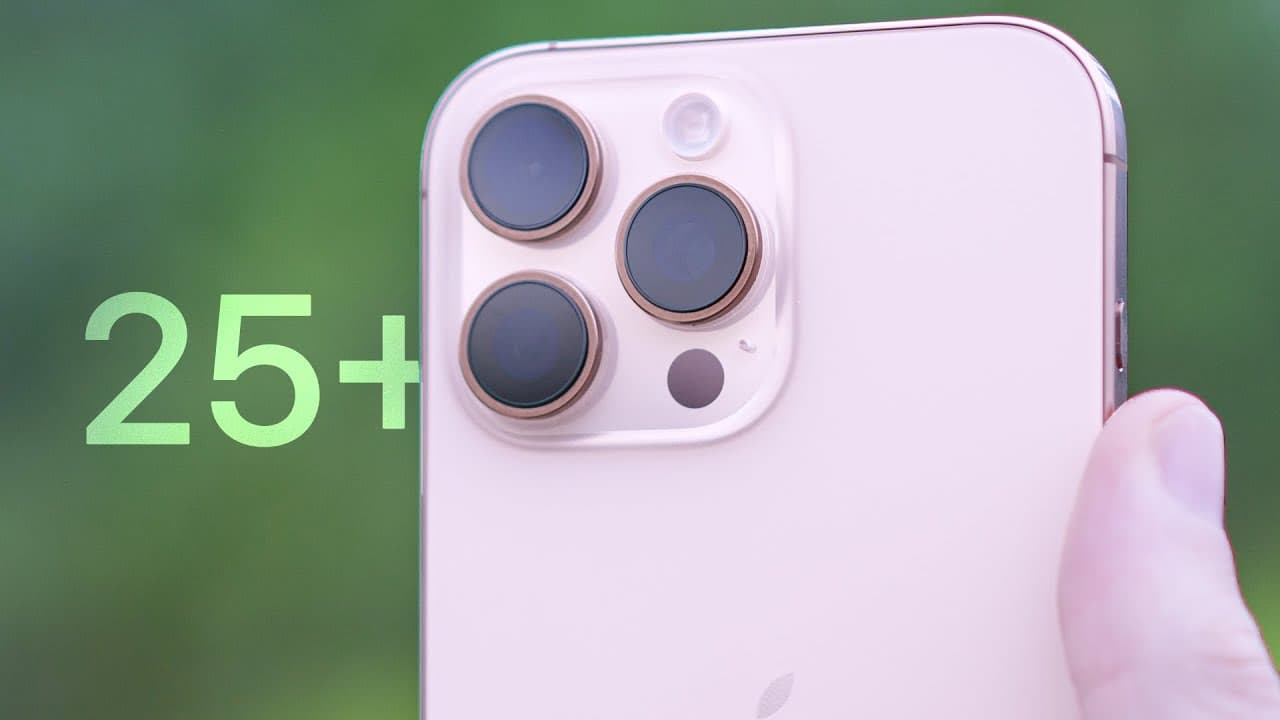
Get more from your iPhone 16 Pro Max by enabling Reachability and the one-handed keyboard, customizing the Action button, and tuning Camera Control. These changes make the 6.9-inch display easier to navigate, turn one button into a menu of shortcuts, and simplify photography controls. ProRAW Max with lossy JPEG XL also lowers the estimated file size from 46 to 20 megabytes, so read on for the exact settings and steps.
Transcript
the iPhone 16 Pro Max looks like a small upgrade on paper but there are some substantial new features and dozens of tips that you'll need to know in order to get the full experience so in this video I'll be showing you more than 25 tips tricks and just things you need to know about the iPhone 16 pro and pro Max okay so this is the biggest iPhone Ap... Read More
Key Insights
- Reachability is an accessibility feature that lowers the visible interface, making Control Center, Notification Center, and other upper-screen elements easier to reach with one hand on the 6.9-inch iPhone 16 Pro Max.
- The one-handed keyboard is a left-aligned or right-aligned keyboard layout that reduces thumb travel. It can be enabled under General and Keyboard, then returned to the original full-width layout directly from the keyboard.
- The Action button can open Control Center or Spotlight Search without requiring an onscreen gesture. Spotlight Search can therefore be invoked while an application remains open, rather than leaving the application and swiping down first.
- A shortcut folder turns the Action button into a menu containing multiple actions. Creating a folder in Shortcuts, adding shortcuts to it, and assigning that folder to the Action button provides several selectable options from one press.
- Camera Control can function as a simple shutter button when its additional control gestures are disabled. Its light-press force can also be made lighter, while the double-light-press speed can be slowed for users who find the default interaction difficult.
- Clean Preview removes surrounding camera interface elements while the Camera Control menu is active. Disabling Clean Preview keeps modes, the latest photo, and other regular camera controls visible while settings are adjusted.
- ProRAW Max with lossy JPEG XL is presented as a storage-conscious option because its estimated file size is 20 megabytes, compared with 46 megabytes for lossless JPEG XL. The captured image is saved as a DNG file.
- Photographic Styles include five default undertone styles with adjustable color, tone, and intensity. Amber is suggested for skin tones, while lowering tone toward minus 50 can create a more professional-looking result and the chosen adjustments remain saved.
Install to Summarize YouTube Videos and Get Transcripts
Explore YouTube Video Summarizer or Get YouTube Transcript Extractor
Questions & Answers
Q: How do you enable Reachability on iPhone 16 Pro Max?
Open Settings, select Accessibility, choose Touch, and enable Reachability. Swipe downward from the bottom section of the display near the bottom bar to lower the interface, making Control Center and Notification Center easier to reach on the 6.9-inch screen.
Q: How can you use the iPhone 16 Pro Max keyboard with one hand?
Open Settings, choose General, then Keyboard, and select the right- or left-aligned one-handed keyboard. The keys shift toward the chosen side for easier thumb access, and you can restore the full-width keyboard using its onscreen control.
Q: How can the Action button open Control Center or Spotlight Search?
Add the Control Center action and set it to Toggle so repeated Action button presses open and close Control Center. For Spotlight, assign the Search action; this lets you open Spotlight while remaining inside an application.
Q: How do you turn the Action button into a menu of shortcuts?
Create a folder in the Shortcuts application and add your desired shortcuts to it. In the Action button settings, choose the option to show that folder, and one press will display its multiple actions as a menu.
Q: Can the Action button launch a ChatGPT voice conversation?
Yes. ChatGPT appears among the compatible third-party applications available for Action button shortcuts. Assigning its action lets one press launch a new conversation using ChatGPT's advanced voice mode.
Q: How can you make Camera Control easier to use?
Open Settings, go to Accessibility, and select Camera Control. You can disable the additional control gestures to make it a simple shutter button, choose a lighter light-press force, and slow the double-light-press speed.
Q: What happens when you disable Clean Preview?
Clean Preview normally removes the surrounding camera interface while you adjust the Camera Control menu. Disabling it under Settings, Camera, and Camera Control keeps camera modes, the latest photo, and the regular controls visible.
Q: Which ProRAW setting reduces the estimated photo file size?
Enable ProRAW and Resolution Control under Settings, Camera, and Formats, then choose ProRAW Max with lossy JPEG XL under Pro Default. Its estimated file size is 20 megabytes, compared with 46 megabytes for lossless JPEG XL, and the captured image is saved as a DNG file.
Summary & Key Takeaways
-
The 6.9-inch iPhone 16 Pro Max becomes easier to operate when Reachability and the one-handed keyboard are enabled. Reachability lowers onscreen controls with a downward gesture near the bottom bar, while the compact keyboard can align left or right. The Action button can also open Control Center or Spotlight Search.
-
The Action button supports Control Center toggles, shortcuts, shortcut folders, and compatible third-party actions. A folder can present several choices after one press, creating an Action menu. The demonstrated options include toggling Control Center, opening Spotlight Search from within an application, and starting a ChatGPT voice conversation.
-
Camera settings require deliberate tradeoffs. Camera Control sensitivity and gesture behavior can be adjusted for easier operation. ProRAW Max with lossy JPEG XL offers 48-megapixel capture at a smaller estimated file size than lossless JPEG XL. Photographic Styles provide adjustable undertones, color, tone, and intensity when ProRAW is disabled.
Read in Other Languages (beta)
Share This Summary 📚
Summarize YouTube Videos and Get Video Transcripts with 1-Click
Try YouTube Summary with ChatGPT & Claude or YouTube Transcript Generator
Explore More Summaries from Brandon Butch 📚
Summarize YouTube Videos and Get Video Transcripts with 1-Click
Try YouTube Summary with ChatGPT & Claude or YouTube Transcript Generator