How to speed up AI agents with fromAI in n8n?
TL;DR
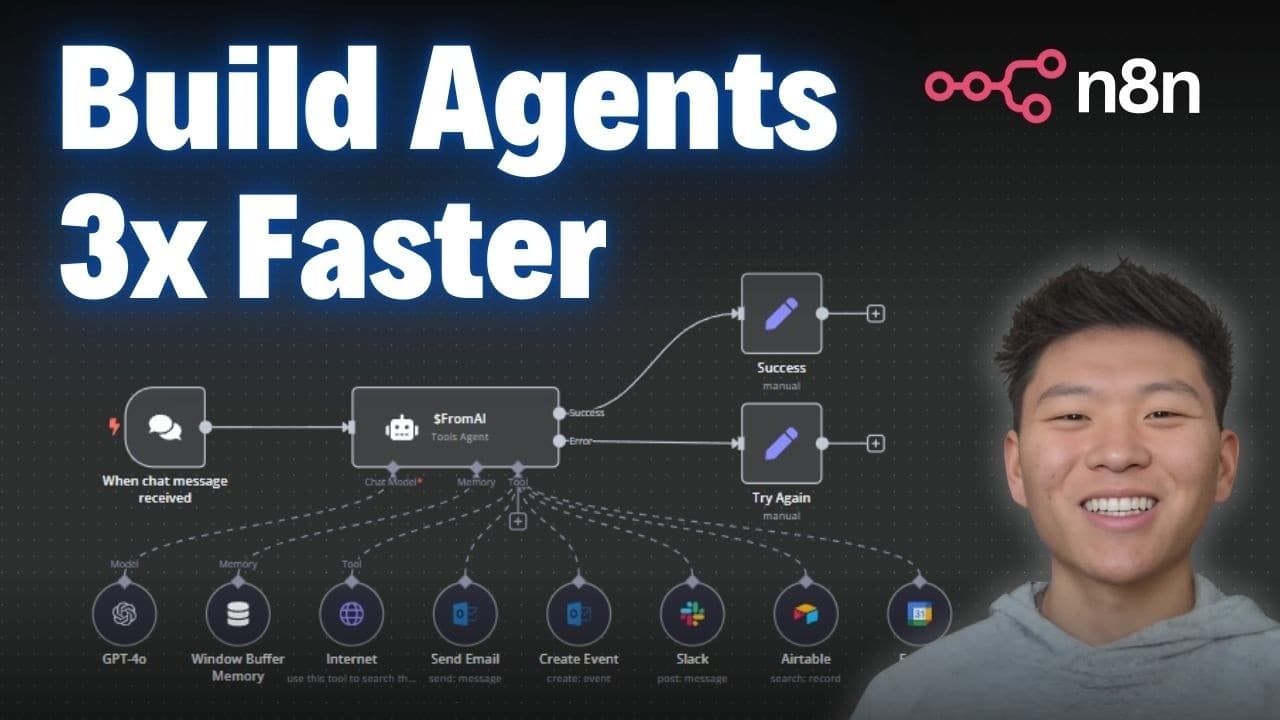
The method centers on using the $fromAI function to map a user query to tool parameters so an agent can act quickly. By breaking down tool configurations into keys, descriptions, and data types, you enable dynamic filling of fields. The approach yields practical tasks like sending emails and creating calendar events in minutes.
Transcript
today I'm going to be talking about the technique that I use to build the ultimate assistant workflow in under an hour now that won't include final testing and refining and airor handling but the point of this video is that if you don't know this method or if you kind of know about it but don't really understand it and you start to use it after thi... Read More
Key Insights
- The method centers on using nodes as tools in an AI agent.
- The $fromAI function drives dynamic parameter filling.
- Configuring keys, descriptions, and data types helps AI fill fields.
- Email and calendar actions are used as practical tool examples.
- The workflow can spin up an agent in about five minutes.
- Visualizations simplify understanding of the black box.
- Iterative prompts influence tool outputs and signing off.
- You can connect Outlook and Gmail tools for real tasks.
Install to Summarize YouTube Videos and Get Transcripts
Explore YouTube Video Summarizer or Get YouTube Transcript Extractor
Questions & Answers
Q: How does the fromAI function help fill tool parameters in an ndn workflow?
The fromAI function acts as a dynamic bridge between the user query and the tool configuration. By exposing fields as keys with optional descriptions and data types, it lets the AI extract the needed values from the query and populate the corresponding tool parameters. This reduces manual prompting and speeds up agent setup.
Q: What is the first practical step to build an AI agent with tools in ndn?
Begin by adding a tool to the agent and then configure it to expect dynamic input. For example, set up an email tool with keys like email address, subject, and body as expressions. Use two curly braces with a dollar sign to reference fromAI outputs, so the AI fills these fields automatically.
Q: How quickly can you spin up an agent to perform tasks like sending emails?
The video demonstrates that an agent capable of sending emails can be created in roughly five minutes. The speed comes from using a simple tool configuration, expressing fields as fromAI expressions, and reusing templates and prompts to contract the output efficiently.
Q: What role do keys play in the tool configuration?
Keys describe the data each parameter should contain, such as email addresses or subjects. They are the essential, required fields that the AI uses to map the input query to the correct values. Descriptions and data types are optional aids to improve accuracy but the key itself drives the data flow.
Q: How does the video suggest handling different outputs like signing off emails?
The video shows changing the prompt or prompt context to alter the tool output, such as signing off emails as different people. By saving and reusing the prompt with a new signer, the AI adapts the final content while keeping the same underlying tool logic and parameters.
Q: What is the benefit of using a visualization in explaining the workflow?
A visualization clarifies how the AI agent, the trigger, and the tools interact, highlighting the sequence from the original query through the tool invocation to the final action. This helps beginners grasp the flow and reduces the cognitive load of building agents manually.
Q: Which tools are highlighted as practical examples for beginners?
The video uses email and calendar tools as concrete examples. By showing how to configure an email tool to send messages and how to create calendar events, it demonstrates the core pattern of mapping a natural language query to tool actions using fromAI.
Q: What community resources are mentioned to aid learning ndn and AI automation?
The description promotes a free Skool community with templates and a paid community offering in depth learning. Members share resources, there are classroom topics like vector databases and APIs, and live sessions for tech support, providing a supportive ecosystem to accelerate learning and hands on practice.
Summary & Key Takeaways
-
The video demonstrates a workflow where an AI agent is built using nodes as tools and a trigger to initiate actions. It emphasizes speed by focusing on parameter mapping and incremental testing, enabling rapid setup and deployment of agents with basic capabilities like emailing. The result is a hands on approach to building agents quickly.
-
The described method uses a visualization to explain the black box of a tool and how the agent decides which fields to fill. By configuring keys and using fromAI, the agent can interpret queries and populate subject lines, bodies, or event details, keeping the process accessible even for beginners.
-
The creator stresses practical examples such as sending emails and creating calendar events, showing that a five minute setup is feasible. They also point to community resources and templates to accelerate learning and replication in ndn and AI automation workflows.
Read in Other Languages (beta)
Share This Summary 📚
Summarize YouTube Videos and Get Video Transcripts with 1-Click
Try YouTube Summary with ChatGPT & Claude or YouTube Transcript Generator
Explore More Summaries from Nate Herk | AI Automation 📚






Summarize YouTube Videos and Get Video Transcripts with 1-Click
Try YouTube Summary with ChatGPT & Claude or YouTube Transcript Generator