How to Master n8n with 17 Essential Nodes
TL;DR
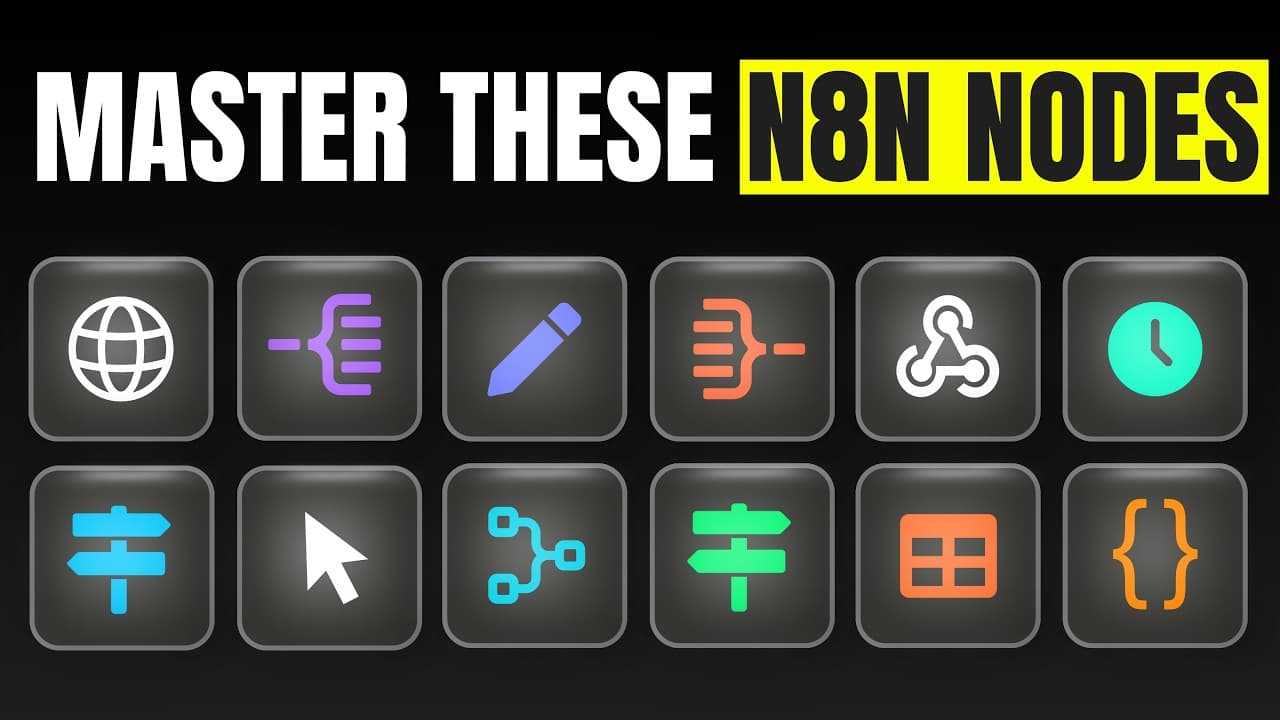
Mastering n8n automations can be achieved by focusing on 17 essential nodes. These nodes cover the core functionalities needed for most workflows, including triggers, storage solutions, data processing, connectivity, and AI integration. By understanding these components, users can efficiently build and manage powerful automation processes without needing extensive tutorials.
Transcript
In this video, I'm going to show you how you can master nit just by learning 17 notes. And these are the exact same ones that we use pretty much 80% of the time when building automations for clients. And honestly, these are probably the only ones that you'll ever need. And in case we haven't met, my name is Mikuel and over the past 12 months, I've ... Read More
Key Insights
- Triggers are essential for starting workflows and can be manual, scheduled, or event-based.
- Storage solutions like Google Sheets and n8n Data Tables are used to store and organize data.
- Universal data processing involves manipulating data using nodes like Edit Fields, Split Out, If, and Switch.
- Connectivity is achieved through HTTP requests and webhooks, allowing integration with external apps.
- AI integration enhances automation by using nodes like Message a Model and AI Agent for intelligent processing.
- The Merge node combines data from parallel processes into a single stream for further processing.
- The Code node allows for complex data transformations using custom scripts when needed.
- APIs are crucial for enabling communication between different software applications in automation workflows.
Install to Summarize YouTube Videos and Get Transcripts
Explore YouTube Video Summarizer or Get YouTube Transcript Extractor
Questions & Answers
Q: How to start workflows in n8n?
Workflows in n8n can be started using triggers. There are different types of triggers available: manual triggers for testing purposes, scheduled triggers for running workflows at specific intervals, and event-based triggers that respond to actions in external applications like Typeform. These triggers form the first step in any automation process.
Q: What storage solutions does n8n offer?
n8n provides several storage solutions for organizing data. Users can store information in Google Sheets, which is widely used for its familiarity and ease of access. Additionally, n8n offers native Data Tables, which allow for efficient data storage and retrieval within the platform itself, making it easier to manage large datasets.
Q: How does data processing work in n8n?
Data processing in n8n involves using nodes that manipulate and transform data to fit the desired structure. Nodes like Edit Fields, Split Out, If, and Switch enable users to filter, split, and route data based on specific conditions. This ensures that the data is correctly formatted for subsequent steps in the workflow.
Q: How can n8n connect to external apps?
n8n connects to external apps using HTTP requests and webhooks. The HTTP Request node allows users to make API calls to any external service, while webhooks are used to receive data from other applications. These features enable seamless integration with a wide range of third-party apps, expanding the capabilities of n8n workflows.
Q: What role does AI play in n8n automation?
AI enhances n8n automation by providing intelligent data processing capabilities. The Message a Model node allows users to generate content or perform tasks using AI models like OpenAI's GPT, while the AI Agent node can interact with users, remember conversations, and perform actions across connected tools. These nodes add a layer of intelligence to automation workflows.
Q: What is the purpose of the Merge node in n8n?
The Merge node in n8n is used to combine data from multiple parallel processes into a single stream. This is useful when you have workflows that branch out and need to be consolidated before proceeding to the next steps. The Merge node ensures that all relevant data is aggregated for further processing in the automation.
Q: How does the Code node function in n8n?
The Code node in n8n allows users to write custom scripts to perform complex data transformations that might not be possible with standard nodes. It provides the flexibility to process data in unique ways, enabling users to handle specific requirements efficiently. This node is particularly useful when dealing with intricate data manipulation tasks.
Q: Why are APIs important in n8n workflows?
APIs are crucial in n8n workflows as they enable communication between different software applications. They allow n8n to send and receive data from external services, facilitating integration with various tools and platforms. Understanding how to use APIs is essential for creating comprehensive and interconnected automation solutions in n8n.
Summary & Key Takeaways
-
Mastering n8n involves learning 17 key nodes that form the backbone of most automation workflows. These include triggers, which initiate processes, and storage solutions like Google Sheets for data organization. By focusing on these nodes, users can quickly advance from beginner to expert in n8n automation.
-
Data processing in n8n is facilitated by nodes that manipulate, filter, and transform information. Nodes like Edit Fields, Split Out, If, and Switch play critical roles in ensuring data is structured correctly for further use. Understanding these nodes is essential for effective workflow management.
-
Connectivity and AI integration are vital components of n8n automation. HTTP requests and webhooks enable seamless app integration, while AI nodes like Message a Model and AI Agent allow for intelligent data processing. Together, these elements create robust and efficient automation solutions.
Read in Other Languages (beta)
Share This Summary 📚
Summarize YouTube Videos and Get Video Transcripts with 1-Click
Try YouTube Summary with ChatGPT & Claude or YouTube Transcript Generator
Explore More Summaries from Michele Torti 📚




Summarize YouTube Videos and Get Video Transcripts with 1-Click
Try YouTube Summary with ChatGPT & Claude or YouTube Transcript Generator