How to Transform Images Using Midjourney V4
TL;DR
To transform images with Midjourney V4, upload your image, copy its URL, and use the '/imagine' command followed by a descriptive prompt. The tool allows for versatile transformations, producing impressive results like turning a standard image into unique styled artwork, showcasing its creative potential and quality.
Transcript
today we are checking out mid-journey V for image to image is it any good let's find out okay so first let's just go over how easy it is to do image to image in mid Journey now you just start by clicking the plus sign here upload file choose your file and open just hit enter and when your picture comes up here just click on the image right click co... Read More
Key Insights
- 😒 Mid-Journey V4 simplifies image-to-image transformations with easy-to-use prompts.
- 🎨 Creative prompts like futuristic designs and character style transformations yield diverse results.
- ❓ Impressive details and quality in the transformed images enhance their visual appeal.
- 👀 The tool can serve as inspiration for designers and creators looking to explore new concepts.
- 💘 Versatility in transforming various images, from coffee cups to animals, showcases Mid-Journey V4's capabilities.
- ❓ Realistic elements like detailed features in transformed images enhance their overall quality.
- 🎑 The New York City transformation highlights the tool's ability to depict diverse scenes with accuracy.
Install to Summarize YouTube Videos and Get Transcripts
Explore YouTube Video Summarizer or Get YouTube Transcript Extractor
Questions & Answers
Q: How does Mid-Journey V4 make image-to-image transformations easy?
Mid-Journey V4 simplifies the process with a user-friendly interface where users can upload an image, add a prompt, and effortlessly generate creative transformations.
Q: What are some examples of creative prompts used in image transformations?
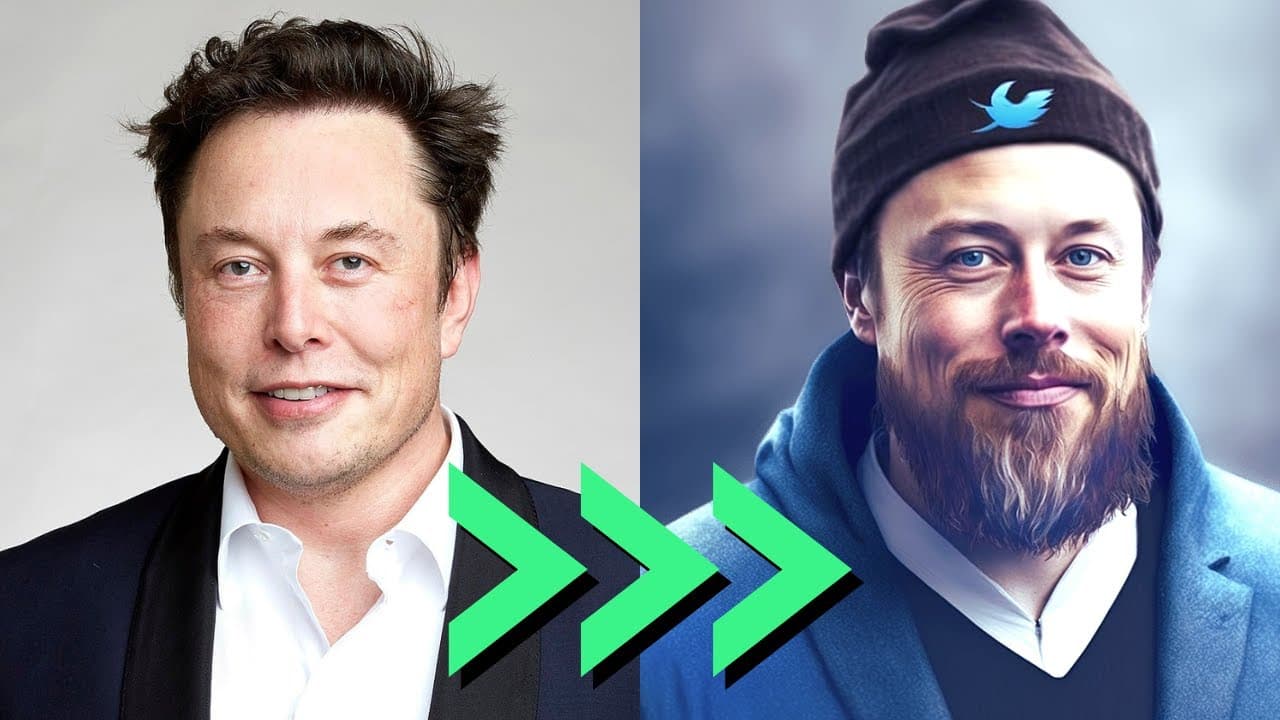
Examples include turning Elon Musk into a hipster, transforming Spider-Man into different styles, designing a futuristic coffee cup, and creating a rainbow unicorn from a black horse.
Q: What details impressed the creator in the image transformations?
The creator appreciated the intricate details in the transformations, such as the realistic feet of the rainbow unicorn and the snowy background in the New York City scene.
Q: How satisfied was the creator with the overall results of the image transformations?
The creator expressed satisfaction with the results, noting that while they may not be perfect, they were impressed by the creativity and quality of the transformations.
Summary & Key Takeaways
-
Mid-Journey V4 enables quick image-to-image transformations with simple prompts.
-
Various creative prompts such as hipster Elon Musk, Spider-Man in different styles, and a futuristic coffee cup showcase the tool's versatility.
-
Results include impressive details like turning a black horse into a rainbow unicorn and enhancing a New York City scene.
Read in Other Languages (beta)
Share This Summary 📚
Summarize YouTube Videos and Get Video Transcripts with 1-Click
Try YouTube Summary with ChatGPT & Claude or YouTube Transcript Generator
Explore More Summaries from All About AI 📚
Summarize YouTube Videos and Get Video Transcripts with 1-Click
Try YouTube Summary with ChatGPT & Claude or YouTube Transcript Generator