How Does OpenAI's Codex Agent Harness Work?
TL;DR
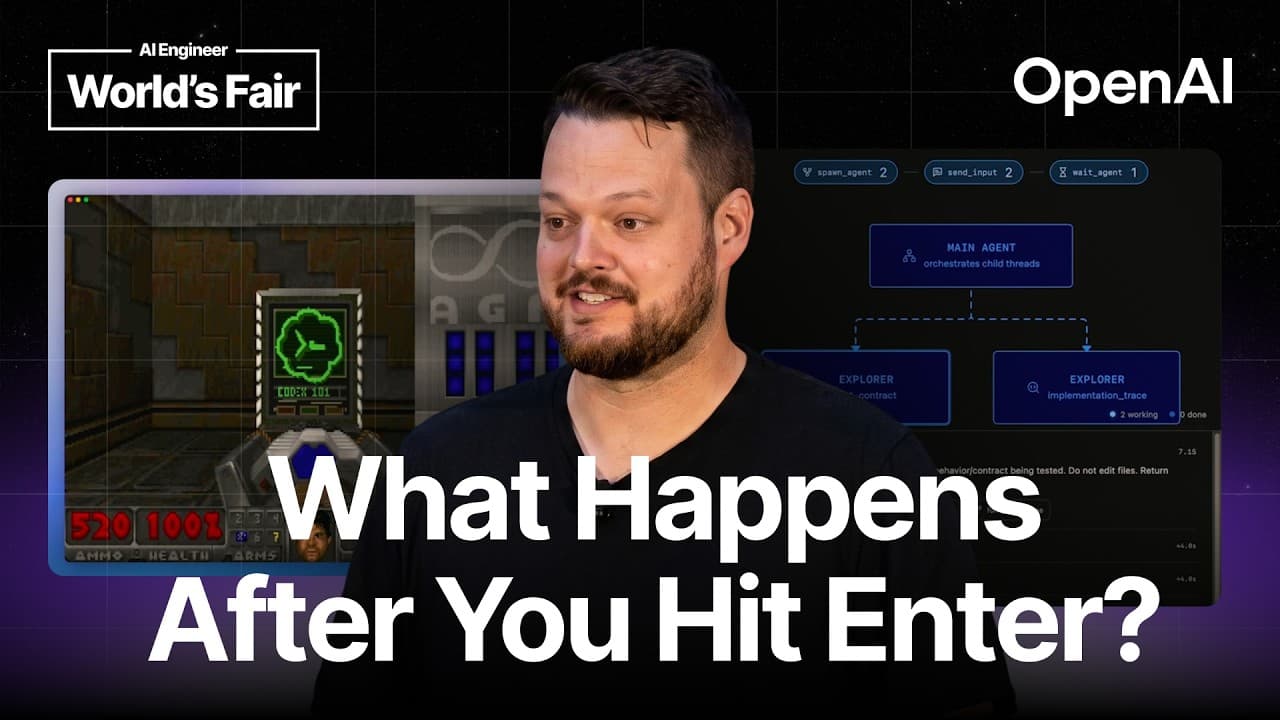
Codex works by constructing a compact, cacheable context, sending it to model inference through the Responses API, and executing returned actions through specialized tools inside a sandbox. Its harness supports deferred tool discovery, asynchronous subagents, persistent scripted browser control, patch-based file editing, security review for escalated actions, and persistent connections that reduce repeated network traffic.
Transcript
[music] >> Hi everyone. Uh we're going to start right on time because I'm going to speak basically at 2x. I'm sorry, I have a lot of content. I'm trying to get you out of here on time. I want to start with a quick raise of hands. So, how many of you have built your own agents or are currently building your own agents? Perfectly. You're the right au... Read More
Key Insights
- Codex uses two communication protocols: the app server protocol connects interfaces to the harness, and the Responses API connects the harness to model inference. This separation lets developers build custom interfaces or connect compatible model providers without replacing the complete agent system.
- Context construction is a balance among size, flexibility, performance, cost, and cacheability. Excess context consumes tokens and can introduce contradictory instructions, while insufficient context can prevent the model from discovering the skills and tools needed to complete a task.
- Deferred tools stay outside the initial context window and become available through tool search when the model needs them. Since GPT-5.4, tools in the Responses API can be marked for deferred loading, reducing the cost of large tool registries.
- The available skills list is capped at 2% of the model's maximum context window. As the list grows beyond that allocation, skill descriptions are progressively shortened so installed skills do not overwhelm the working context supplied to the model.
- Asynchronous work is managed through tools that create subagents or background terminals and allow later interaction. The main agent can send additional input, wait for completion, or shut down these workers while continuing other useful work when necessary.
- Browser control works through code execution in a persistent Node REPL. Codex writes JavaScript resembling Playwright interactions, retains references across turns, inspects page structure, and can script repeated operations on subsequent pages instead of issuing only one computer action at a time.
- File editing is performed with an apply patch tool that recent models were trained to use for diffs and new files. Other filesystem operations use a shell, with ripgrep favored for search and PowerShell used natively when the harness runs on Windows.
- Security escalation can invoke an automatic review subagent with read-only permissions and no ability to create more agents. The reviewer evaluates the proposed action against the conversation and the user's explicit authorization, distinguishing requested deletion from unrelated destructive operations.
- More videos from this channel:
- More from this channel: AI Engineer
Install to Summarize YouTube Videos and Get Transcripts
Explore YouTube Video Summarizer or Get YouTube Transcript Extractor
Questions & Answers
Q: How does the Codex agent harness process a request?
A request first travels from the user interface to the Codex harness through the app server protocol. The harness constructs the model context, including instructions and selected information about available capabilities. It then communicates with model inference through the Responses API. When the model returns tool calls, the harness executes those actions through facilities such as subagents, browser control, apply patch, or the shell.
Q: What is the difference between the app server protocol and the Responses API?
The app server protocol handles communication between a user interface and the Codex harness. It powers the Codex app and can also support custom interfaces and community projects. The Responses API handles communication between the harness and model inference. Its agent-oriented capabilities include tools such as web search, image generation, deferred tool loading, and other complex operations needed by agent systems.
Q: How does Codex keep its model context from becoming too large?
Codex limits context growth by excluding some tools from the initial prompt and exposing them later through tool search. It also caps the available skills list at 2% of the maximum context window and reduces description detail as that allocation becomes crowded. These measures conserve tokens, support cacheability, and reduce the chance that excessive or contradictory information will confuse the model.
Q: What are deferred tools in the Responses API?
Deferred tools are registered capabilities that do not enter the model's initial context window. They can instead be discovered through a built-in or custom tool search mechanism when the model determines that they are relevant. Since GPT-5.4, the Responses API allows tools to be marked for deferred loading, helping harness developers support large tool collections without paying the full context cost on every request.
Q: How does Codex manage subagents and background tasks?
Codex can create subagents through a spawning tool, then communicate with those agents by sending additional input, waiting for their results, or shutting them down. A similar pattern supports background terminals, which remain available for interaction through standard input. This design allows asynchronous work to proceed while the main agent continues handling other parts of the task when useful.
Q: How does Codex control a browser?
Codex controls a browser through code execution connected to a persistent Node REPL. It writes JavaScript, including interactions resembling Playwright code, to inspect and operate a Chromium browser. Because the environment persists across turns, Codex can retain references to tabs and other state. After understanding one page's structure, it can script similar actions across subsequent pages more efficiently.
Q: How does Codex edit and search files?
Codex uses an apply patch tool for file modifications, including diff-based changes and creation of new files. Recent models beginning with GPT-5 were trained to use this editing approach. For navigation, file search, and other filesystem operations, the agent uses a shell and naturally favors ripgrep. The harness includes ripgrep when it is otherwise unavailable, while Windows interactions can use PowerShell natively.
Q: How does Codex review actions that need elevated access?
When an action requires escalation, Codex can create an automatic review subagent that has read-only permissions and cannot spawn additional agents. The reviewer compares the proposed action with the conversation and evaluates how explicitly the user authorized it. Context matters: deleting a file the user specifically requested is treated differently from deleting an unmentioned .git directory, even though both involve removal.
Summary & Key Takeaways
-
Codex separates communication into two layers. The app server protocol connects a user interface to the harness, while the Responses API connects the harness to model inference. Both support an open ecosystem, allowing alternative interfaces, compatible model providers, and community projects to reuse the same underlying agent infrastructure.
-
Context construction balances context size, flexibility, performance, cost, and cacheability. Stable model instructions can remain predictable, while variable skill and tool registries require controls. Deferred tools stay outside the initial context until discovered through tool search, and skill listings are limited to 2% of the model's maximum context window.
-
The harness turns model decisions into controlled actions. It manages asynchronous subagents and terminals, scripts browser interactions through a persistent Node REPL, edits files with apply patch, and uses shell commands for navigation and search. Sandboxing and read-only review agents help evaluate sensitive actions against the user's explicit authorization.
Read in Other Languages (beta)
Share This Summary 📚
Summarize YouTube Videos and Get Video Transcripts with 1-Click
Try YouTube Summary with ChatGPT & Claude or YouTube Transcript Generator
Explore More Summaries from AI Engineer 📚



Summarize YouTube Videos and Get Video Transcripts with 1-Click
Try YouTube Summary with ChatGPT & Claude or YouTube Transcript Generator