What Is the Best Affordable Document Camera?
TL;DR
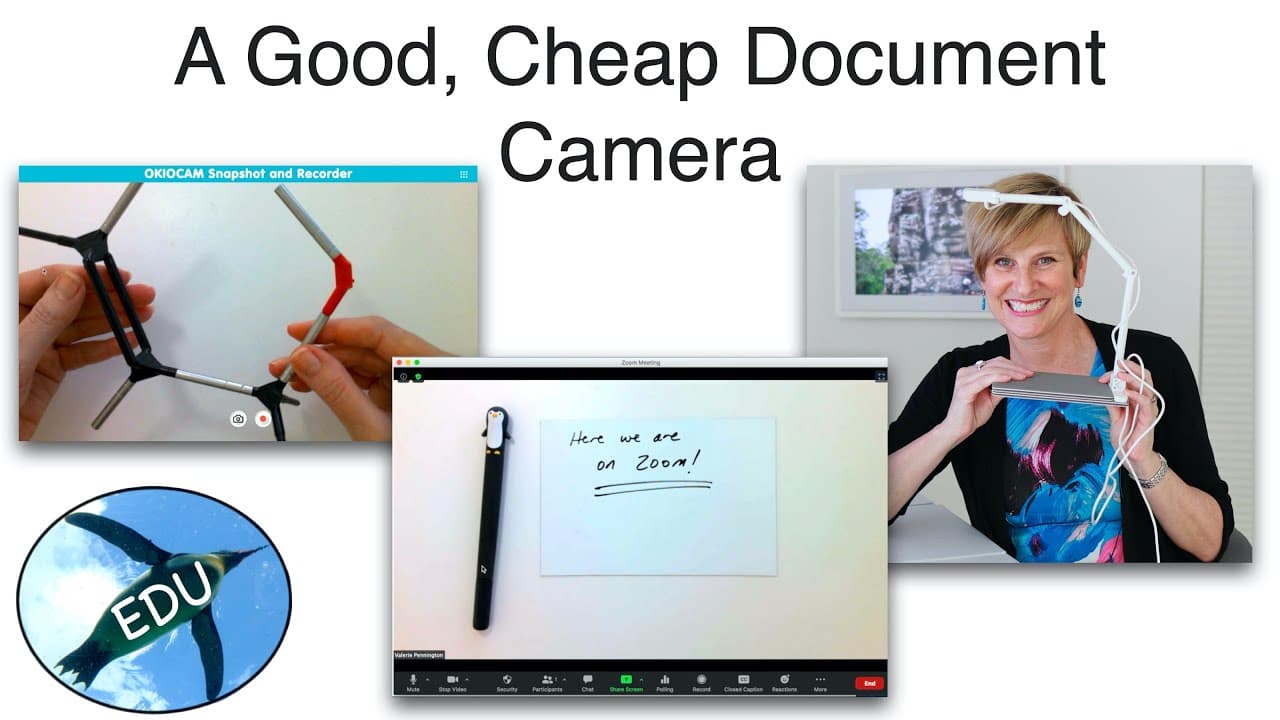
The Okiocam T is the best affordable document camera, priced under $100, offering sufficient five-megapixel resolution and excellent plug-and-play functionality. It's compact, easy to set up, and compatible with Mac, Windows, and Chromebook. While lacking its own light, it performs well in well-lit rooms and is ideal for various educational and professional applications.
Transcript
Hello and welcome to the Penguin Prof Channel! I've got a quick tech review for you today. Would you believe this is a document camera? And even more amazing than that... it's pretty good! So I've been looking for alternatives - you guys have been asking me, I did a video on how to use your phone as a document camera in Zoom and I will link that u... Read More
Key Insights
- 📷 The Okiocam T is a cost-effective option for those in need of a document camera.
- 🖐️ Its compact size and plug-and-play compatibility make it convenient for various settings.
- 🙂 The device's five-megapixel camera provides satisfactory image quality, especially in well-lit environments.
- 💵 The Okiocam T can be extended for taller objects with its adjustable arm.
- ❓ The chrome extension offers additional features, such as recording and integration with Google Classroom.
- 👻 The camera's zoom feature allows for detailed views of textbooks or three-dimensional objects.
- 🖤 While the Okiocam T lacks its own lighting, it works well with existing room lighting or additional desk lamps.
Install to Summarize YouTube Videos and Get Transcripts
Explore YouTube Video Summarizer or Get YouTube Transcript Extractor
Questions & Answers
Q: What makes the Okiocam T a good choice for a document camera?
The Okiocam T is a great option because it is affordable, compact, and offers satisfactory image quality. It is also easy to set up and compatible with multiple devices.
Q: Does the Okiocam T have its own light source?
No, the Okiocam T does not have its own light source. However, it works well in well-lit rooms or when used with a desk lamp in darker environments.
Q: Does the Okiocam T offer any additional features?
Yes, the Okiocam T has a chrome extension that provides extra functionality. It allows users to sign up with Google and offers recording options to save files locally or directly into Google Drive.
Q: Are there any drawbacks to using the Okiocam T?
Some users may find the build quality to be flimsy, which can lead to slight bouncing if the desk is flexible. Additionally, the device may not be suitable for users who write with excessive pressure.
Summary & Key Takeaways
-
The Okiocam T is a small document camera that offers a budget-friendly alternative to expensive and bulky options.
-
Despite its plastic build quality, the camera's five-megapixel resolution is sufficient for document scanning.
-
The device is lightweight, easy to set up, and compatible with various operating systems.
Read in Other Languages (beta)
Share This Summary 📚
Summarize YouTube Videos and Get Video Transcripts with 1-Click
Try YouTube Summary with ChatGPT & Claude or YouTube Transcript Generator
Explore More Summaries from ThePenguinProf 📚




Summarize YouTube Videos and Get Video Transcripts with 1-Click
Try YouTube Summary with ChatGPT & Claude or YouTube Transcript Generator