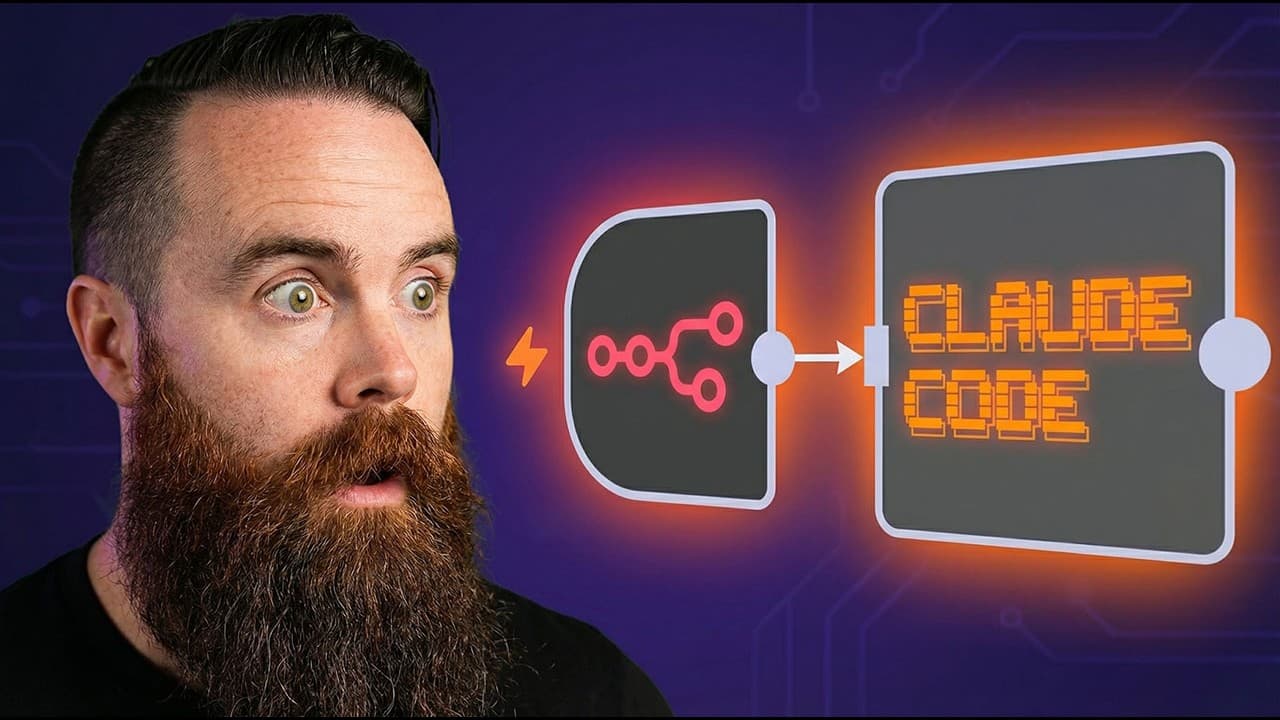
How to connect Claude Code with n8n for AI agents
TL;DR
Claude Code can be wired into n8n workflows to run AI agents with full context, skills, and session support. You install an AI terminal tool, set up SSH, and run Claude Code commands from a remote server, enabling multi step prompts and session continuity within n8n. This unlocks powerful, cloud driven automation using familiar tools.
Transcript
How I use NAN has changed forever because now I'm using NAN with Claude Code. I mean, look at this. NAN is executing Claude agents workflows skills. This is what I've been missing and I almost stopped using NAN because while it's good, Claude code is more powerful. I talk about it in this video here, but when I realized I could combine the two, oh ... Read More
Key Insights
- N8n can connect to Claude Code via an SSH node to execute remote commands.
- An AI terminal tool like CLO code enables Claude to run in headless mode for automation workflows.
- Context from local directories improves Claude’s accuracy because the AI has access to your environment and scripts.
- Sessions in Claude Code can be resumed using a generated session ID, enabling ongoing interactive chats.
- N8n acts as the orchestrator while Claude Code handles the heavy AI processing and decision making.
- You can run multiple SSH sessions to manage parallel tasks or monitor different subsystems.
- Security credentials are configured in n8n to connect to the remote server, with the option to use passwords or private keys.
- The setup is presented as beginner friendly, with a step by step approach to get a working workflow quickly.
Install to Summarize YouTube Videos and Get Transcripts
Explore YouTube Video Summarizer or Get YouTube Transcript Extractor
Questions & Answers
Q: How do I set up SSH in n8n to run Claude Code on a remote server?
To set up SSH in n8n for Claude Code you first create a new credential in n8n using either a password or a private key for your remote server. Then you add an SSH node in your workflow and select the credential you created. The SSH node will execute Claude Code commands remotely, letting you run AI tasks without deploying Claude locally. This approach keeps your AI processing centralized on the server while giving n8n control over when and what to run.
Q: What tools do I need to integrate Claude Code with n8n?
You need an innate N instance with access to cloud code, an AI terminal tool such as CLO code, and a host where Claude Code runs. The combination allows you to trigger Claude commands from n8n. You should also have a server or VPS to host your AI terminal tools and Claude Code, plus proper network access so n8n can SSH into that environment.
Q: Can Claude Code work with multiple agents in n8n?
Yes, Claude Code can orchestrate multiple agents from a single workflow. You can deploy three or more agents to handle different tasks like checking wifi, network performance, and security, all managed by the same Claude Code prompt flow. This enables parallel processing and richer automation within an n8n dashboard.
Q: How does session management work when using Claude Code in n8n?
Session management uses session IDs generated in n8n to maintain context across interactions with Claude Code. You can create a session ID via a small code node, then pass it to Claude Code commands with a session option. This lets you resume conversations or prompts without losing context, yielding a smoother interactive experience.
Q: What benefits come from running Claude Code in headless mode via CLO code?
Running Claude Code in headless mode enables automation without a user interface, so you can trigger prompts and receive outputs programmatically within n8n. It enables chaining commands, saving results, and continuing work across steps, which is essential for building scalable, automated AI workflows where human input is minimal.
Q: How do I test the integration before going into full production?
Begin with a simple SSH connection test to ensure credentials and connectivity work, then run a basic Claude Code command to verify responses. Gradually add more complex prompts and multiple sessions to mimic production usage. Keep logs enabled to monitor outputs and adjust prompts or session handling as needed.
Q: What are best practices for securing Claude Code in n8n workflows?
Use private key authentication rather than passwords where possible, store credentials securely in n8n, limit SSH user permissions, and regularly rotate keys. Also ensure that only necessary commands are permitted, log all actions for auditability, and keep your VPS and Claude Code software updated to reduce vulnerabilities.
Q: Where can I find resources to learn more about this workflow?
Look for the Claude Code and n8n integration guides and walkthroughs mentioned in the video description. There are recommended courses on NetworkChuck Academy and links to guides that cover setup steps, architecture, and real world examples to deepen your understanding and help you build similar workflows on your own.
Summary & Key Takeaways
-
This video explains how to connect Claude Code to n8n using SSH for remote command execution, enabling Claude to operate within automated workflows. It covers required tools, self hosting, and basic setup steps, emphasizing ease of access and maintaining a session for ongoing tasks.
-
The workflow demonstrates running headless Claude commands, using context from local directories, and launching multiple agents for tasks like network checks. It also shows how to pin data and resume sessions, making Claude a persistent part of the automation pipeline.
-
Finally, the video introduces courses and resources to deepen your understanding of n8n, Claude Code, and related AI terminal tools, encouraging viewers to practice with hands on examples and official guides.
Read in Other Languages (beta)
Share This Summary 📚
Summarize YouTube Videos and Get Video Transcripts with 1-Click
Try YouTube Summary with ChatGPT & Claude or YouTube Transcript Generator
Explore More Summaries from NetworkChuck 📚
Summarize YouTube Videos and Get Video Transcripts with 1-Click
Try YouTube Summary with ChatGPT & Claude or YouTube Transcript Generator