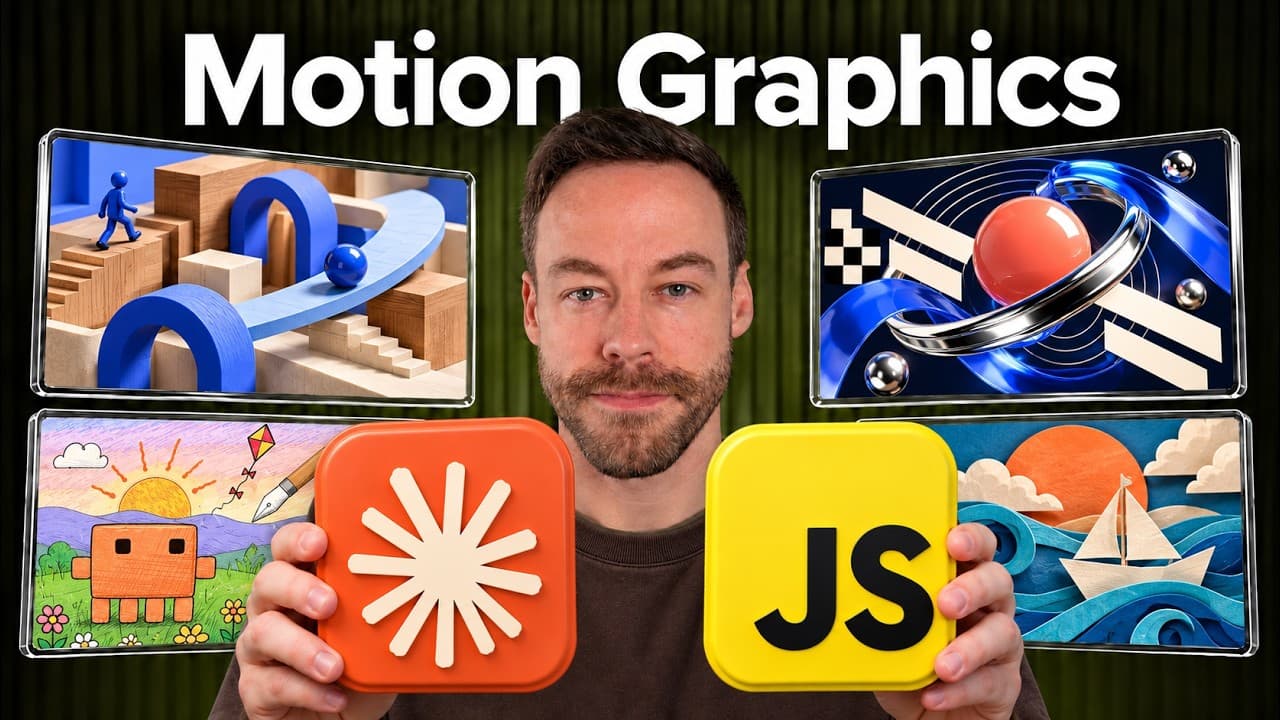
How to create motion videos with JavaScript and Claude Code
TL;DR
Claude uses JavaScript to generate individual frames, then FFmpeg stitches them into an MP4. A headless browser (Playwright) checks each frame for mistakes, and sound can be added with 11 Labs. The process is broken into four levels: prompting, looping, references, and codifying the skill to automate video creation.
Transcript
You don't need Remotion. You don't need After Effects. All you need is clawed code in JavaScript to create videos like these. Whether it's a visual explainer, a product demo, or just pure motion graphics, these types of videos are exploding right now. And that's because it's free. This isn't an AI video generator. This is just clawed and JavaScript... Read More
Key Insights
- Frames are generated by JavaScript as a function of time, with each frame produced and tested in a headless browser before being assembled.
- 60 frames per second are requested during generation, allowing smooth playback when stitched by FFmpeg.
- FFmpeg is the primary tool to stitch frames into a final MP4, with optional audio produced by 11 Labs.
- No external AI video generator is used; Claude writes the video as a time dependent function rather than a finished video asset.
- Prompting is organized into four levels, starting with prompting and ending with codifying the process into a repeatable skill.
- Reference materials, including images or video, can guide the visuals to match a target style or composition.
- The workflow favors storyboard creation prior to full rendering to avoid lengthy iteration loops.
- Prompting also covers prompts about length, aspect ratio, and whether visuals or audio drive the synchronization.
Install to Summarize YouTube Videos and Get Transcripts
Explore YouTube Video Summarizer or Get YouTube Transcript Extractor
Questions & Answers
Q: A real search query question about the video: How can I start creating motion graphics with JavaScript and Claude Code?
To start, learn that Claude uses JavaScript to generate frames, then uses a headless browser to render and check each frame for correctness. After that FFmpeg stitches the frames into an MP4 and you can add audio with tools like 11 Labs. Begin with a storyboard to map the seven or so key scenes, then craft prompts that specify length, aspect ratio, and whether graphics or narration drive the timing. This approach keeps iterations efficient and under control.
Q: What role does a storyboard play in Claude Code video creation?
A storyboard defines the seven big scenes and individual frames before coding begins. It helps you see the actual frames and scenes upfront, allowing you to adjust pacing and visuals without running a long generation loop. By storyboard planning, you reduce the risk of getting stuck in an hour long back and forth and you can align visuals with the intended soundtrack and narration from early on.
Q: How does Claude ensure the frames are correct before final rendering?
Claude uses a headless browser like Playwright to render frames frame by frame and compare them for correctness. It can spot issues, fix the function, and recheck. This automated quality check occurs before stitching the frames with FFmpeg, ensuring consistency and reducing errors in the final video.
Q: What tools are mentioned for assembling and finalizing the video?
The video creation workflow mentions Playwright as the headless browser for frame validation and FFmpeg to stitch the generated images into an MP4. 11 Labs can be used to generate the soundtrack. The process is designed to be tool agnostic for the scripting part while relying on these core tools for rendering and assembly.
Q: Can you use reference content to guide Claude Code visuals?
Yes, references can be images or existing videos to influence composition and style. Claude can incorporate these references to produce visuals that resemble the target aesthetic or layout while still delivering original content. This enables aligning the final output with specific branding or design language.
Q: What is the four level structure mentioned for codifying the process?
The four levels are prompting, looping for self checking, using references for image or video guidance, and codifying the entire workflow into a repeatable skill. This structure helps you break down the task from initial prompts through verification and refinement to a shareable, automated process.
Q: Why is prompt quality emphasized in this Claude Code workflow?
Prompt quality matters because it governs the system’s output when generating motion graphics. The discussion notes that high quality prompts, especially when requesting a storyboard, can yield better results faster. Poor prompts can lead to longer iteration times, while well designed prompts keep the output aligned with the desired storyboard and final video goals.
Q: What is the difference between a video generated by Claude Code and a traditional AI video tool?
The Claude Code approach creates frames through JavaScript logic rather than generating a finished AI video asset. It constructs a function of time that returns each frame, which are then stitched into a video. This differs from traditional AI video tools that may produce complete assets directly, offering more control and potential for iteration through code.
Summary & Key Takeaways
-
Claude builds videos by rendering frames in JavaScript, stitches them with FFmpeg, and can add sound with 11 Labs. It emphasizes prompt design, looping checks, references, and codification to turn thinking into runnable code.
-
The workflow uses a headless browser to verify frames frame by frame, ensuring visual accuracy before final rendering. It avoids traditional video tools like Remotion or After Effects.
-
The method includes storyboard planning before coding to save time and improve output quality, and it supports using reference images or videos to guide style and composition.
Read in Other Languages (beta)
Share This Summary 📚
Summarize YouTube Videos and Get Video Transcripts with 1-Click
Try YouTube Summary with ChatGPT & Claude or YouTube Transcript Generator
Explore More Summaries from Chase AI 📚

Summarize YouTube Videos and Get Video Transcripts with 1-Click
Try YouTube Summary with ChatGPT & Claude or YouTube Transcript Generator