What Are the Top 50 Essential macOS Terminal Commands?
TL;DR
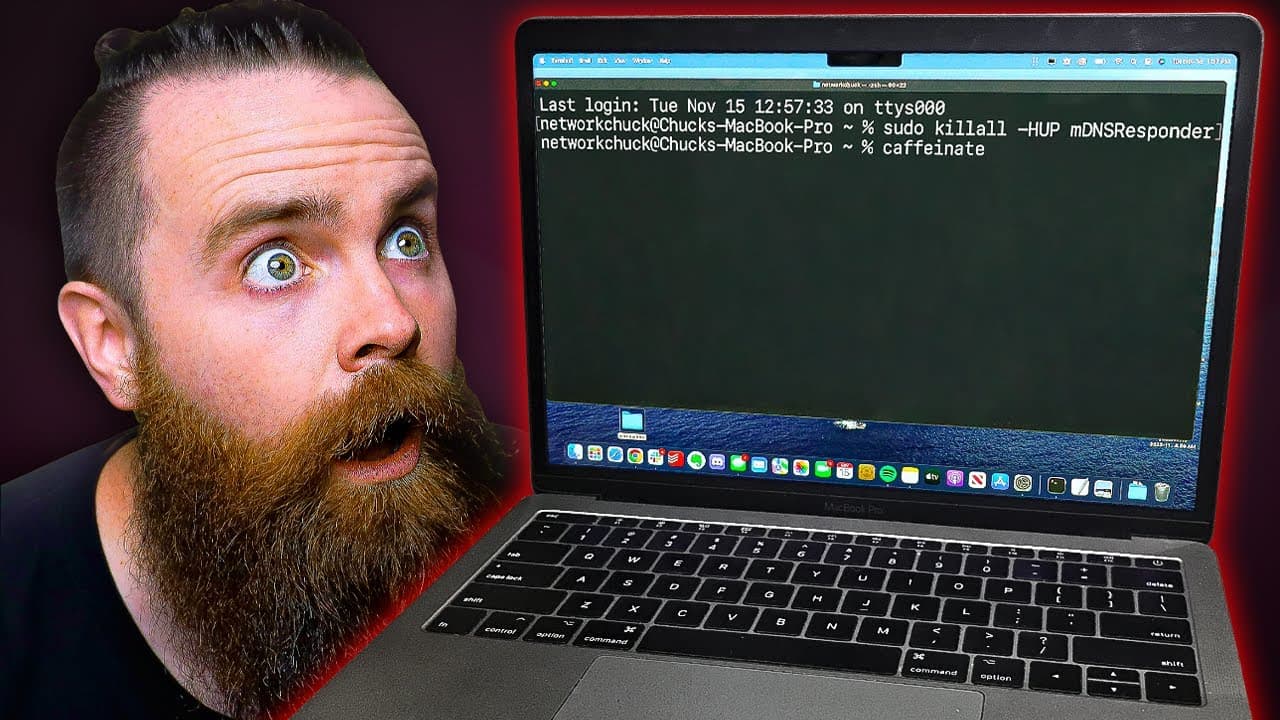
The top 50 essential macOS terminal commands include utilities for managing Wi-Fi passwords, taking and customizing screenshots, and performing system maintenance. Users can retrieve download history, change passwords, and run Linux commands directly in the macOS terminal. Installing the Brew package manager further expands terminal capabilities with fun commands and tools like ASCII art and games.
Transcript
Here are the top 50 Mac OS terminal commands you need to know. So get your coffee ready. This will take about 10 minutes. First, how do you launch a terminal? Hit the command key and space bar. Search for a terminal. There it is to enter and you're there. Let's do something fun first. We can actually make our Mac talk right from the terminal. Just ... Read More
Key Insights
- 😚 The Mac OS terminal offers a wide range of powerful commands to enhance productivity and perform various tasks efficiently.
- 🍃 With the right commands, users can retrieve Wi-Fi passwords, manage screenshots, clear download history, and change passwords without leaving the terminal.
- 👻 Switching between different shells, such as Zsh and Bash, allows users to personalize their terminal experience.
- 🥰 Using Brew, a package manager for Mac OS, users can install additional commands and enjoy fun terminal tricks like Matrix animations and ASCII art.
Install to Summarize YouTube Videos and Get Transcripts
Explore YouTube Video Summarizer or Get YouTube Transcript Extractor
Questions & Answers
Q: How can I retrieve Wi-Fi passwords using the terminal?
To find Wi-Fi passwords, open the terminal and enter the command "security find-generic-password -w -a [wifi network name]". This will display the password for the specified network.
Q: Can I change the default name and file type of my Mac screenshots?
Yes, you can change the default name of screenshots using the terminal command "defaults write com.apple.screencapture name [new name]". You can also change the file type using the command "defaults write com.apple.screencapture type [file extension]".
Q: How can I clear my download history using the terminal?
To clear your download history, use the command "sqlite3 ~/Library/Preferences/com.apple.LaunchServices.QuarantineEventsV* 'delete from LSQuarantineEvent'".
Q: How do I switch between different shells on my Mac?
To switch from Zsh to Bash, enter the command "bash". To switch back to Zsh, use the command "zsh".
Q: What is Brew and how can I use it for fun terminal tricks?
Brew is a package manager for Mac OS. Install Brew using the command provided in the video, then use it to install commands like "cmatrix" for a Matrix-style animation, "asciiquarium" for an ASCII art aquarium, and "toilet" for text art transformations.
Key Insights:
- The Mac OS terminal offers a wide range of powerful commands to enhance productivity and perform various tasks efficiently.
- With the right commands, users can retrieve Wi-Fi passwords, manage screenshots, clear download history, and change passwords without leaving the terminal.
- Switching between different shells, such as Zsh and Bash, allows users to personalize their terminal experience.
- Using Brew, a package manager for Mac OS, users can install additional commands and enjoy fun terminal tricks like Matrix animations and ASCII art.
- By incorporating touch ID as a pseudo password, users can streamline authentication processes and improve security.
Summary & Key Takeaways
-
The video demonstrates how to launch the terminal on a Mac and showcases fun commands like making the Mac talk and retrieving Wi-Fi passwords.
-
It explains how to copy and paste plain text, keep your Mac awake, take and manage screenshots, change default settings, clear download history, and change passwords.
-
The video also covers Linux commands that work on Mac, shell switching, checking system uptime, DNS management, file manipulation, process monitoring, and using brew for fun terminal tricks.
Read in Other Languages (beta)
Share This Summary 📚
Summarize YouTube Videos and Get Video Transcripts with 1-Click
Try YouTube Summary with ChatGPT & Claude or YouTube Transcript Generator
Explore More Summaries from NetworkChuck 📚



Summarize YouTube Videos and Get Video Transcripts with 1-Click
Try YouTube Summary with ChatGPT & Claude or YouTube Transcript Generator