How to Add Error Bars in Excel Graphs for Mac
TL;DR
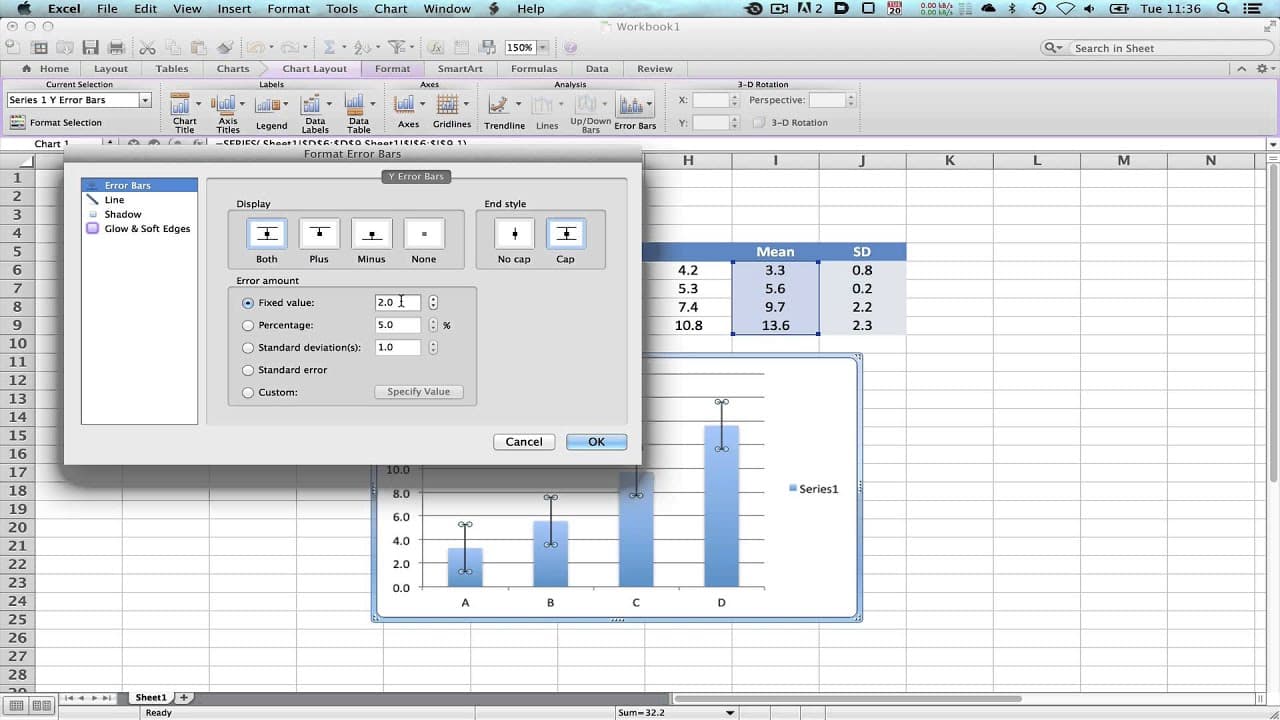
To add error bars to a graph in Excel for Mac, calculate the mean and standard deviation of your data, then select the graph and choose 'Chart Layout' to customize error bar options. Specify custom error values by selecting the range containing your standard deviations to accurately represent data variability.
Transcript
hello I've been asked to do two very quick tutorial looking at the generation of a graph showing the mean and the standard deviation of a group of data so what we've got on the screen here is a fictitious data set consisting of four groups a to d and we have four sets of data for each group and you can see here the data seem to be going up over the... Read More
Key Insights
- 🦻 Calculating means and standard deviations in Excel aids in understanding data trends.
- 🉐 Graphs with error bars offer a comprehensive visual representation of data variability.
- 🤢 Customizing error bars ensures accurate data interpretation and analysis.
- 😥 Standard deviations indicate the spread of data points around the mean.
- 🇨🇫 Mean values provide a central measure of the dataset for comparison.
- 🤢 Error bars help quantify the uncertainty and variability in data analysis.
- 🔨 Excel offers versatile tools for data visualization and statistical analysis.
Install to Summarize YouTube Videos and Get Transcripts
Explore YouTube Video Summarizer or Get YouTube Transcript Extractor
Questions & Answers
Q: How do you calculate the mean in Excel?
In Excel, use the formula "=AVERAGE()" to calculate the mean, selecting the data range within the parentheses to get the average value.
Q: What is the significance of standard deviation in data analysis?
Standard deviation measures the dispersion of data points from the mean, indicating the variability within the dataset and helping assess data reliability.
Q: How can error bars enhance data interpretation in a graph?
Error bars visually represent the variability in data, showing the uncertainty in measurements and providing insights into the reliability of the calculated values.
Q: What are the steps to plot error bars in Excel?
Select the data series, access the error bar options, choose custom settings, specify positive and negative error values based on standard deviations, and apply them to the graph for accurate data representation.
Summary & Key Takeaways
-
Generate a fictitious data set with four groups, calculate means, and standard deviations in Excel.
-
Plot a graph showing means and standard deviations with error bars for data analysis.
-
Customize error bars for accurate representation of data variability.
Read in Other Languages (beta)
Share This Summary 📚
Summarize YouTube Videos and Get Video Transcripts with 1-Click
Try YouTube Summary with ChatGPT & Claude or YouTube Transcript Generator
Explore More Summaries from Dory Video 📚






Summarize YouTube Videos and Get Video Transcripts with 1-Click
Try YouTube Summary with ChatGPT & Claude or YouTube Transcript Generator