Graphpad Prism - using the layout tool to publish your data
TL;DR
Learn how to create a figure with multiple graphs using Prism software and optimize the quality for printing.
Transcript
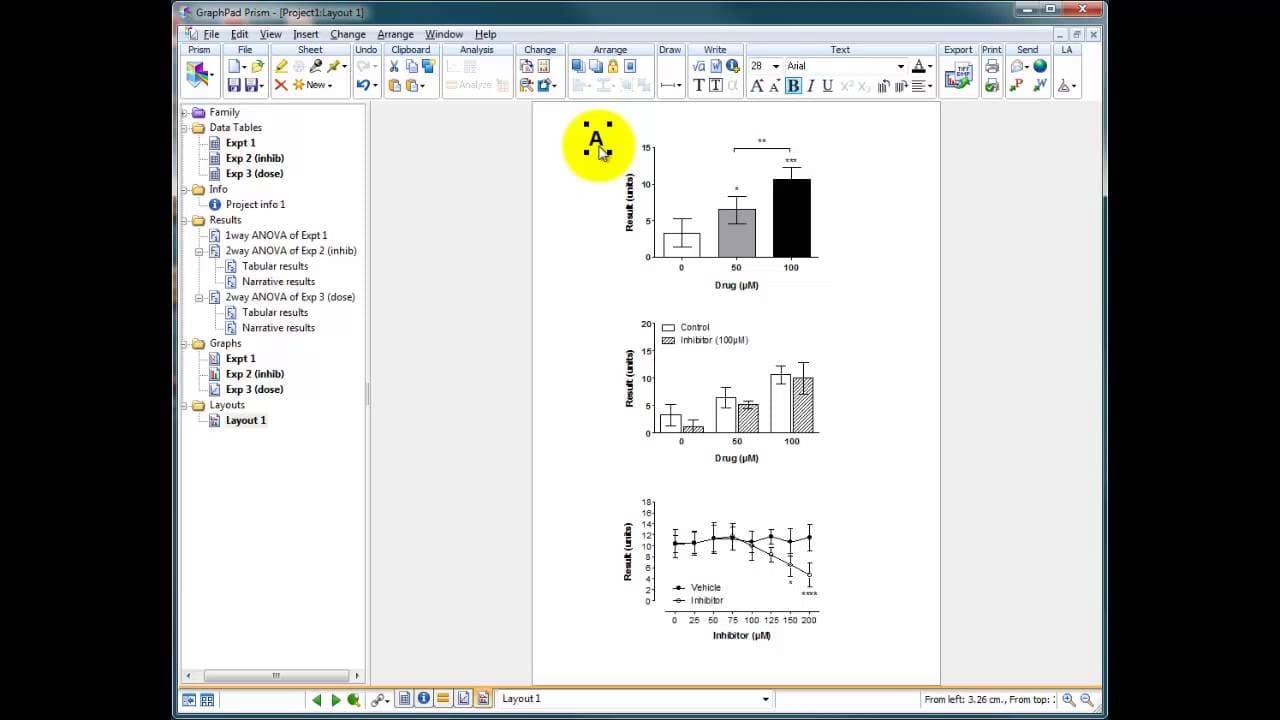
Okay so we've created three graphs from three different experiments one showing that a drug has a significant concentration dependent effect on a result uh another showing that an inhibitor a rather complicated experiment showing that an inhibitor didn't have any effect and this is an inhibitor maybe we found in the literature and thought Oh that w... Read More
Key Insights
- 🏷️ Prism software enables the creation of figures with multiple aligned and labeled graphs, enhancing data presentation.
- 📟 The layout page in Prism offers predefined arrangements for multiple graphs, simplifying the process.
- 😒 To maintain image quality when pasting graphs into Word, use the copy paste special function and choose the enhanced metafile format.
- 👻 Prism files can be easily saved and reopened, allowing for future editing and analysis.
- 🖨️ Copying graphs directly into Word can result in reduced image quality, especially when printing with high-quality printers.
- 🤩 Utilizing shift key shortcuts in Prism can help with vertical alignment and precise movement of text labels.
- 📈 Maintaining consistent graph sizes and alignments improves the overall appearance and readability of the figure.
Install to Summarize YouTube Videos and Get Transcripts
Explore YouTube Video Summarizer or Get YouTube Transcript Extractor
Questions & Answers
Q: What are the three experiments presented in the content?
The three experiments involve a drug with a concentration-dependent effect, an inhibitor with no effect, and the combination of the drug and increasing concentrations of the inhibitor.
Q: What is the purpose of using the layout page in Prism software?
The layout page allows for the creation of a figure with multiple graphs aligned and labeled together, facilitating clearer presentation and comparison of the data.
Q: How can you align and equalize the sizes of multiple graphs in Prism software?
By selecting all the graphs, one can right-click and choose the options to align the y-axis and equalize the sizes, ensuring consistent scaling and alignment.
Q: What is the advantage of using the copy paste special function when pasting graphs into Word?
Using the copy paste special function allows for pasting the graphs as images, maintaining their quality and preventing fuzziness when printed or zoomed in.
Summary & Key Takeaways
-
The speaker discusses three different experiments conducted using a drug and an inhibitor, showing concentration-dependent effects and the lack of effect of the inhibitor.
-
They demonstrate how to use the layout page in Prism software to create a figure with multiple graphs aligned and labeled.
-
Tips for maintaining high-quality images when pasting into Word are provided, including using the copy paste special function.
Read in Other Languages (beta)
Share This Summary 📚
Summarize YouTube Videos and Get Video Transcripts with 1-Click
Try YouTube Summary with ChatGPT & Claude or YouTube Transcript Generator
Explore More Summaries from Dory Video 📚






Summarize YouTube Videos and Get Video Transcripts with 1-Click
Try YouTube Summary with ChatGPT & Claude or YouTube Transcript Generator