Building A NAS with Raspberry Pi 5 M.2 Hat+
TL;DR
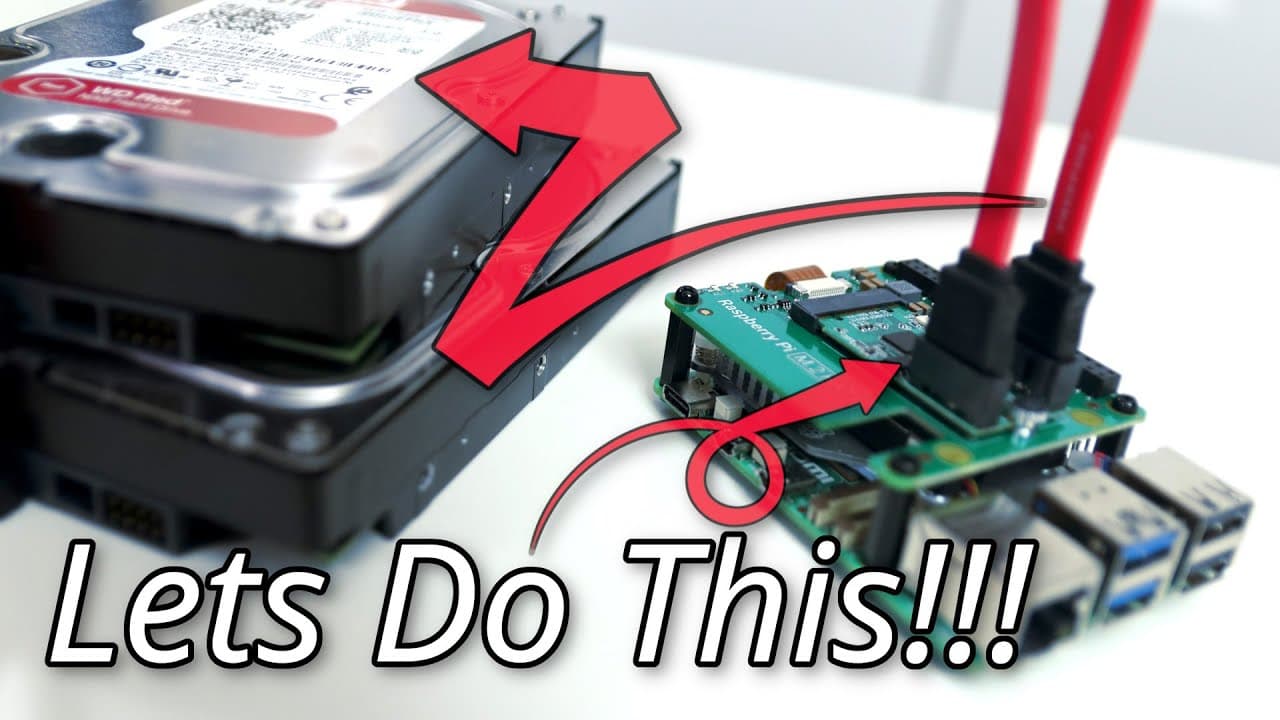
You can build a mini NAS with a Raspberry Pi 5, M.2 HAT+, M.2-to-SATA adapter, and OpenMediaVault. The demonstrated setup connects two 2 TB Western Digital Red drives powered by an external Molex-to-dual-SATA connection; measured drive speeds reach 153 MB/s and 147 MB/s. Read on for the operating-system installation, OpenMediaVault setup, disk preparation, and performance details.
Transcript
all right guys since we finally acquired the m.2 Hat Plus for the Raspberry Pi 5 we are now able to play around with it especially plugging in a SATA adapter instead of nvme to power a mini NZ so let's get started now in my setup today we have Raspberry Pi 5 and m.2 hat like I reviewed earlier and in this case we're actually going to be using a m.2... Read More
Key Insights
- 😒 The integration of the M.2 Hat Plus enhances the Raspberry Pi 5's storage capabilities, allowing the use of high-capacity drives.
- 🤗 Open Media Vault provides a streamlined setup and management experience compared to traditional methods, making network storage more accessible for users.
- ✊ The balance between performance and power consumption is highlighted, as the Raspberry Pi 5 operates efficiently even under considerable data transfer loads.
- 🛟 The ability to install various plugins and Docker enhances the Raspberry Pi's functionality, enabling it to serve diverse applications beyond file storage.
- 💁 Users should ensure proper formatting and RAID configurations to maximize data redundancy and performance in data storage systems.
- ☠️ The tutorial emphasizes the significance of using SSH settings and SD card preparation to facilitate smoother installation processes for new users.
- 🐎 Speed tests show that the use of SATA drives connected via M.2 is feasible for fulfilling NAS demands, achieving respectable speeds with manageable CPU loads.
Install to Summarize YouTube Videos and Get Transcripts
Explore YouTube Video Summarizer or Get YouTube Transcript Extractor
Questions & Answers
Q: How do you build a NAS with a Raspberry Pi 5 and M.2 HAT+?
Install an M.2-to-SATA board in the Raspberry Pi 5 M.2 HAT+, then connect two 2 TB Western Digital Red drives. Power the drives through an external Molex connection split into two SATA power ports, install Raspberry Pi OS Lite, and use OpenMediaVault to configure the storage.
Q: What hardware is used for this Raspberry Pi 5 NAS?
The setup uses a Raspberry Pi 5, an M.2 HAT+, an M.2-to-SATA adapter board, and two 2 TB Western Digital Red drives. An external power source with a Molex connector split into two SATA connections powers both drives.
Q: Which operating system should be installed on the Raspberry Pi 5?
In Raspberry Pi Imager, select Raspberry Pi 5 as the device and the 64-bit Lite operating system. The demonstration writes it to a 32 GB SD card, a process said to take about 10 minutes.
Q: Should SSH be configured in Raspberry Pi Imager?
Configuring SSH during imaging is recommended because it makes accessing the Raspberry Pi easier. If setup is postponed, the first boot expands the file system, generates SSH keys, and asks for details such as language, keyboard layout, and username.
Q: How is OpenMediaVault installed on the Raspberry Pi 5?
First run the system update and upgrade, which takes about five minutes depending on internet speed. Then find the OpenMediaVault Plugin Developers installation script, copy its curl command into the Raspberry Pi terminal, and allow about 20 minutes for installation before the system reboots automatically.
Q: Why use OpenMediaVault instead of a raw Samba setup?
OpenMediaVault was chosen because it provides more control and easier management through a user interface. Its interface supports storage management, shared folders, drive monitoring, backups, plugins, and Docker functionality.
Q: How fast are the two SATA drives in this Raspberry Pi 5 NAS?
Testing with the hdparm utility produced speeds of 153 MB/s for one drive and 147 MB/s for the other. The presenter considered both results sufficient because they exceeded what was needed for the gigabit Ethernet connection.
Q: How are the drives prepared in OpenMediaVault?
Open the OpenMediaVault interface, sign in, and navigate to Storage and then Disks. Select each drive, choose Wipe, confirm the action, and use the quick option; the drives can then be formatted and configured for shared storage.
Summary & Key Takeaways
-
The video details the setup process of the Raspberry Pi 5 using an M.2 Hat Plus and a SATA adapter to connect two WD Red drives.
-
The author opts for Open Media Vault for enhanced control and user-friendly interface over raw Samba setup.
-
Installation processes are demonstrated, including system updating, drive management, and speed testing, showcasing effective file transfers.
Read in Other Languages (beta)
Share This Summary 📚
Summarize YouTube Videos and Get Video Transcripts with 1-Click
Try YouTube Summary with ChatGPT & Claude or YouTube Transcript Generator
Explore More Summaries from Novaspirit Tech 📚






Summarize YouTube Videos and Get Video Transcripts with 1-Click
Try YouTube Summary with ChatGPT & Claude or YouTube Transcript Generator