How Do You Build a Secure Full OpenClaw Setup With Custom Prompts?
TL;DR
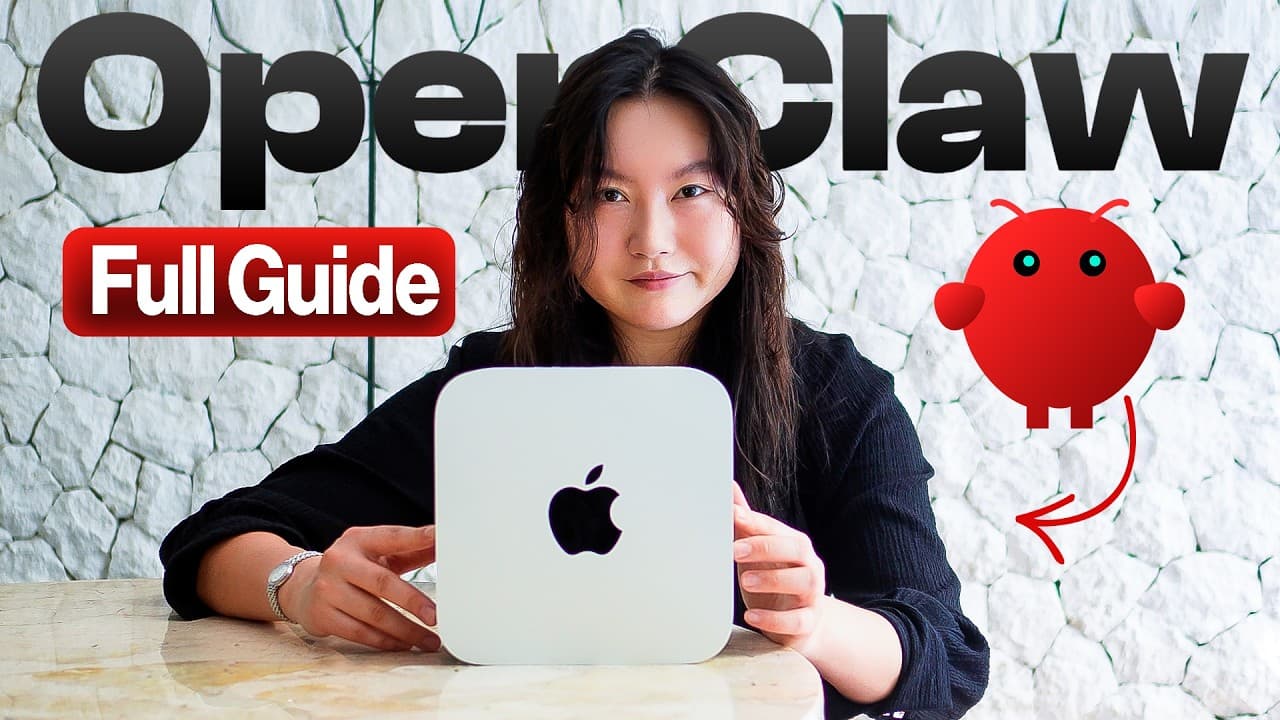
A secure OpenClaw setup starts by running it on an isolated old laptop, dedicated computer, or VPS, not the personal computer holding your daily data. The guide covers installation, model selection based on cost and RAM, Telegram configuration, persistent markdown memory, exact prompts, multi-agent systems, and a custom mission control dashboard. Read on for the concrete setup choices and steps.
Transcript
Here is the complete OpenC cloth setup guide that will save you hundreds of dollars, hundreds of hours, and maybe your sanity, too. This is not just like a quick start setup tutorial, okay? I'm giving you my actual complete OpenClaw setup with multi-agent systems, a custom mission control, sustainable security and memory systems that took me weeks ... Read More
Key Insights
- Hardware isolation is a core security precaution because OpenClaw can access data on its host machine. The recommended approach is to use a wiped old laptop, a dedicated computer, or a VPS instead of the personal computer used for daily work.
- An old laptop can run a useful OpenClaw installation without premium hardware. The demonstrated setup uses an older MacBook Pro with 16 GB of RAM, making repurposed hardware the free entry option when a suitable machine is already available.
- A dedicated Mac provides an always-on home for OpenClaw but adds substantial upfront cost. The stated ranges are about $500 to $1,000 for a Mac Mini and about $2,000 to $7,000 for a Mac Studio.
- A VPS is a rented remote machine that can host OpenClaw for approximately $5 to $20 per month. It is presented as most appropriate for people who are comfortable using the terminal and managing the system themselves.
- Model selection depends on quality, cost, subscriptions, and available memory. Claude Opus with Sonnet as a fallback is presented as the highest-quality but expensive choice, while GPT-5 is suggested for users who already have a ChatGPT subscription.
- MiniMax M2.5 through a hosted API is suggested for computers with less than 32 GB of RAM. For machines with more than 32 GB, locally hosted model combinations become more practical because the hardware has enough memory.
- Telegram is presented as the easiest communication channel for OpenClaw. Setup involves creating a bot through BotFather, using the new-bot command, passing the Telegram user ID through an OpenClaw terminal command, approving the connection, and starting a conversation.
- Markdown files form the persistent foundation of the agent by storing its personality, procedures, user information, memory, and tools. Preserving these workspace files makes it possible to recreate the agent when moving to another machine.
Install to Summarize YouTube Videos and Get Transcripts
Explore YouTube Video Summarizer or Get YouTube Transcript Extractor
Questions & Answers
Q: What hardware should I use to run OpenClaw securely?
Use a wiped old laptop, a dedicated computer such as a Mac Mini or Mac Studio, or a virtual private server. The demonstrated setup runs on an old MacBook Pro with 16 GB of RAM, showing that premium hardware is not required. Avoid installing OpenClaw on the personal computer that contains your daily data.
Q: Why should OpenClaw run on an isolated computer?
OpenClaw technically has access to the data stored on its host computer, so running it on a daily-use machine could expose important files or enable damaging mistakes. The recommended precaution is to isolate it on a wiped laptop, dedicated computer, or separate VPS.
Q: How much does hardware for OpenClaw cost?
A suitable old laptop is free if you already own one. A Mac Mini costs around $500 to $1,000, while a Mac Studio costs around $2,000 to $7,000. A VPS costs around $5 to $20 per month but is best suited to people comfortable with terminal-based system management.
Q: How do I install and onboard OpenClaw?
Visit openclaw.ai, open the quick-start section, and paste its curl command into the terminal. Installation should start the onboarding wizard automatically; if it does not, enter the OpenClaw onboarding command manually. The wizard covers choices such as models, communication channels, initial skills, and the interface.
Q: Which model should I choose for OpenClaw?
Claude Opus with Sonnet as the fallback is recommended when maximum capability matters and cost is not a concern, but this combination is expensive. GPT-5 is presented as a strong alternative for someone with a ChatGPT subscription. MiniMax M2.5 through its hosted API is suggested for computers with less than 32 GB of RAM, while local self-hosted models become more practical above 32 GB.
Q: How do I connect OpenClaw to Telegram?
Create a Telegram bot through BotFather using the new-bot command, choose an available name, and start the bot. Then paste the OpenClaw terminal command containing your Telegram user ID into the terminal and approve the connection. Send a greeting in Telegram to confirm that OpenClaw responds.
Q: What do the OpenClaw markdown files contain?
The workspace markdown files preserve the agent’s personality, procedures, user context, memory, and tool information. Soul.md defines personality and behavioral principles, Agents.md stores operating procedures, and User.md records information about the user. Keeping these files allows the agent to be recreated when moving to another machine.
Q: What does the custom OpenClaw mission control dashboard do?
Mission control is a central hub for monitoring and directing the OpenClaw system. It shows what individual agents are doing, supports task assignment, and provides an overview of current activity. The demonstrated dashboard also includes an agent office for the multi-agent system.
Summary & Key Takeaways
-
The setup begins with isolated hardware: a wiped old laptop, a dedicated Mac, or a virtual private server. An old 16 GB MacBook Pro can be sufficient, while a VPS costs about $5 to $20 monthly but requires greater comfort with terminal-based administration. A personal daily-use computer is strongly discouraged.
-
OpenClaw can be installed from the quick-start curl command at openclaw.ai, followed by the onboarding wizard. Key choices include the primary and fallback models, initial skills, communication channel, and interface. Telegram is presented as the easiest communication option, while the web UI serves as a visual control panel.
-
The agent's identity, operating procedures, user context, memory, and tools are stored in markdown files within its workspace. Detailed initial answers improve this foundation. Preserving those files allows the agent to be recreated on another machine, while a custom mission control provides centralized task assignment and agent monitoring.
Read in Other Languages (beta)
Share This Summary 📚
Summarize YouTube Videos and Get Video Transcripts with 1-Click
Try YouTube Summary with ChatGPT & Claude or YouTube Transcript Generator
Explore More Summaries from Tina Huang 📚


Summarize YouTube Videos and Get Video Transcripts with 1-Click
Try YouTube Summary with ChatGPT & Claude or YouTube Transcript Generator