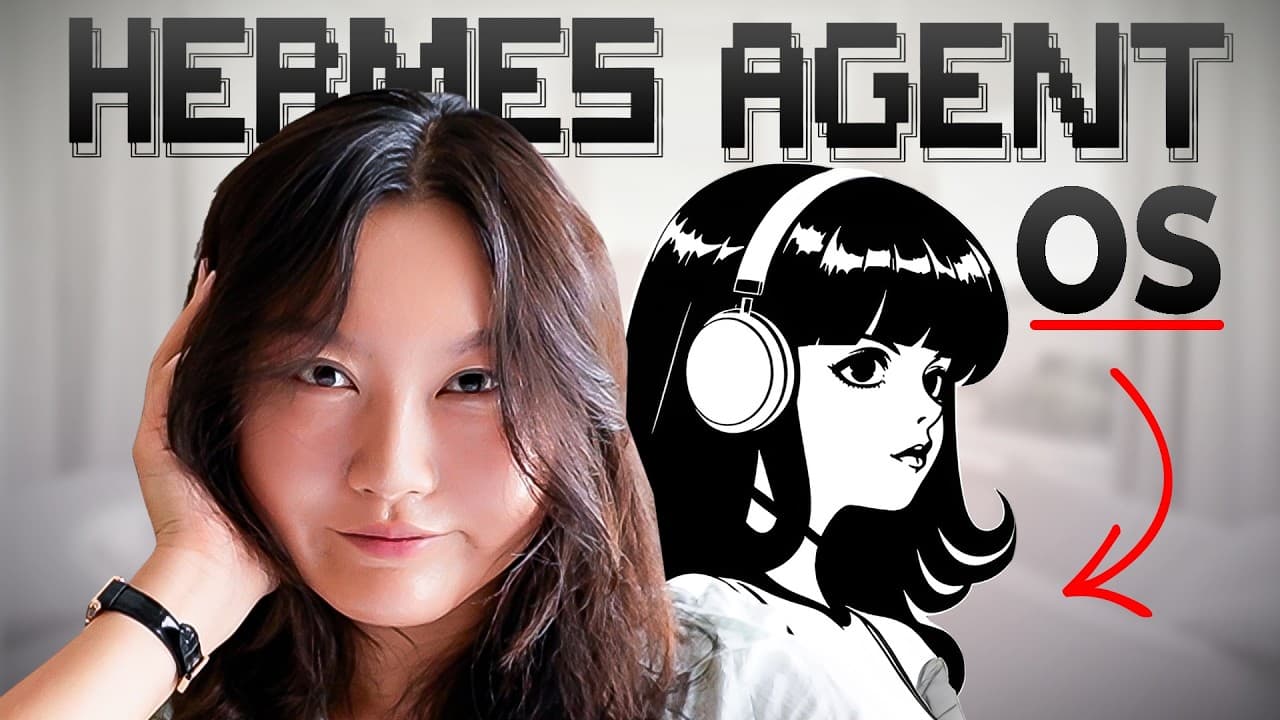
How to Build a Multi-Agent HermesOS Setup
TL;DR
HermesOS combines specialized agents, personal data, local models, and cloud tools to build software and provide tailored productivity coaching. Its Coder agent turns Discord requests into specifications and working app changes, while LifeBot analyzes Pomodoro logs, timestamped tasks, and Apple Health data to answer questions and recommend practical changes based on recorded patterns.
Transcript
Hello friends, in this video I want to give you a tour of my Hermes setup, my Hermes OS. It is a multi- aent system that autonomously builds software, acts [music] as COO of my company, Assistant, and my personal productivity and health coach, too. [music] Honestly, I love Hermes. I use it every single day, and I have so much fun building new funct... Read More
Key Insights
- HermesOS is a multi-agent system with specialized roles spanning software development, company operations, personal assistance, productivity, and health coaching. The setup is designed for daily use, with new functions added as the user's needs and workflows evolve.
- The Coder agent is accessed through a Discord-based Hermes bot. A natural-language request is first expanded into a product requirements document, which the user can review and approve before the system begins implementing the requested software changes.
- The Pomodoro app records session duration and labels locally in an Obsidian vault. This creates structured productivity history that LifeBot can inspect when calculating completed focus time, recognizing recurring work patterns, and producing advice based on the user's actual behavior.
- LifeBot uses three primary data sources: Pomodoro logs, timestamped to-do records from a custom typewriter desktop app, and Apple Health data synchronized through iCloud. The quality of its coaching depends directly on the availability and relevance of these records.
- LifeBot identified 12:00 p.m., 5:00 p.m., and 7:00 p.m. as useful activity windows in the demonstrated records. It also identified 9:00 a.m. to 11:00 a.m. as an underused period that could support another deep-work session.
- The break recommendation is based on the user's documented behavior rather than generic advice. LifeBot suggested continuing to work after only 27 minutes of real focus, while recommending exactly a 10-minute break if a break was necessary.
- The Coder workflow separates orchestration from implementation. A locally running Qwen 3.6 35B A3B model communicates with the user and prompts Claude Code, while Claude Code writes the specification and builds the requested software before returning completion information.
- The generated Pomodoro skin switcher demonstrates both the usefulness and limits of autonomous implementation. The feature successfully added avocado, cat, dog, and tomato choices, but the tomato's appearance showed that functional success does not eliminate the need for human aesthetic review.
Install to Summarize YouTube Videos and Get Transcripts
Explore YouTube Video Summarizer or Get YouTube Transcript Extractor
Questions & Answers
Q: What is HermesOS used for?
HermesOS is a multi-agent system used for several recurring responsibilities, including autonomous software development, company operations, personal assistance, productivity coaching, and health coaching. Instead of assigning every job to one general agent, the setup includes specialized agents such as Coder and LifeBot. The user reaches these capabilities through interfaces including Discord and Telegram, while the agents work with models, files, applications, and recorded personal data behind the scenes.
Q: How does the HermesOS Coder agent build software?
The Coder agent receives a natural-language request through a Hermes bot in Discord. It converts the request into a detailed product requirements document that describes the goal and implementation approach. After the user approves the specification, the system builds the requested feature and reports completion in a builds channel. In the demonstration, this workflow added a skin-switching function to an existing Electron Pomodoro application.
Q: How did Coder add skins to the Pomodoro app?
The user asked Coder to preserve the existing Pomodoro app while adding an easy way to switch its pixel-art character. Coder prepared a specification and then implemented three new choices alongside the original avocado: a cat, a dog, and a tomato. After the build succeeded, the app launched with a button that cycled through all four skins, although the tomato artwork still needed aesthetic improvement.
Q: What data does LifeBot use for personalized coaching?
LifeBot relies on three primary sources described in the setup. Pomodoro sessions provide focus duration and activity labels stored locally in an Obsidian vault. A custom typewriter desktop app records to-do items and completion timestamps in Obsidian. Apple Health supplies health information through iCloud synchronization, with steps serving as the main tracked metric at the time shown. These records let LifeBot base feedback on personal patterns.
Q: How does LifeBot recommend better deep-work times?
LifeBot examines the timing, frequency, and labels of recorded Pomodoro sessions to find productive windows and unused periods. In the demonstrated analysis, it associated 12:00 p.m. with organizing and light work, 5:00 p.m. with development and tasks, and 7:00 p.m. with development, scripting, and research. It then recommended testing the underused 9:00 a.m. to 11:00 a.m. period for earlier deep work.
Q: How does LifeBot decide whether to recommend a break?
LifeBot compares current activity with the user's recorded work and break patterns. When asked after one real 27-minute session and two one-minute tests, it noted that no break had been logged and that a strong work window would begin within an hour. It recommended continuing, but said that any break should last 10 minutes because shorter breaks tended to become procrastination and 15-minute breaks disrupted the return to work.
Q: Which models power the Coder and LifeBot agents?
LifeBot was powered by a hosted DeepSeek V4 Pro model during the demonstration, although the user sometimes switches it to a local model running on a Mac Studio 2. The Discord Hermes bot for Coder used a locally running Qwen 3.6 35B A3B model. That local model prompted Claude Code, which created the specification and performed the actual software implementation before reporting the result back.
Q: Why does the Coder workflow combine a local model with Claude Code?
The local Qwen model serves as the user-facing coordinator inside the Discord-based Hermes bot, while Claude Code handles specification writing and software construction. The setup uses this indirect arrangement because the user pays for a Claude Max subscription but cannot use that subscription directly through the desired Hermes workflow. The local model therefore prompts Claude Code, receives its completion report, and relays the result to the user.
Summary & Key Takeaways
-
HermesOS is a multi-agent system used daily for software development, company operations, assistance, productivity, and health coaching. Specialized agents communicate through familiar interfaces such as Discord and Telegram, giving the user convenient access to automated workflows without requiring direct interaction with every model, terminal command, or underlying tool.
-
The Coder agent converts a Discord request into a detailed product specification and software implementation. In the demonstration, it adds selectable avocado, cat, dog, and tomato skins to an Electron Pomodoro app. The completed build works, although the generated artwork still needs aesthetic refinement, particularly the tomato skin.
-
LifeBot provides personalized productivity and health advice using three primary data sources: Pomodoro records stored in Obsidian, timestamped tasks from a custom typewriter app, and Apple Health information synchronized through iCloud. It uses these records to identify work patterns, evaluate current progress, and suggest specific scheduling or break decisions.
Read in Other Languages (beta)
Share This Summary 📚
Summarize YouTube Videos and Get Video Transcripts with 1-Click
Try YouTube Summary with ChatGPT & Claude or YouTube Transcript Generator
Explore More Summaries from Tina Huang 📚
Summarize YouTube Videos and Get Video Transcripts with 1-Click
Try YouTube Summary with ChatGPT & Claude or YouTube Transcript Generator