How to build your own visual AI agent builder
TL;DR
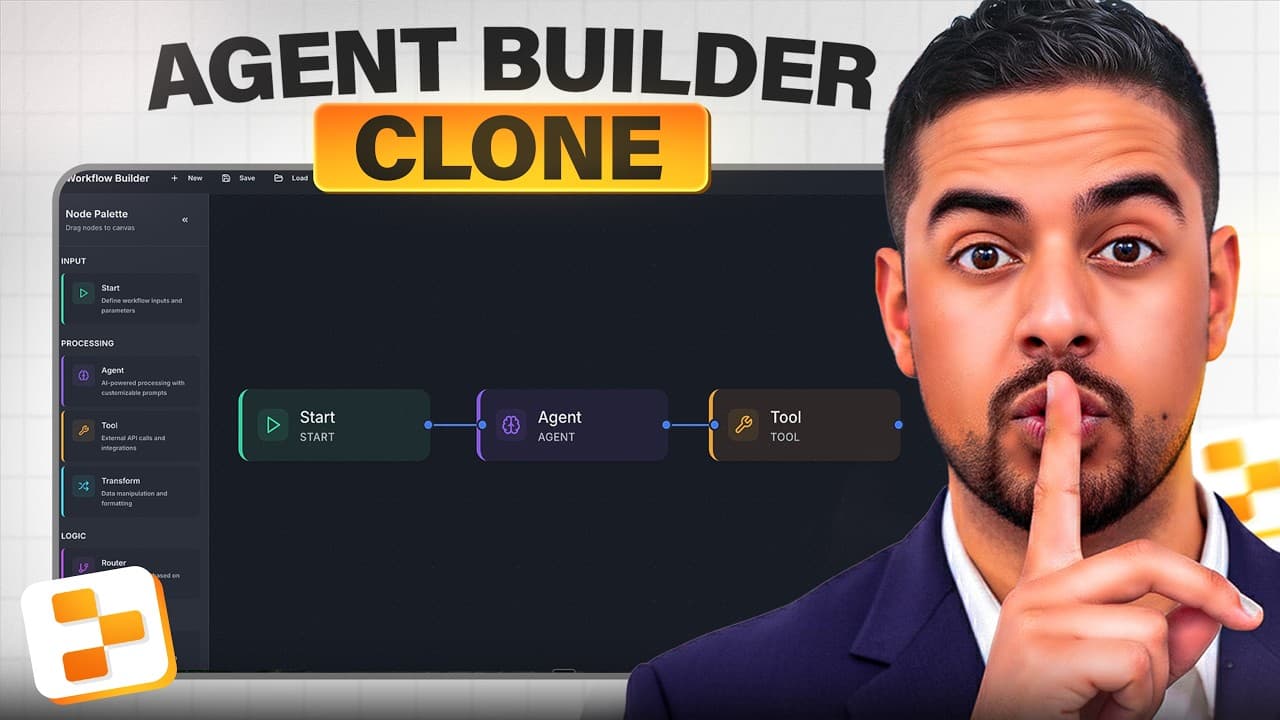
You can own the entire automation stack and connect it to many tools via Replit Agent, including Google Sheets logging of every run. The video demonstrates a visual workflow with start, agent, tool, and end nodes, plus a curl import feature to call real APIs. It also explains reverse meta prompting to speed up setup and exporting workflows as JSON for full ownership.
Transcript
What if I told you that you could vibe code your own AI agent builder platform? One where you own the entire infrastructure and you can connect it to all kinds of tools and API requests of your own and not have to wait on another feature release or for another company to build it for you. While everyone's still going nuts about these closed source ... Read More
Key Insights
- AI toolchains can be built inside your own environment using visual builders and agent nodes. The key to success is chaining start, agent, tool, router, transform, and end nodes with clear data flow. API calls can be imported via curl and wired into the workflow with minimal setup. Google Sheets can automatically log each run and metadata after authentication. Versioning and exporting workflows ensures you own the stack and can share or reuse configurations. Integrations like Google Calendar and Gmail expand the toolset without external waiting periods. Reverse meta prompting accelerates setup by prebuilding prompts that cover front-end, back-end, and error handling. A fully owned infrastructure enables expansion beyond standard platforms and avoids vendor lock-in.
Install to Summarize YouTube Videos and Get Transcripts
Explore YouTube Video Summarizer or Get YouTube Transcript Extractor
Questions & Answers
Q: A real search query about the video: How can I build a self-contained AI agent builder with visual workflow?
You can build an autonomous AI agent builder by using a visual workflow with a start node, an AI agent node, a tool node, a router node, a transform node, and an end node. Connect these nodes to chain prompts, model calls, and API requests. Use curl import to bring in real API calls and wire them into the flow. Authenticate with connectors like Google Sheets to log every run and metadata automatically. Export the workflow as JSON to own and version it, ensuring full control over the stack.
Q: What is the role of connectors in this setup?
Connectors provide ready-made integrations such as Google Sheets and Google Calendar that you can authenticate once and reuse in prompts. They automate data flow between your workflow and external services, enabling logging of executions in Sheets without custom scripting for each run. The connectors simplify expansion to additional tools while keeping your infrastructure local to your environment.
Q: How does curl import work in this builder?
Curl import lets you paste or paste from clipboard a curl command and automatically populate an API request within the workflow. This enables immediate execution of real API calls from within the visual builder. It reduces manual setup by transforming raw curl commands into integrated tool calls that participate in the agent chain.
Q: Why is reverse meta prompting used here and what does it achieve?
Reverse meta prompting is used to craft a comprehensive prompt that anticipates workflows, front-end design, backend logic, tooling, and error handling. It speeds up setup by providing a ready-made blueprint that the agent can refine. This approach helps ensure the final workflow is functional, coherent, and easier to maintain, reducing trial-and-error iterations.
Q: What can be logged to Google Sheets and why is it useful?
Google Sheets can log the timestamp, workflow name, execution status, and number of nodes executed for each run. This provides an auditable record of activity, helps diagnose failures, supports monitoring of throughput and reliability, and enables versioned tracking of changes to workflows. It also makes it easy to share run histories with collaborators.
Q: What is exported and stored to own your automation stack?
The entire workflow can be exported as JSON, and versions are stored in a database for version control. This means you own the workflow configurations, can import them elsewhere, and avoid vendor lock-in. Owning the JSON and versions gives you portability and long-term maintainability for your automation platform.
Q: How does the video describe authenticating Google integrations?
The video shows configuring Google integrations by opening the integrations panel, selecting Google Calendar or Google Sheets, and following the authentication prompts. You authorize the app to access your Google account with the required permissions. After authentication, prompts can reference connected services by name, and one-click approvals streamline future runs.
Q: What is the practical outcome of building this kind of tool landscape?
The practical outcome is a visual AI agent builder that you control end to end, capable of chaining agents and tools, performing real API calls via curl, and logging all activity to Google Sheets. You can export and import workflows as JSON, store versions, and continuously extend the system with new connectors and tools as needed.
Summary & Key Takeaways
-
This summary covers how to create a visual automation canvas using Replit Agent and React Flow, enabling end-to-end agent chaining and tool calls with curl imports. It emphasizes owning the infrastructure, logging every run to Google Sheets, and exporting workflow JSON for portability. The approach includes a practical reverse meta-prompting method to accelerate development.
-
The video shows authentic, hands-on steps to authenticate and configure Google Calendar and Google Sheets integrations, log metadata, and store workflows as versioned JSON. It highlights how to connect tools via new connectors, manage prompts, and ensure maintainability without relying on closed platforms.
-
The takeaway is a concrete blueprint for building a self-contained AI agent builder that you control, including logging, versioning, and curl-based API calls. It presents a repeatable workflow that can be adapted to different tools and services while preserving portability and ownership.
Read in Other Languages (beta)
Share This Summary 📚
Summarize YouTube Videos and Get Video Transcripts with 1-Click
Try YouTube Summary with ChatGPT & Claude or YouTube Transcript Generator
Explore More Summaries from Mark Kashef 📚





Summarize YouTube Videos and Get Video Transcripts with 1-Click
Try YouTube Summary with ChatGPT & Claude or YouTube Transcript Generator