How to Install macOS on LattePanda Alpha Hackintosh
TL;DR
To install macOS on a LattePanda Alpha, you need to create a bootable USB installer using Disk Utility on a Mac and then configure the BIOS settings to boot from it. Install macOS while addressing issues like graphics and Bluetooth functionality, as some features may require additional scripts or drivers. A dual-boot setup with other operating systems is also possible.
Transcript
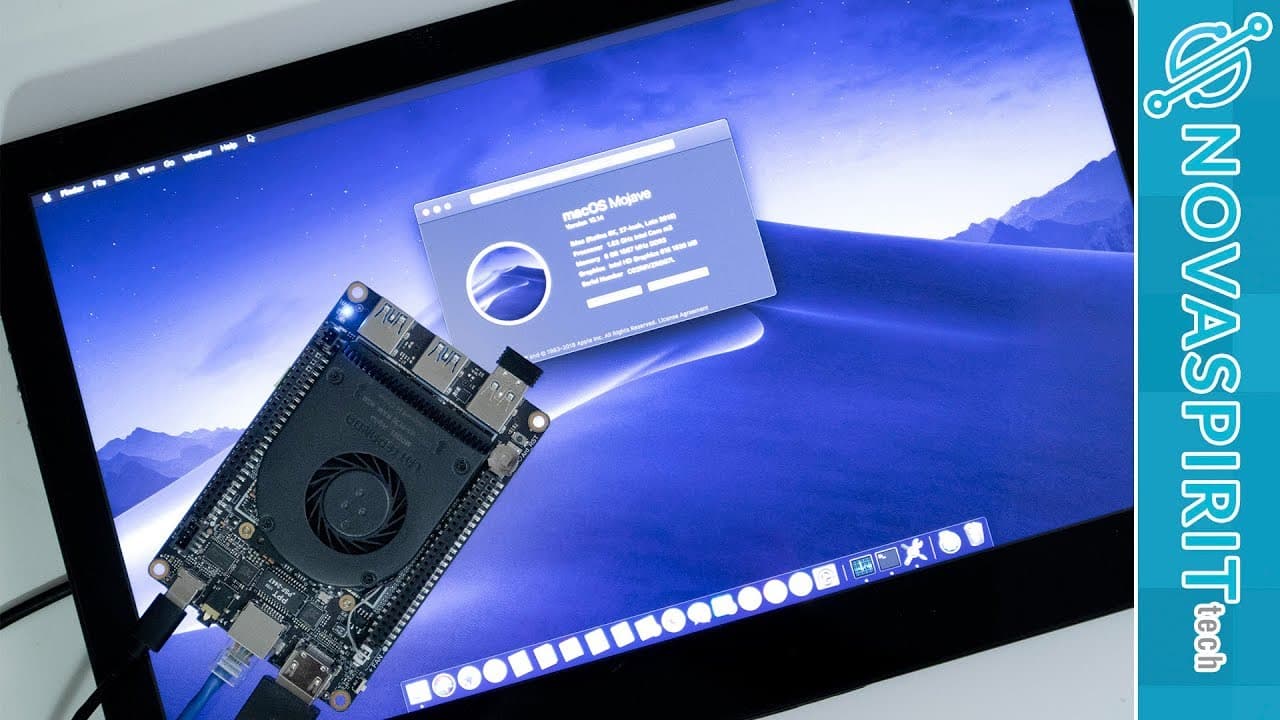
hey guys going on it's down here from Nova spirit Tech and I'm super excited to show you guys this project which is installing the Mac OS into our latte Panda alpha this is a palm-sized computer quite possibly be the smallest hackintosh build out there right now so let's get started so I've been helped building hackintosh for quite some time now an... Read More
Key Insights
- 🧘 The Latte Panda Alpha is positioned as a compact and powerful solution for building a Hackintosh, leveraging compatible hardware for seamless macOS installation.
- ❓ The process has become easier over the years due to advancements in Hackintosh compatibility and community support.
- 🤩 Key functionalities, including graphics and fundamental peripherals, can be operational with correct configurations and software setups.
- 🏣 Fixing post-installation issues, such as color tint problems, requires specific scripts and knowledge of system settings for optimal performance.
- 🥳 Users need access to a Mac (physical or virtual) to perform crucial parts of the installation process, emphasizing a unique requirement for Hackintosh setups.
- 🥾 Dual-boot capabilities with other operating systems like Linux or Windows are possible, expanding the versatility of the Latte Panda Alpha.
- 🎮 The video provides valuable insights into community resources, like forums and social media, for ongoing support and knowledge sharing among Hackintosh enthusiasts.
Install to Summarize YouTube Videos and Get Transcripts
Explore YouTube Video Summarizer or Get YouTube Transcript Extractor
Questions & Answers
Q: What is a Hackintosh, and how does it relate to the Latte Panda Alpha project?
A Hackintosh is a non-Apple computer that runs macOS. The Latte Panda Alpha project demonstrates how to effectively use compatible hardware, like its Intel 7Y30 chip, enabling macOS installation without kernel modifications, thus simplifying the process.
Q: What challenges did the presenter face during the installation?
While the installation process was largely successful, the presenter faced challenges with getting Wi-Fi and audio to work. The integrated Intel Wi-Fi chip lacks macOS drivers, while the audio was not automatically recognized, leading to added steps for future fixes.
Q: Why is Clover important in this Hackintosh setup?
Clover acts as the bootloader for the Hackintosh setup, facilitating macOS booting. It allows custom drivers and configurations to be loaded at startup, ensuring that system updates won’t disrupt the entire setup, making it crucial for a stable Hackintosh experience.
Q: How does the presenter recommend preparing the installation media?
The presenter outlines several steps to create the installation media, including using Disk Utility to format a USB drive, downloading macOS Mojave, and executing terminal commands to create a bootable installer. Additionally, utilizing Clover to manage the boot process is emphasized.
Q: Can the Latte Panda Alpha run applications like Adobe Premiere and Photoshop?
Yes, the Latte Panda Alpha can run Adobe Premiere and Photoshop effectively. The presenter demonstrates fast performance with Premiere during color corrections and exports, confirming that the graphics acceleration is functional and providing a smooth editing experience.
Q: What are the limitations of the Latte Panda Alpha Hackintosh build?
The major limitations are the lack of driver support for integrated Wi-Fi and certain audio functionalities. While graphics acceleration and other essential features work well, full compatibility may require additional solutions or hardware like USB Wi-Fi or a dedicated sound card.
Summary & Key Takeaways
-
The video explains the process of installing macOS on a Latte Panda Alpha, a compact computer with an integrated Intel 7Y30 chipset that is compatible with macOS.
-
Key challenges discussed include getting essential components like graphics, Bluetooth, and Ethernet working while noting limitations with Wi-Fi and audio.
-
The presenter shares step-by-step instructions for formatting drives, creating installation media, and configuring BIOS settings to successfully boot macOS.
Read in Other Languages (beta)
Share This Summary 📚
Summarize YouTube Videos and Get Video Transcripts with 1-Click
Try YouTube Summary with ChatGPT & Claude or YouTube Transcript Generator
Explore More Summaries from Novaspirit Tech 📚






Summarize YouTube Videos and Get Video Transcripts with 1-Click
Try YouTube Summary with ChatGPT & Claude or YouTube Transcript Generator