How to Create Realistic AI Avatars With 3 Tools
TL;DR
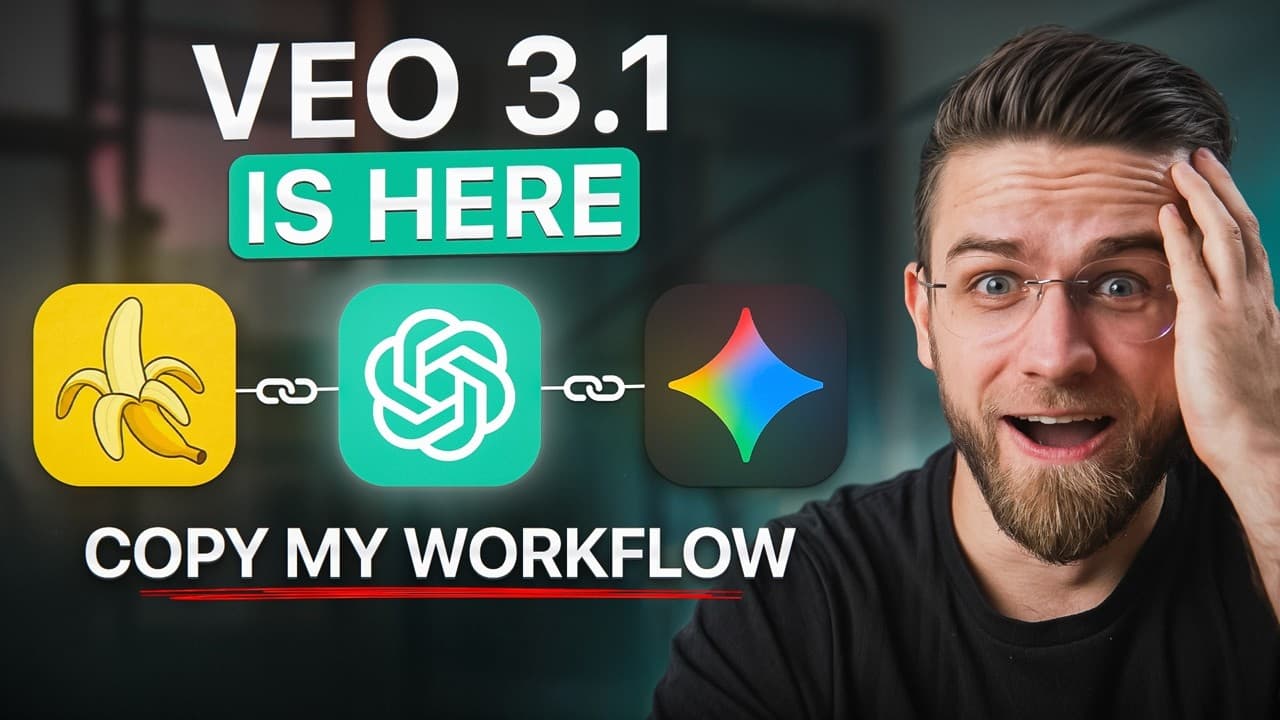
Create customizable AI avatars by using Nano Banana for consistent character images, ChatGPT for reusable image prompts and conversational scripts, and HeyGen with Veo 3.1 for voice and animation. Building the character variations before importing them into HeyGen gives creators greater control over outfits, settings, expressions, formats, and branding while reducing dependence on a single platform.
Transcript
I just created 20 ultra realistic AI avatars in 30 minutes. And no, I didn't use just Hey Jen. Watch what happens when you combine these three tools that nobody's talking about. Look, hey Jen is incredible. I've used it for months. But here's the thing. You hit a wall fast. Credit limits, expensive subscriptions, and the worst part, limited customi... Read More
Key Insights
- Nano Banana is the character-creation stage of the workflow, transforming one reference image into different outfits, locations, expressions, and backgrounds while preserving the same facial identity. The recommended starting image is a clean headshot with a neutral background.
- The three-tool sequence is Nano Banana first, ChatGPT second, and HeyGen third. Nano Banana builds visual variations, ChatGPT develops prompts and scripts, and HeyGen adds voice and animation after the customized assets have already been prepared.
- ChatGPT is a prompt-development system for generating detailed avatar concepts across settings such as boardrooms, conference stages, office desks, networking events, and video calls. Reusable templates can vary location, outfit, emotion, and lighting without rebuilding every instruction manually.
- Natural avatar speech depends on writing for spoken delivery rather than formal prose. The suggested ChatGPT request specifies a casual, first-person, conversational tone, asks for a hook within the first 5 seconds, and frames the script as if speaking directly to a friend.
- A saved avatar library is a reusable content asset. The creator recommends keeping every Nano Banana variation so different moods, outfits, and environments can later be imported into HeyGen for advertisements, thumbnails, social posts, or avatar videos.
- Veo 3.1 in HeyGen is presented as improving realism through more natural skin texture, lighting, shadows, and motion at 1080p. The transcript also credits joint audio and video generation with improving lip synchronization, conversation timing, ambient sound, and overall continuity.
- HeyGen supports both horizontal 16:9 and vertical 9:16 output in the demonstrated workflow. A single avatar can therefore be adapted for YouTube, TikTok, Instagram Reels, and YouTube Shorts without creating a separate character identity for each format.
- Custom voice selection is part of the final animation stage. Users can choose from HeyGen's voice library or upload a custom voice clone from ElevenLabs, then combine that voice with a ChatGPT-generated script and a Nano Banana character image.
Install to Summarize YouTube Videos and Get Transcripts
Explore YouTube Video Summarizer or Get YouTube Transcript Extractor
Questions & Answers
Q: How do you create realistic AI avatars with three tools?
Start with a clean reference image and use Nano Banana in Google AI Studio to create consistent versions with different outfits, settings, expressions, and lighting. Ask ChatGPT to generate detailed image prompts and conversational scripts. Finally, upload the selected character image to HeyGen, paste the script, choose a voice, and use the Veo 3.1 integration to animate the avatar.
Q: Why should Nano Banana come first in the avatar workflow?
Nano Banana comes first because it establishes the character's visual identity before animation begins. It can modify the outfit, environment, expression, and overall context while keeping the same face. Preparing these variations outside HeyGen gives the creator a reusable image library and more control over each visual concept before spending platform credits on voice and animation.
Q: How can ChatGPT improve prompts for AI avatar images?
ChatGPT can turn a broad avatar idea into several detailed prompts covering different settings, outfits, emotions, and lighting styles. The demonstrated approach asks for five professional business-avatar variations, including a boardroom, video call, conference stage, office desk, and networking event. A reusable template lets creators swap variables and generate additional concepts quickly while maintaining a consistent brand direction.
Q: How do you make an AI avatar script sound natural?
Write the script for spoken delivery instead of using formal, email-like language. The recommended ChatGPT prompt requests a 30-second advertisement in a casual, first-person, conversational tone, as if speaking to a friend, with a hook in the first 5 seconds. After generation, lightly edit the wording so it matches the intended personality, product, and speaking style.
Q: How does Veo 3.1 improve HeyGen avatar videos?
The transcript presents Veo 3.1 as improving true-to-life textures, skin detail, lighting, shadows, and natural motion, with output at 1080p. It also generates audio and video together for stronger lip synchronization and more natural conversation timing. Improved character consistency helps preserve the same facial structure, expression patterns, and visual style across multiple scenes and videos.
Q: Can the same AI avatar be used for vertical and horizontal videos?
Yes. The demonstrated HeyGen workflow supports horizontal 16:9 and vertical 9:16 aspect ratios. That allows one established avatar identity to appear in YouTube videos, TikTok posts, Instagram Reels, and YouTube Shorts. Creators can prepare suitable Nano Banana backgrounds and compositions for each format, then import those customized images into HeyGen for animation.
Q: What reference image works best for Nano Banana avatars?
The tutorial recommends starting with a clean headshot on a neutral background because it gives the editing model a clear view of the character. The source image may be a personal photograph, a stock image, or an AI-generated face from Midjourney or ChatGPT. The creator then changes clothing, setting, and expression while attempting to preserve the same facial identity.
Q: How can creators build a reusable AI avatar library?
Save every useful image variation produced with Nano Banana instead of treating each generation as a one-time asset. Organize versions by outfit, mood, background, setting, and intended use. These prepared images can later feed into HeyGen for advertisements, thumbnails, social posts, and videos. The creator reports making 50 avatar versions in under an hour using this approach.
Summary & Key Takeaways
-
The workflow begins with a clean reference image uploaded to Nano Banana through Google AI Studio. Users describe a new outfit, setting, expression, and visual style while the model preserves the character's identity. Saving each result creates a reusable library of avatar variations for advertisements, thumbnails, social posts, and animated videos.
-
ChatGPT serves as the workflow's creative copilot. It generates detailed Nano Banana prompts for multiple environments and produces short, conversational scripts for HeyGen. Reusable templates with variables for location, outfit, emotion, and lighting make it possible to produce many on-brand concepts quickly instead of composing every prompt separately from scratch.
-
The customized character images are imported into HeyGen and animated with its Veo 3.1 integration. The transcript credits the model with improved textures, lighting, motion, synchronization, and continuity across scenes. It supports horizontal and vertical formats, custom scripts and voices, plus continuous footage lasting up to 60 seconds for multiple platforms.
Read in Other Languages (beta)
Share This Summary 📚
Summarize YouTube Videos and Get Video Transcripts with 1-Click
Try YouTube Summary with ChatGPT & Claude or YouTube Transcript Generator
Explore More Summaries from AI Master 📚
Summarize YouTube Videos and Get Video Transcripts with 1-Click
Try YouTube Summary with ChatGPT & Claude or YouTube Transcript Generator