How Do You Start Coding in Python With No Setup? | Python Core EP 1
TL;DR
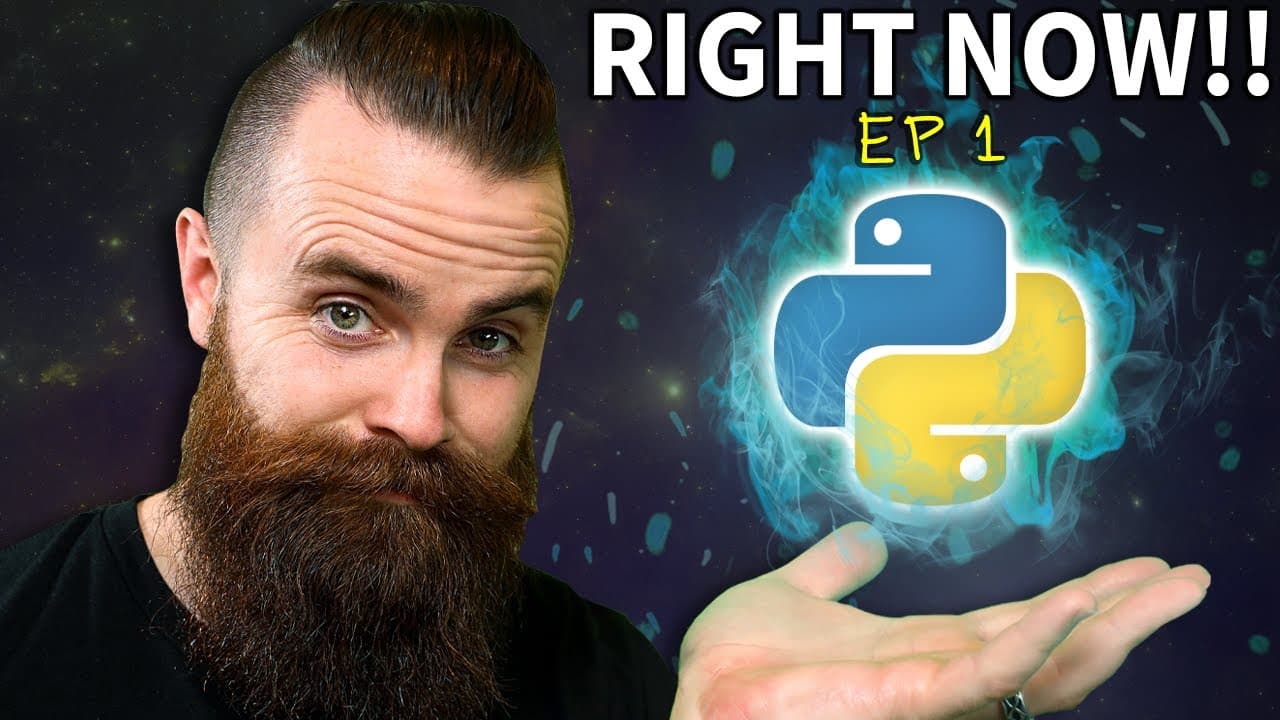
You can start coding Python with no local setup by opening the free browser-based lab on a computer or phone, typing print("Hello world!"), and clicking Run. This zero-prerequisite Python Core lesson explains functions, strings, comments, and syntax errors while connecting Python to network engineering, cloud engineering, ethical hacking, and automation. Read on for direct answers about writing and troubleshooting your first Python program.
Transcript
You need to learn Python right now. Hold up. Why? What, why do you need to learn Python right now? The biggest reason right here, if you want to get a job in it or information technology, or you want to advance in your current job, man, you've got to know Python or at least learn it. Soon. Network engineer, Python, cloud engineer, Python, ethical h... Read More
Key Insights
- Python is presented as an important skill for IT careers, including network engineering, cloud engineering, and ethical hacking. The course also frames it as a way to advance within an existing technology job by gaining practical programming and automation abilities.
- The course requires no prior Python knowledge and begins from zero. Learners can use a browser-based lab on a computer or phone, so they do not need to install or configure Python locally before completing the first coding exercise.
- The print function displays information in the Python terminal. Writing print("Hello world!") gives the computer an instruction to output the enclosed text, providing a simple demonstration of how Python code directs a computer to perform an action.
- Python is a computer programming language used to communicate instructions to computers. The lesson connects this basic idea to more advanced possibilities, including changing configurations across network devices, automating work, and performing security-related tasks.
- A function is code that performs an action. The print function makes the computer display output, and its parentheses identify it as a function in the examples, although creating custom functions is reserved for a later lesson.
- A string is a sequence of characters treated as text. Letters, punctuation, and spaces all count as characters, and Python identifies a string by matching quotation marks placed around the entire sequence.
- Python strings can use matching single quotes or matching double quotes. The instructor prefers double quotes and recommends choosing one style consistently, while the exercises demonstrate that both quotation styles can produce valid strings.
- A comment begins with a hashtag and is ignored when Python runs the program. Comments let programmers record notes for themselves or other readers, and adding a hashtag before executable code can temporarily prevent that line from running.
Install to Summarize YouTube Videos and Get Transcripts
Explore YouTube Video Summarizer or Get YouTube Transcript Extractor
Questions & Answers
Q: How can a beginner start coding Python without installing it?
Open the free Python lab linked in the description using a computer or phone browser. Create a free account and fork the project to make an editable version, then type and run Python code directly in the browser.
Q: How do you write and run your first Python program?
Type print("Hello world!") into the editor and click the play or Run button. The Python terminal will display "Hello world!", demonstrating the basic process of giving the computer an instruction and observing its output.
Q: Why should IT professionals learn Python?
The lesson presents Python as a valuable skill for getting or advancing in an information technology job. It specifically names network engineer, cloud engineer, and ethical hacker as roles that can use Python.
Q: What can Python do in information technology?
Python can give computers instructions for tasks such as automating configuration changes across network devices. The lesson also connects it with cloud work, hacking computers or networks, and other security-related activities.
Q: What is the print function in Python?
The print function tells the computer to display something in the terminal. In print("Hello world!"), print is the function, and the parentheses contain the quoted text that it displays.
Q: What is a string in Python?
A string is a sequence of characters treated as text, including letters, punctuation, and spaces. Python recognizes the text in the example as a string because matching quotation marks surround it.
Q: Should Python strings use single or double quotation marks?
Python strings can use matching single or matching double quotation marks. The instructor prefers double quotes but recommends choosing a style and using it consistently.
Q: Why does removing quotation marks cause a Python syntax error?
Without quotation marks, Python no longer recognizes the text as a string, so the code does not follow the expected syntax. Restoring matching quotation marks fixes the example, and the lesson emphasizes that encountering and investigating errors is a normal part of programming.
Summary & Key Takeaways
-
Python is presented as a valuable programming language for IT roles such as network engineering, cloud engineering, and ethical hacking. The course begins with zero prerequisites and uses a free browser-based lab, allowing learners to start coding on a computer or phone without spending time installing Python locally.
-
The first exercise uses the print function to display a quoted "Hello world!" string in the terminal. This demonstrates the basic purpose of Python: giving a computer instructions in a language it understands. The same principle can support more advanced tasks, including network automation, configuration changes, and security-related work.
-
The lesson introduces functions, strings, comments, an integrated development environment, and syntax errors. Strings are character sequences enclosed by matching single or double quotes, while hashtags mark comments that Python ignores. The development environment uses visual cues, and errors are framed as a normal part of programming and troubleshooting.
Read in Other Languages (beta)
Share This Summary 📚
Summarize YouTube Videos and Get Video Transcripts with 1-Click
Try YouTube Summary with ChatGPT & Claude or YouTube Transcript Generator
Explore More Summaries from NetworkChuck 📚

Summarize YouTube Videos and Get Video Transcripts with 1-Click
Try YouTube Summary with ChatGPT & Claude or YouTube Transcript Generator