How to Use the Seeed Studio Odyssey x86 as a Router
TL;DR
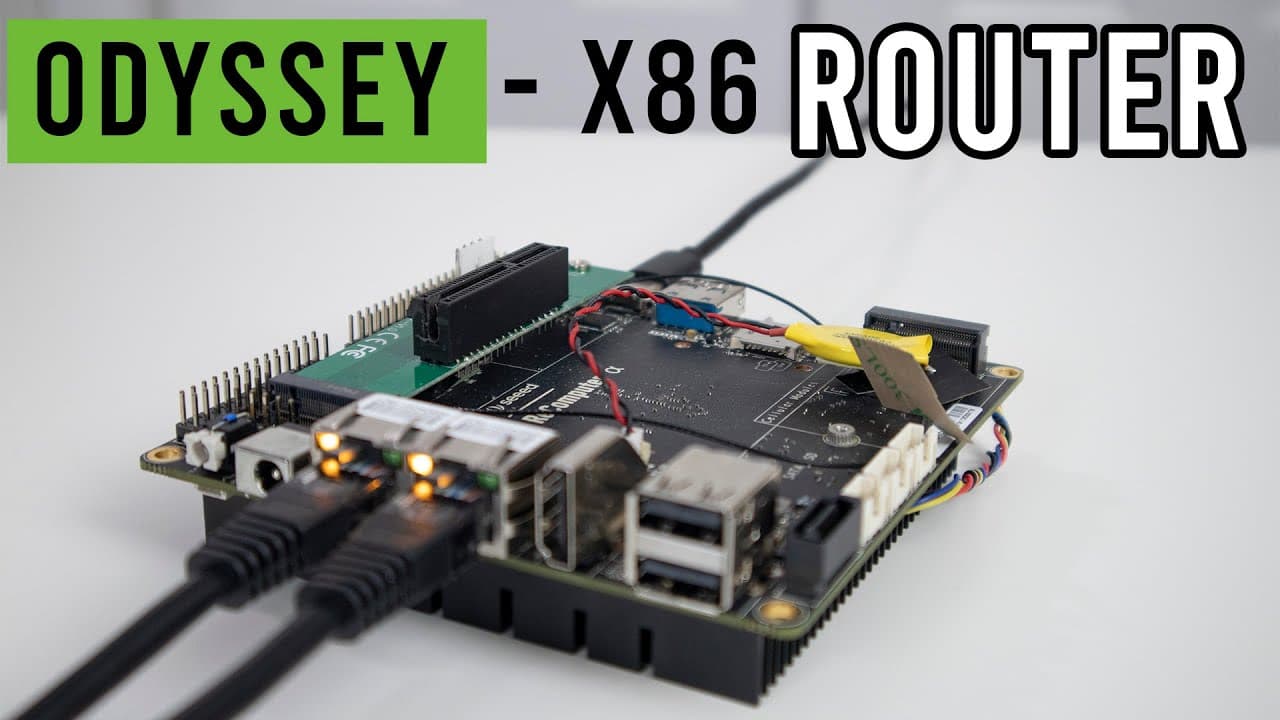
The Seeed Studio Odyssey x86 board can be effectively used as a cost-efficient router, supporting features like Gigabit Ethernet and multiple connectivity options. Utilizing custom firewalls such as pfSense and OpenSense enhances network control and security, making it ideal for homes with numerous IoT devices.
Transcript
hey guys what's going on it's down here from Nova spirit second welcome back to our channel and today we are going to be checking out seed studios out of C x86 as a router so let's get started before we begin I do want to thank C stereo for sending me over this board and if you do want to see a full review and benchmarks of this guy comparing to ot... Read More
Key Insights
- 🧡 The Seed Studio x86 board is a versatile alternative for home networking, supporting a range of configurations needed for advanced users.
- 👪 Custom firewalls significantly enhance network control and security, making them a preferable choice for complex home environments with numerous devices.
- ✊ pfSense and OpenSense are two standout firewall options, offering a balance of power and user-friendliness, despite some hardware limitations in wireless support.
- 👻 Managing IP addresses systematically allows for optimal network organization and prevents conflicts, especially critical in homes with many connected devices.
- 👪 Firewalls like IPFire and OpenSense provide built-in functionalities that eliminate the need for additional hardware, streamlining home network setups.
- 👤 The complexity of certain firewalls, such as ClearOS, can deter users, highlighting the importance of usability in firewall software selection.
- 🏂 Users must consider hardware compatibility with firewalls, as certain boards may restrict the available firewall options due to BIOS and driver requirements.
Install to Summarize YouTube Videos and Get Transcripts
Explore YouTube Video Summarizer or Get YouTube Transcript Extractor
Questions & Answers
Q: What makes the Seed Studio x86 board an attractive option for a router?
The Seed Studio x86 board presents a competitive price point of $188 for the base model, with excellent features such as dual Gigabit Ethernet ports, a SIM card slot, and the ability to connect a hard drive. Compared to typical gaming and commercial routers costing significantly more, this board offers extensive customization potential, making it a worthwhile investment for tech enthusiasts and those seeking a versatile networking solution.
Q: Why would someone want to use a custom firewall instead of consumer-grade options?
Custom firewalls provide granular control over network configurations, including advanced IP assignments and DNS management. In scenarios where multiple devices require unique IP addresses, a custom firewall can efficiently manage IP conflicts and enhance overall network security, which consumer routers often fail to accommodate. Thus, for users with extensive device networks or specific networking needs, a custom firewall is essential for optimal functionality.
Q: What are the main firewall options tested with the Seed Studio board?
The primary firewalls assessed for compatibility with the Seed Studio board included pfSense, OpenSense, IPFire, ClearOS, and Indy. pfSense was noted for its reliability and community support, while OpenSense stood out due to its user-friendly interface. IPFire was recognized for its built-in wireless card support, while ClearOS faced criticism for its cumbersome installation process and functionality issues.
Q: How did you manage IP addresses in your home network?
In my home setup, I categorize IP addresses into specific ranges based on device types, ensuring organized management. For instance, IPs from 2 to 50 are assigned for VPN devices, while ranges for IoT devices span 50 to 100. This structure facilitates better conflict resolution and allows for controlled access, enhancing overall network security and efficiency.
Q: What were the limitations encountered when using wireless capabilities with pfSense?
pfSense's compatibility with the Seed Studio board is limited due to its use of FreeBSD, which has selective driver support for wireless components. The onboard Intel wireless card may not function properly without manually compiling drivers or using an external access point, making it essential for users to rely on third-party solutions for wireless connectivity during pfSense setup.
Q: How does OpenSense compare to pfSense regarding user interface and configuration?
OpenSense is often preferred over pfSense due to its cleaner, more intuitive user interface, making it less intimidating for users unfamiliar with firewall configurations. It maintains similar functionality to pfSense but simplifies setup processes with a modern plug-in system. The UI’s design resembles that of commercial firewalls, aiding users who may find pfSense's interface more complex.
Q: What encounters led to the negative experience with ClearOS?
My experience with ClearOS was disappointing due to its heavy storage requirements and troublesome boot times. Initial setup was hampered by non-functional wireless capabilities and mandatory account registration, which severely restricted usability. Ultimately, the overall inefficiency and frustration of navigating the system led to abandoning ClearOS in favor of more reliable options like IPFire.
Summary & Key Takeaways
-
The Seed Studio x86 board serves as a cost-effective alternative to traditional routers, packed with features such as Gigabit Ethernet, hard drive installation options, and various connectivity slots, making it suitable for complex network demands.
-
Custom firewall configurations allow users to manage their networks with precision, including IP assignments and DNS handling, essential for homes with numerous connected devices like IoT and smart appliances.
-
Several firewalls were tested on the board, with pfSense and OpenSense being highly recommended for their performance and user interface, although challenges exist regarding driver support for the integrated wireless card.
Read in Other Languages (beta)
Share This Summary 📚
Summarize YouTube Videos and Get Video Transcripts with 1-Click
Try YouTube Summary with ChatGPT & Claude or YouTube Transcript Generator
Explore More Summaries from Novaspirit Tech 📚






Summarize YouTube Videos and Get Video Transcripts with 1-Click
Try YouTube Summary with ChatGPT & Claude or YouTube Transcript Generator