How to Use Notion for Maximum Productivity in Projects?
TL;DR
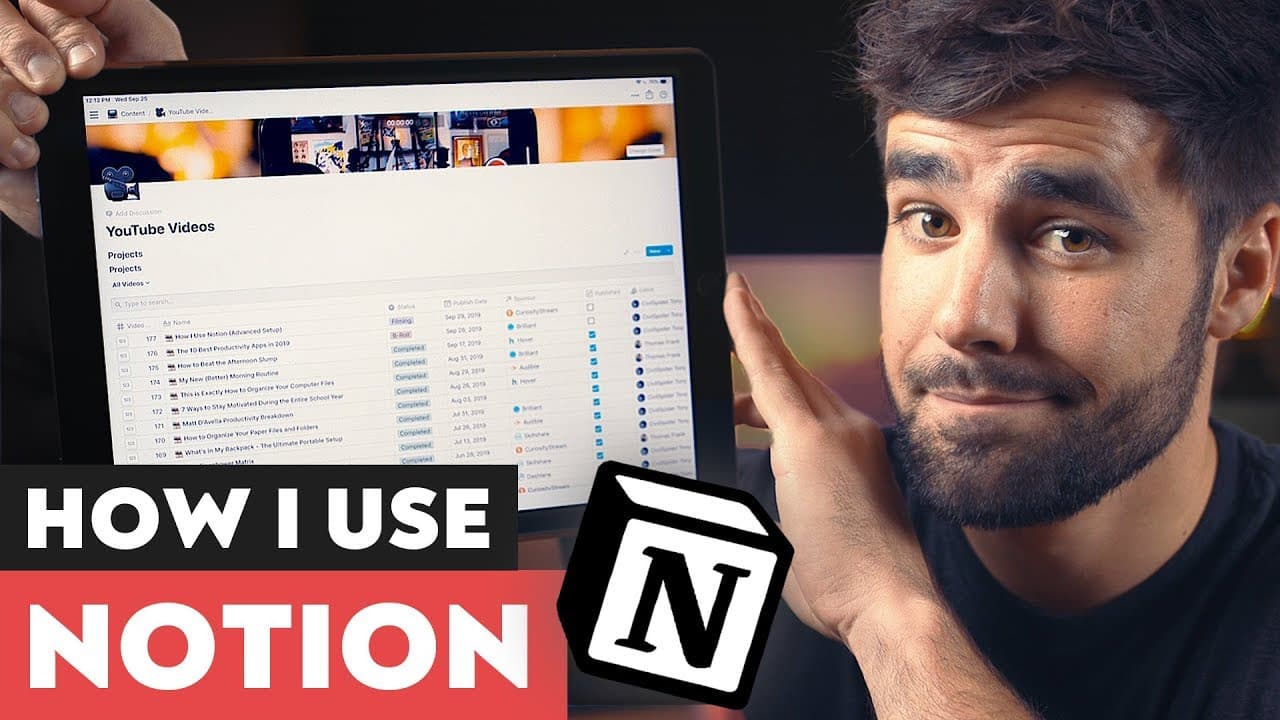
Notion is a highly versatile productivity app that combines note-taking, databases, and templates to streamline project management. To maximize productivity, create a project tracker with advanced features like customizable templates, database views, and relations for data integration. This approach enhances collaboration and ensures all necessary information is centralized, making project execution more efficient.
Transcript
- So, by far, the app that I get the most requests from you guys to cover is Notion. And I would say that that's for a pretty good reason since Notion can do a heck of a lot. So they built Notion as an all-in-one workspace and I would say that that is a pretty accurate description since Notion really defies traditional categorization. That's becaus... Read More
Key Insights
- 🛀 Notion is a versatile productivity tool that combines note-taking, databases, templates, and more in one workspace.
- 📽️ Utilizing Notion for project management can enhance collaboration, efficiency, and organization.
- ⌛ Creating templates in Notion ensures consistency and saves time by automating repetitive tasks.
- 👻 The database feature allows for customization and different views like Kanban and calendar, adapting to various project management needs.
- 🗞️ Relations and roll-ups in Notion enable the connection and aggregation of data between different databases, enhancing data organization and analysis.
- 🎮 Notion's flexibility and advanced features make it a valuable tool for content creators, such as the speaker's YouTube video project tracker.
- 🚨 Notion's ability to merge with CSV files simplifies data importing and organization.
Install to Summarize YouTube Videos and Get Transcripts
Explore YouTube Video Summarizer or Get YouTube Transcript Extractor
Questions & Answers
Q: How can Notion be used for project management?
Notion's database feature allows you to create customizable project trackers, assigning tasks, tracking progress, and sharing information with team members. Templates and views like Kanban and calendar make it versatile for various project management needs.
Q: How does the speaker use templates in Notion?
The speaker creates templates for video projects, including predefined sections for title ideas, keywords, sponsor information, checklists for publishing, and research and notes. Using templates ensures consistency and eliminates the need for repetitive tasks.
Q: Can databases in Notion be linked to each other?
Yes, Notion allows you to create relations between databases. For example, the speaker has a sponsor list database linked to their video project tracker, enabling easy access to sponsor details, URLs, and other sponsor-related information.
Q: How does the roll-up feature work in Notion?
Roll-ups aggregate data from linked databases. In the video, the speaker uses a roll-up to count how many video spots they have done for each sponsor, providing a clear overview of their sponsor relationships.
Summary & Key Takeaways
-
Notion is an all-in-one workspace that can be used for note-taking, creating databases, checklists, habit trackers, and more.
-
The speaker shares their YouTube video project tracker, which has become an indispensable tool in their production process, improving efficiency and collaboration.
-
The video focuses on three advanced features: databases, templates, and the connection between databases using relations and roll-ups.
Read in Other Languages (beta)
Share This Summary 📚
Summarize YouTube Videos and Get Video Transcripts with 1-Click
Try YouTube Summary with ChatGPT & Claude or YouTube Transcript Generator
Explore More Summaries from Thomas Frank 📚



Summarize YouTube Videos and Get Video Transcripts with 1-Click
Try YouTube Summary with ChatGPT & Claude or YouTube Transcript Generator