How to automate with Zapier for beginners
TL;DR
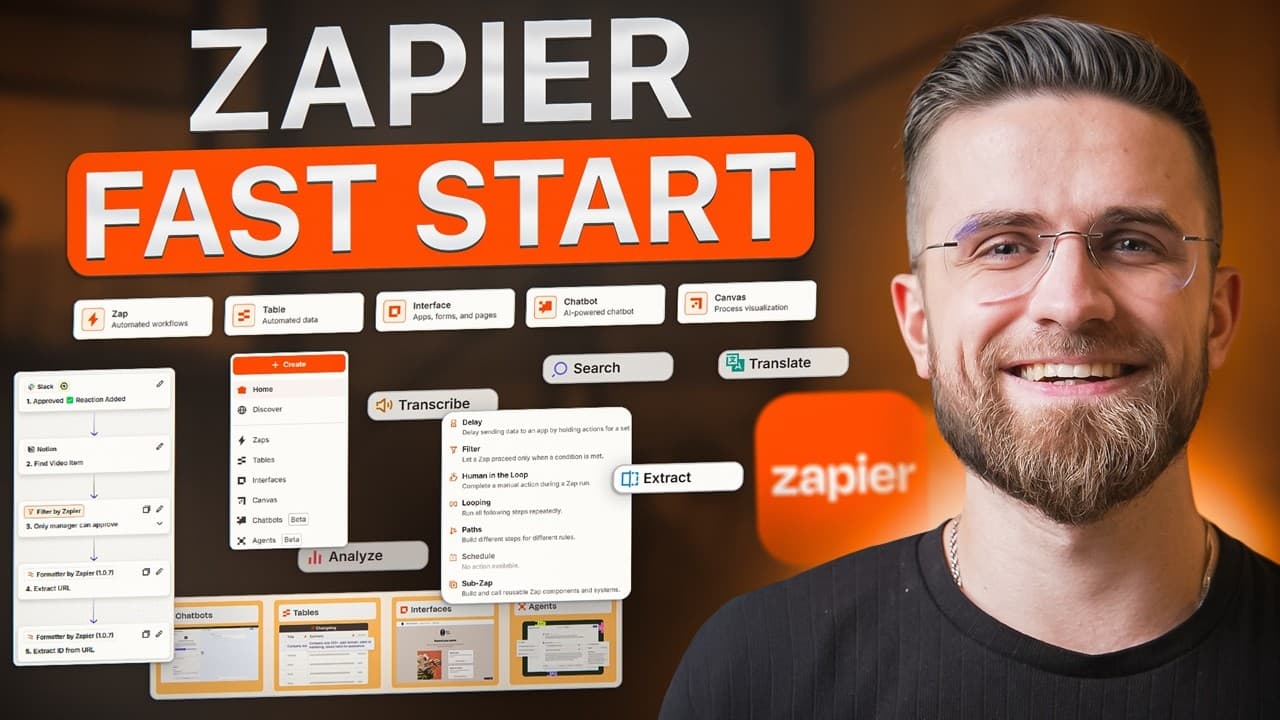
Zapier simplifies automation by connecting apps through triggers and actions without coding. Start with a simple three step flow (Google Forms to Sheets to Slack), then scale to multi step workflows including AI formatting. Begin with the free plan to test one Zap, then upgrade only if it saves real time.
Transcript
Everyone wants automation and autopilot until they open Zapier and it feels like opening a spaceship dashboard. I get it. You want your work to just do itself, but instead you're starting the triggers and actions, wondering if you need a computer science degree. Today, I'm showing you what Zapier actually does, when it's worth paying for, and how t... Read More
Key Insights
- Zapier is defined as a two part system: a trigger and an action, which together automate a workflow.
- The platform connects over 8,000 apps, making it possible to move data between commonly used tools without coding.
- A basic workflow example demonstrates a Google Forms submission triggering a Google Sheets row creation and a Slack message.
- Task limits on the free plan are 100 tasks per month with two step zaps, which can be insufficient for higher volumes.
- Upgrading to a starter plan unlocks multi step zaps enabling more complex automations with additional actions.
- Filters and delays are features that help time and condition the automation, improving relevance and reducing noise.
- AI integrations can be used within Zapier to write, summarize, or analyze data on the fly, expanding automation capabilities.
- The video advises starting small, using templates, and evaluating whether automation saves time before expanding.
Install to Summarize YouTube Videos and Get Transcripts
Explore YouTube Video Summarizer or Get YouTube Transcript Extractor
Questions & Answers
Q: How does Zapier define a Zap in simple terms
A Zap is a small automation that consists of a trigger and one or more actions. When the trigger occurs in one app, Zapier automatically runs the actions in other connected apps. This allows routine tasks to happen without manual effort, such as sending a Slack message when a form is submitted. The concept is to automate repetitive steps so you can focus on higher value work.
Q: What is the difference between the free and starter plans
The free plan offers 100 tasks per month and two step Zaps, meaning one trigger and one action per Zap. This is suitable for testing one simple workflow. The starter plan unlocks multi step Zaps, allowing a trigger plus three actions, enabling more complex automations like form to spreadsheet plus notification and CRM update. Upgrading is recommended only if the automation proves its value.
Q: How do you build the first Zap described in the video
To build the first Zap, start by creating a Zap in Zapier, choose Google Forms as the trigger app and select new form response. Connect the Google account and pick the specific form to watch. Then add an action for Google Sheets to create a spreadsheet row, map form fields to columns, and save. Finally add a second action for Slack to send a channel message, customize the message with form data, and test the Zap.
Q: What does the video say about using AI with Zapier
The video notes that Zapier can integrate AI tools like ChatGPT to perform tasks such as writing, summarizing, or analyzing data within a workflow. You can set up a Zap that sends content to an AI service and uses the results to populate an email draft or a document. This AI capability turns automation into a workflow that processes and enhances data automatically.
Q: What practical example uses email to task automation
A practical example uses an email trigger with a label to create tasks in a task manager. The workflow uses Zapier’s formatter to extract the subject as the task title and the body as the description, cleaning up the content and extracting dates for due dates. A delay can be added to run tasks at a specific time, preventing immediate task creation and reducing noise.
Q: How should one approach automation according to the video
The recommended approach is to start small and automate one annoying task first to see real time gains. Monitor task usage and stay within plan limits. Use built in templates before building custom automations. Consider native integrations in tools you already use and avoid automation if it adds unnecessary complexity or cost.
Q: What is the role of templates in Zapier
Templates provide ready made automation flows for common apps and use cases. They let you quickly plug in your accounts and adapt the workflow to your needs, reducing setup time and avoiding from scratch configurations. Starting with templates helps validate usefulness before scaling to more complex Zaps.
Q: When is Zapier not the best choice
Zapier may not be the best choice when you have very complex logic or large volumes that would consume many tasks on existing plans. In such cases you may need more advanced tools or coding skills. The video also highlights native integrations between apps as a reason to avoid Zapier if your tools already connect well without automation.
Summary & Key Takeaways
-
Zapier is presented as a tool that links apps via triggers and actions, enabling automatic data movement.
-
A basic Zap example is shown: Google Forms input triggers a sheet update and a Slack notification, proving automation can be set up in minutes.
-
The video emphasizes starting small, monitoring task limits, and using templates to build practical, affordable automations.
Read in Other Languages (beta)
Share This Summary 📚
Summarize YouTube Videos and Get Video Transcripts with 1-Click
Try YouTube Summary with ChatGPT & Claude or YouTube Transcript Generator
Explore More Summaries from AI Master 📚





Summarize YouTube Videos and Get Video Transcripts with 1-Click
Try YouTube Summary with ChatGPT & Claude or YouTube Transcript Generator