How to Create and Automate AI Avatars with HeyGen
TL;DR
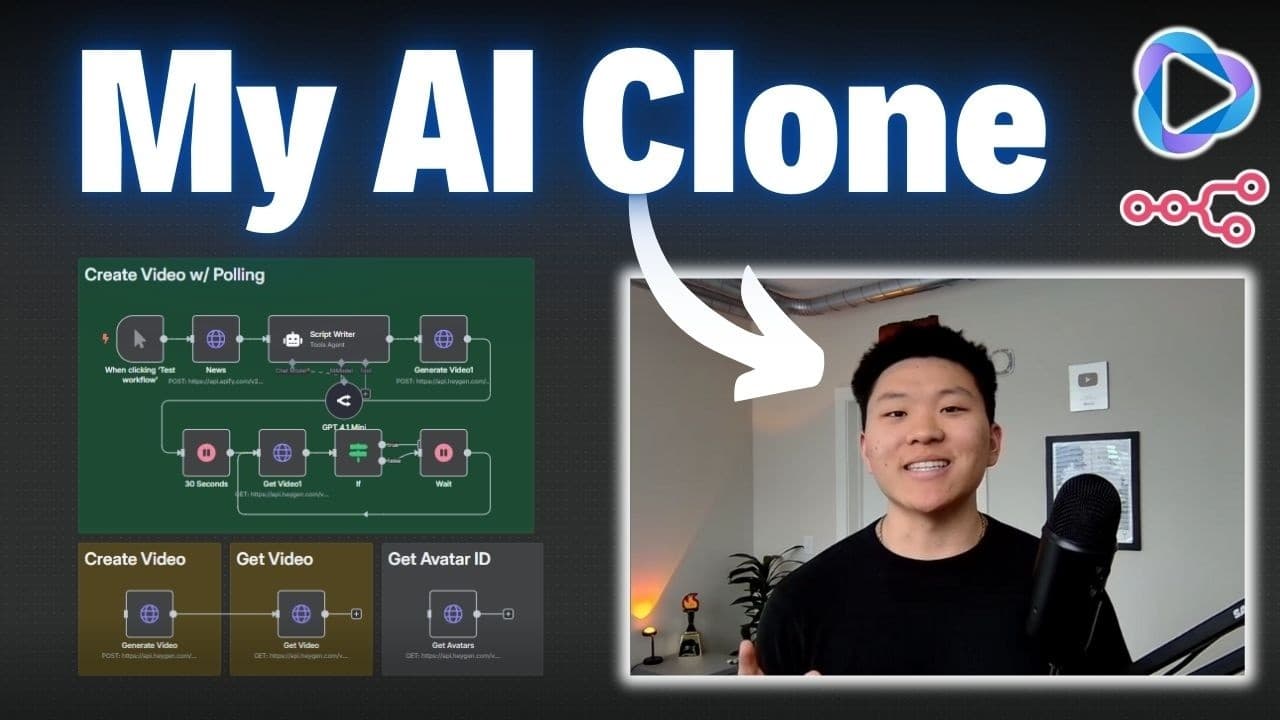
Set up your own AI clone avatar using HeyGen and automate content creation with n8n, without any coding. This guide provides a step-by-step process to create an avatar, clone your voice, and automate script-fed video production. Enhance your content strategy by automating video creation using API integrations.
Transcript
Hey guys, in this video I'm going to be showing you how to set up your own Hey Gen avatar so you can automate content creation. And guess what? I'm an AI clone of Nate. Sorry guys, I had to do that to you. Had to see if you were impressed by the quality of the video or not. But what I'm going to do is show you how to set up this workflow that's sup... Read More
Key Insights
- HeyGen allows users to create AI avatars by submitting 2 to 5 minutes of video footage for avatar creation.
- The process involves using HeyGen's API to automate video creation, allowing avatars to read scripts autonomously.
- n8n is used to automate workflows, integrating HeyGen's API to streamline video production.
- Users can dynamically pull avatar and voice IDs from HeyGen to configure automation settings in n8n.
- Automating content with AI avatars can significantly increase content output without manual video recording.
- Polling techniques ensure that video requests are completed before proceeding to the next automation step.
- HeyGen's free API plan provides limited monthly credits for testing and production, with certain restrictions like watermarks.
- The tutorial is designed to be beginner-friendly, making AI automation accessible without programming knowledge.
Install to Summarize YouTube Videos and Get Transcripts
Explore YouTube Video Summarizer or Get YouTube Transcript Extractor
Questions & Answers
Q: How to create an AI avatar using HeyGen?
To create an AI avatar with HeyGen, submit 2 to 5 minutes of footage where you speak naturally and use gestures. HeyGen uses this footage to generate an avatar that mimics your appearance and voice. Once created, this avatar can be used to automate video production by feeding scripts into it.
Q: What is n8n and how does it work with HeyGen?
n8n is a workflow automation tool that integrates with HeyGen's API to automate video creation. By setting up workflows in n8n, users can automate the process of feeding scripts to their AI avatars, managing API requests, and ensuring videos are produced without manual intervention.
Q: How can I automate video production with AI avatars?
Automate video production by creating an AI avatar with HeyGen and using n8n to manage workflows. Set up HTTP requests in n8n to interact with HeyGen's API, allowing the avatar to read scripts and produce videos autonomously. Utilize polling to ensure videos are complete before proceeding to further automation steps.
Q: What are the limitations of HeyGen's free API plan?
HeyGen's free API plan includes 10 monthly credits, with restrictions such as watermarked content and video length limits up to 5 minutes. Credits expire after 30 days, and users need to upgrade to Pro/Scale plans for longer videos or to remove watermarks.
Q: How does polling work in video automation?
Polling in video automation involves repeatedly checking the status of a video request until it is complete. This ensures that subsequent automation steps only proceed once the video is finished. In n8n, this is achieved by setting up conditional checks and wait nodes to manage timing efficiently.
Q: Can I use pre-existing voice clones with HeyGen avatars?
Yes, if you have a pre-existing voice clone, such as one from 11 Labs, you can integrate it with your HeyGen avatar. This allows for more personalized voice outputs in your automated video productions, enhancing the realism and customization of your AI avatar.
Q: How to dynamically retrieve avatar and voice IDs in n8n?
To dynamically retrieve avatar and voice IDs in n8n, use HeyGen's API endpoints for listing all avatars and voices. Import these endpoints into n8n as HTTP requests, allowing you to access and select the desired IDs for your automation workflows, ensuring flexibility and scalability in video production.
Q: What are some potential use cases for AI avatar automation?
AI avatar automation can enhance content strategies by automating daily news briefs, social media content, or educational videos. By feeding scripts into avatars, creators can produce consistent and scalable content without manual recording, significantly increasing output and efficiency in content creation.
Summary & Key Takeaways
-
Learn to create an AI clone avatar with HeyGen and automate video production using n8n. This guide walks through avatar setup, voice cloning, and API integration for automated content creation.
-
HeyGen requires 2 to 5 minutes of video footage to create an avatar, which can then be used to generate videos from scripts via API. n8n facilitates automation by managing workflows and API requests.
-
The video covers dynamic retrieval of avatar and voice IDs, setting up polling for video completion, and leveraging HeyGen's free API plan. It's a beginner-friendly tutorial for enhancing content strategies through AI.
Read in Other Languages (beta)
Share This Summary 📚
Summarize YouTube Videos and Get Video Transcripts with 1-Click
Try YouTube Summary with ChatGPT & Claude or YouTube Transcript Generator
Explore More Summaries from Nate Herk | AI Automation 📚






Summarize YouTube Videos and Get Video Transcripts with 1-Click
Try YouTube Summary with ChatGPT & Claude or YouTube Transcript Generator