How to Conduct an Unpaired T-Test in GraphPad Prism
TL;DR
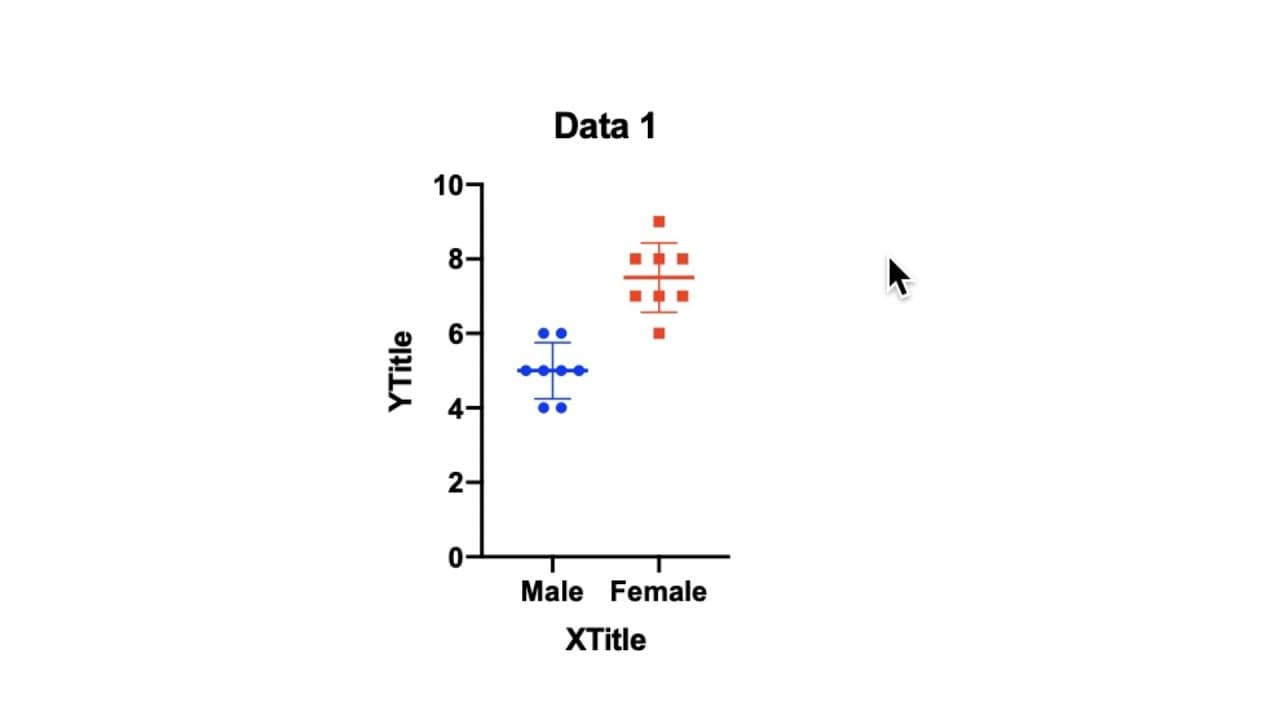
To conduct an unpaired t-test in GraphPad Prism, enter your data as replicate values stacked in two columns, then select the two datasets and choose the unpaired t-test from the analysis options. This method simplifies statistical analysis, allowing users to interpret results like p-values, which indicate the significance of differences between the groups.
Transcript
hello in this brief tutorial I'm going to go through the steps required to do a student t-test in graphpad prism for this example I'm using prism version 8 on a Mac when you open prism it brings up this welcome to graphpad prism intro screen and in order to undertake a t-test you need to select from the left option column as we have here and from t... Read More
Key Insights
- 🧑🎓 GraphPad Prism requires data to be entered as replicate values stacked into columns for a student t-test.
- 🏆 Conducting an unpaired t-test in GraphPad Prism involves selecting datasets, choosing analysis options, and interpreting the results.
- 🏆 The p-value obtained from the t-test indicates the significance of the difference between the compared datasets.
- 👤 GraphPad Prism offers a user-friendly interface for statistical analysis compared to other tools.
- 👻 Analyzing data in GraphPad Prism allows for easy visualization with customizable graph options.
- 🍸 Choosing between one-tailed and two-tailed t-tests affects the directionality of the analysis results.
- ❓ Residual creation options in GraphPad Prism provide additional insights into the dataset distribution.
Install to Summarize YouTube Videos and Get Transcripts
Explore YouTube Video Summarizer or Get YouTube Transcript Extractor
Questions & Answers
Q: How does GraphPad Prism differ from Excel in terms of setting up data for a student t-test?
GraphPad Prism requires entering data in stacked columns, unlike Excel where data can be placed in two rows, enabling easy setup for a student t-test.
Q: What are the steps to conduct a student t-test in GraphPad Prism?
The process involves entering data in stacked columns, creating a new data table, selecting datasets for analysis, choosing unpaired t-test, and interpreting the results displayed in a table.
Q: Why is an unpaired t-test chosen for comparing male and female datasets in this example?
The male and female datasets represent different groups, making them unsuitable for a paired test that requires legitimately paired data, thus an unpaired t-test is preferred.
Q: How is the significance of the t-test results determined in GraphPad Prism?
The p-value obtained from the t-test analysis indicates the significance level, with a lower value (less than 0.001) showing a highly significant difference between the datasets.
Summary & Key Takeaways
-
Opening GraphPad Prism and selecting replicate values stacked into columns for a student t-test.
-
Entering sample data into two columns representing different groups.
-
Performing an unpaired t-test in GraphPad Prism and interpreting the highly significant results.
Read in Other Languages (beta)
Share This Summary 📚
Summarize YouTube Videos and Get Video Transcripts with 1-Click
Try YouTube Summary with ChatGPT & Claude or YouTube Transcript Generator
Explore More Summaries from Dory Video 📚






Summarize YouTube Videos and Get Video Transcripts with 1-Click
Try YouTube Summary with ChatGPT & Claude or YouTube Transcript Generator