RF 433 Transmitter and Receiver with sensors and OLED displays
TL;DR
This project demonstrates how to use an Arduino to monitor sound levels and send alerts when necessary.
Transcript
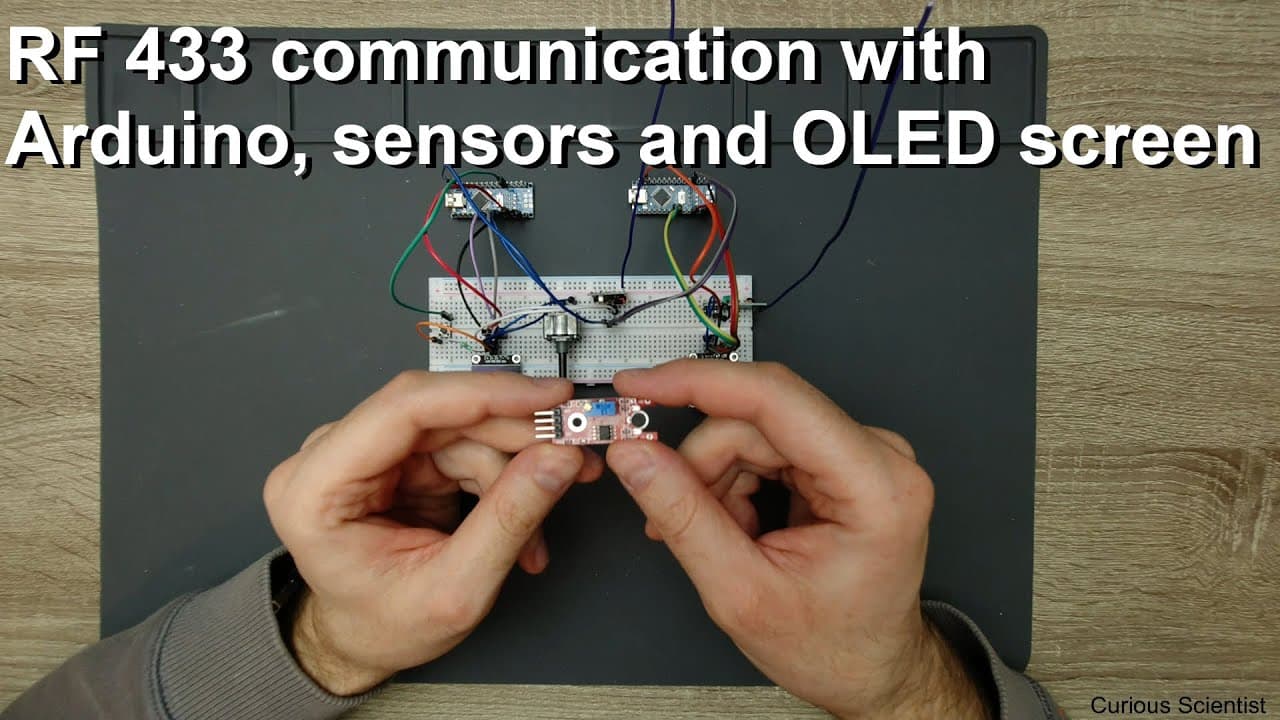
welcome everyone in this video I'm going to show you some project which involves radio transmitter and receiver this is basically the transmitter and this is the receiver this is the so called RF 433 transmitter and receiver you can find them very easily and it also involves a small oled screen a push-button arduino nano and some kind of signal sou... Read More
Key Insights
- 👂 The RF 433 setup enables wireless communication between devices, streamlining sound monitoring processes in remote locations.
- 👻 Sound level detection is critical in industrial settings, allowing operators to minimize downtime by reacting swiftly to equipment issues.
- 🌍 Using a potentiometer as a signal source simplifies initial testing but requires a functional microphone for real-world applications.
- 😒 The combined use of various libraries in Arduino projects can enhance memory management and device functionality, demonstrating the importance of code optimization.
- 🕳️ Visual feedback via OLED screens provides users with instant status updates, improving responsiveness and effectiveness in monitoring setups.
- 👂 Proper calibration of sound trigger levels is essential for accurate detection and timely alerts regarding machine operations.
- 🎨 The project's design showcases practical applications of Arduino technology in enhancing productivity and workflow management.
Install to Summarize YouTube Videos and Get Transcripts
Explore YouTube Video Summarizer or Get YouTube Transcript Extractor
Questions & Answers
Q: What is the primary purpose of the RF 433 transmitter and receiver in this project?
The RF 433 transmitter and receiver allow for wireless communication between the Arduino monitoring sound levels in one location and an alerting device in another. This system enhances efficiency by notifying the user when a machine stops operating, allowing them to address issues without constant monitoring.
Q: How does the Arduino determine when to send a "check device" message?
The Arduino monitors the sound level via an analog input. When sound decreases below a set trigger level due to the machine stopping or failing, this drop is detected, causing the Arduino to send a "check device" message through the RF transmitter to the receiving device, alerting the user.
Q: What alternative signal source was initially considered for this project?
Initially, a microphone board was considered as the signal source to detect sound levels in the environment. However, due to issues with the board's output and functionality, it was replaced with a potentiometer to control and simulate input levels for the project demonstration.
Q: What libraries are recommended for use with the Arduino in this project?
The air h ASX library is recommended for RF communication, while a specific S key based library is suggested for the OLED screen. These libraries are advantageous as they optimize memory usage, allowing for the inclusion of more variables and functionality in the Arduino code.
Q: How does the system provide visual feedback to the user?
The system uses an OLED screen to display the current status. When the machine is running, it shows "waiting," and when the sound level drops below the trigger level, it changes to "check device," giving immediate visual feedback to the user about the machine's operational state.
Q: What role does the potentiometer play in this project demonstration?
The potentiometer serves as a variable input to simulate sound levels for testing purposes. By adjusting it, the user can demonstrate the system's response to changing sound levels, showcasing its ability to detect when the monitored machine's sound drops significantly.
Q: How is the trigger level set and adjusted in the system?
The trigger level is set using a potentiometer connected to the Arduino, allowing the user to calibrate what level of sound will prompt the system to send a notification. Adjusting the potentiometer alters the voltage level sent to the Arduino, which determines whether the machine is still operating.
Q: What are the potential improvements that could be made to this project?
Future improvements might include integrating a functional microphone for direct sound detection rather than using a potentiometer, implementing more sophisticated machine learning algorithms to better distinguish normal operation sounds from failure sounds, and expanding functionality with more comprehensive notifications or alerts through multiple channels.
Summary & Key Takeaways
-
The project involves an RF 433 transmitter and receiver that work together with an Arduino Nano to monitor sound levels in a workspace.
-
A trigger level is set to detect when sound drops, signaling that a machine monitoring a test specimen has stopped, which allows for more efficient work.
-
A potentiometer is used for demonstration purposes to simulate sound levels, and an OLED screen displays the current state and alerts.
Read in Other Languages (beta)
Share This Summary 📚
Summarize YouTube Videos and Get Video Transcripts with 1-Click
Try YouTube Summary with ChatGPT & Claude or YouTube Transcript Generator
Explore More Summaries from Curious Scientist 📚



![Building a Peltier cooler-based cooling box - First iteration, improvements [Part 2/6] thumbnail](/_next/image?url=https%3A%2F%2Fi.ytimg.com%2Fvi%2F0YlNw0EGnzI%2Fhqdefault.jpg&w=750&q=75)


Summarize YouTube Videos and Get Video Transcripts with 1-Click
Try YouTube Summary with ChatGPT & Claude or YouTube Transcript Generator