How to Scrape Twitter X Data with n8n Tutorial
TL;DR
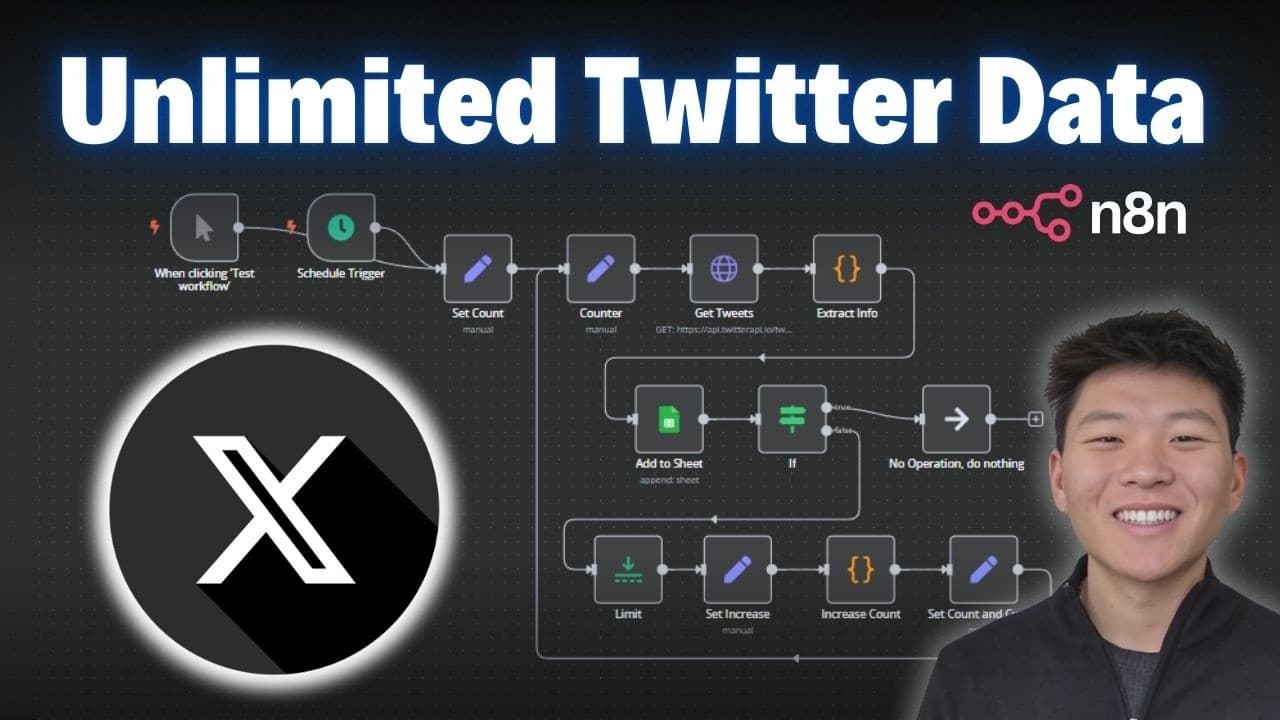
You can automate unlimited tweet collection from X using an n8n workflow and Google Sheets integration. The video walks through building an API call, handling pagination, and storing results, plus a free workflow and sheet template are provided via Skool community.
Transcript
today I'm going to be showing you guys this n workflow that I built that helps me scrape unlimited amount of tweets from X there's a ton of good stuff that you can find on X whether it's market analysis competitor analysis or just staying up to date with the latest news and Trends in a specific industry so the system is going to help you do all of ... Read More
Key Insights
- n8n can automate scraping of Twitter X data by constructing a workflow that calls the Twitter API and iterates through pages.
- The API call setup in n8n uses an authorization header with an API key, which is saved as a reusable credential for future requests.
- Pagination is handled by looping through multiple runs, controlled by a count and cursor to fetch successive pages of tweets.
- The workflow extracts key tweet data fields such as ID, URL, content, and date, and stores them in Google Sheets for easy analysis.
- A Google sheet template accompanies the workflow to organize tweet metadata and allow quick review of scraped data.
- The video provides a live test of the workflow, showing incremental data gathering and real time updates to the sheet.
- The tutorial discusses the pay as you go pricing model of the Twitter API and mentions a starter credit offer via a referral link.
- The author invites viewers to join free and paid Skool communities for access to resources and deeper training.
Install to Summarize YouTube Videos and Get Transcripts
Explore YouTube Video Summarizer or Get YouTube Transcript Extractor
Questions & Answers
Q: How can I start scraping Twitter X data with n8n according to the video?
To start, you import a curl example from the API documentation into a new n8n workflow, set up the HTTP request with the correct method and endpoint, and configure authorization as a header containing your API key. You then save this as a credential for reuse, create the query parameters like the search term and type, and run the workflow to fetch tweets.
Q: What is required to paginate through tweets in the workflow?
Pagination is achieved by using a cursor parameter and looping the workflow steps. The video shows three runs to collect multiple pages, with the cursor guiding which page to fetch next. You adjust the count and ensure the loop ends after the desired number of pages to complete the scraping task.
Q: What data fields are stored in Google Sheets for each tweet?
Each scraped tweet exports into the Google Sheet with fields including Tweet ID, URL, content, likes, retweets, replies, quotes, views, and the date of the tweet. These columns provide a comprehensive view of engagement and temporal context for market analysis or trend tracking.
Q: How is the API key managed in n8n for this workflow?
The API key is entered as a header parameter named x api key and is saved as a reusable credential in the n8n authentication tab. This allows future requests to automatically attach the key without retyping, improving security and workflow reproducibility.
Q: What is the purpose of the free resources offered in the video description?
The video promotes free resources including a workflow and a Google sheet template available to Skool community members. These assets help viewers replicate the setup quickly, plug in their own API credentials, and run the scraping process with minimal configuration.
Q: What endpoints and query options are used for Twitter X scraping in the demo?
The demo uses the advanced search endpoint of the Twitter API, configured with a query string such as a topic and a query type like latest or top. The provider explains how to paste the endpoint URL, set the authorization header, and enable query parameters to fetch the desired tweets.
Q: What is the pricing model discussed for the Twitter API in the video?
The video explains a pay as you go model for the Twitter API, noting there are costs per burst of tweets and mentioning a starter credit offer via a referral link. Viewers are advised to review the price and credits before scaling up their scraping tasks.
Q: What practical use cases does the video suggest for scraped Twitter data?
The video mentions market analysis, competitor analysis, and staying up to date with trends in a specific industry as practical uses. Scraped tweets can feed dashboards, alert systems, and data-driven decisions for business or research purposes.
Summary & Key Takeaways
-
This video demonstrates building an end to end n8n workflow that scrapes tweets from X, processes them through a multi step API call, then writes results to a Google sheet, illustrating pagination and data fields.
-
The presenter shares a live demo showing how the workflow loops through pages, updates a sheet, and validates the total tweet count, including fields like Tweet ID, URL, content, and date.
-
The resource pack includes the workflow and Google sheet template available for free, with directions to join a Skool community for access and setup guidance.
Read in Other Languages (beta)
Share This Summary 📚
Summarize YouTube Videos and Get Video Transcripts with 1-Click
Try YouTube Summary with ChatGPT & Claude or YouTube Transcript Generator
Explore More Summaries from Nate Herk | AI Automation 📚






Summarize YouTube Videos and Get Video Transcripts with 1-Click
Try YouTube Summary with ChatGPT & Claude or YouTube Transcript Generator