How to Create Time-Lapse Videos with Raspberry Pi
TL;DR
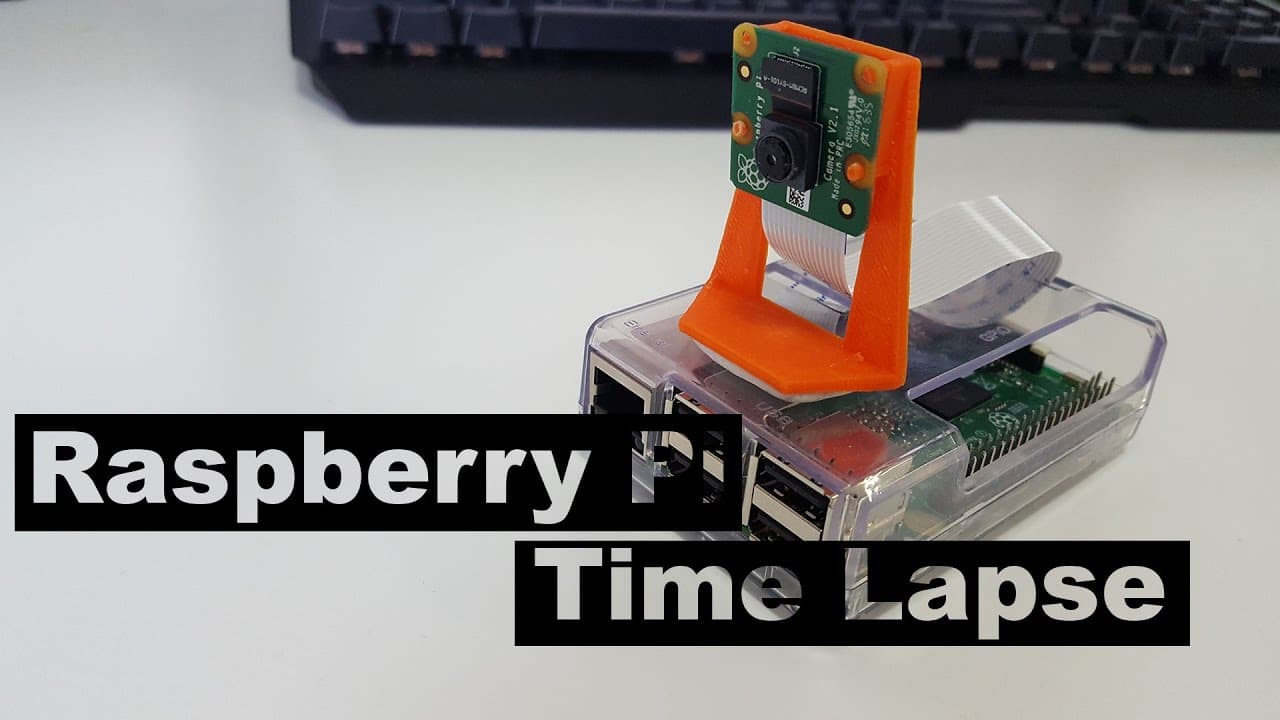
To create time-lapse videos with a Raspberry Pi, install the necessary software and configure the camera module, then set up crontab to capture images at specified intervals. Finally, organize the images into a video format using GStreamer, ensuring proper encoding settings for best quality.
Transcript
hey guys what's going on it's down here from Nova spirit Tech and today we are going to be using a Raspberry Pi to create a time-lapse video so let's get started so guys I have a really cool collaboration coming up with tech wiz time so what I'm going to be doing is actually sending him this sentry safe along with a bunch of goodies inside the only... Read More
Key Insights
- ⌛ The Raspberry Pi is versatile and can be used effectively for different projects, including creating time-lapse videos, which can be useful for various applications.
- 👻 Crontab serves as a powerful tool for automation, allowing users to schedule commands easily, enhancing functionality without continuous oversight.
- ⌛ Proper installation of necessary packages and configuring settings correctly are crucial steps in ensuring the success of the time-lapse video project.
- 🧑🏭 The final video quality depends on factors such as image resolution, interval settings, and the chosen codec during the encoding process.
- 🤩 Offering a collaborative element, such as sending a key to a fellow creator for 3D printing, adds an engaging dimension to community interaction within tech spaces.
- 🎮 GStreamer is highlighted as a capable tool for video processing, indicating the importance of software choice in multimedia projects.
- 🧑💻 The implementation of behind-the-scenes social media activity provides a layer of connectivity and engagement with the audience, fostering a community around tech innovations.
Install to Summarize YouTube Videos and Get Transcripts
Explore YouTube Video Summarizer or Get YouTube Transcript Extractor
Questions & Answers
Q: What equipment do I need to create a time-lapse video with a Raspberry Pi?
You will need a Raspberry Pi of any version, a compatible camera module, an updated version of the Raspbian operating system, and optionally an SSH setup for remote access. Having a stable power supply and storage setup is also recommended to avoid interruptions during the capturing process.
Q: What is the purpose of using crontab in this tutorial?
Crontab is utilized as a scheduler to automate tasks at set intervals. In this tutorial, crontab is configured to take pictures at one-minute intervals automatically. This allows for a hands-off approach, where once the setup is done, the Raspberry Pi will continue to capture images without further user interference.
Q: How do I convert the captured images into a video?
The conversion process involves renaming the image files into a specific numerical format so they can be compiled in sequence. The tutorial provides a command that reorganizes the images and then utilizes the GStreamer tool to combine these images into a time-lapse video with specified frame rates and output formats.
Q: How can I transfer the final time-lapse video to my personal computer?
You can use WinSCP, a secure file transfer client, to easily transfer files from your Raspberry Pi to your local machine. By connecting to the Raspberry Pi’s IP address, you can navigate to the directory containing your time-lapse video and easily download it to your computer for viewing and sharing.
Summary & Key Takeaways
-
The tutorial begins with a brief introduction, explaining the parameters and items required to set up a Raspberry Pi for capturing time-lapse videos.
-
Step-by-step instructions outline how to install necessary software, configure the system, and set up crontab for automatic photo capturing at specified intervals.
-
Finally, the video demonstrates how to organize captured images into a time-lapse video format and transfer the final video file from the Raspberry Pi to a local machine.
Read in Other Languages (beta)
Share This Summary 📚
Summarize YouTube Videos and Get Video Transcripts with 1-Click
Try YouTube Summary with ChatGPT & Claude or YouTube Transcript Generator
Explore More Summaries from Novaspirit Tech 📚






Summarize YouTube Videos and Get Video Transcripts with 1-Click
Try YouTube Summary with ChatGPT & Claude or YouTube Transcript Generator