Products
Features
YouTube Video Summarizer
Summarize YouTube videos
Web & PDF Highlighter
Highlight web pages & PDFs
Chat with PDF
Ask any PDF questions with AI
Ask AI Clone
Chat with your highlights & memories
Audio Transcriber
Transcribe audio files to text
Glasp Reader
Read and highlight articles
Kindle Highlight Export
Export your Kindle highlights
Idea Hatch
Hatch ideas from your highlights
Integrations
Obsidian Plugin
Notion Integration
Pocket Integration
Instapaper Integration
Medium Integration
Readwise Integration
Snipd Integration
Hypothesis Integration
Apps & Extensions
Chrome Extension
Safari Extension
Edge Add-ons
Firefox Add-ons
iOS App
Android App
Discover
Discover
Ideas
Discover new ideas and insights
Articles
Curated articles and insights
Books
Book recommendations by great minds
Posts
Essays and notes from readers
Quotes
Inspiring quotes collection
Videos
Curated videos and summaries
Explore Glasp
Glasp Newsletter
Weekly insights and updates
Glasp Talk
Interview series with great minds
Glasp Blog
Latest news and articles
Glasp Use Cases
Learn how others use Glasp
Build & Support
Glasp API
Access Glasp's API for developers
MCP Connector
Connect Glasp to Claude & ChatGPT
Community
Glasp Reddit Community
Students
Student discount and benefits
FAQs
Frequently Asked Questions
AboutPricing
DashboardLog inSign up

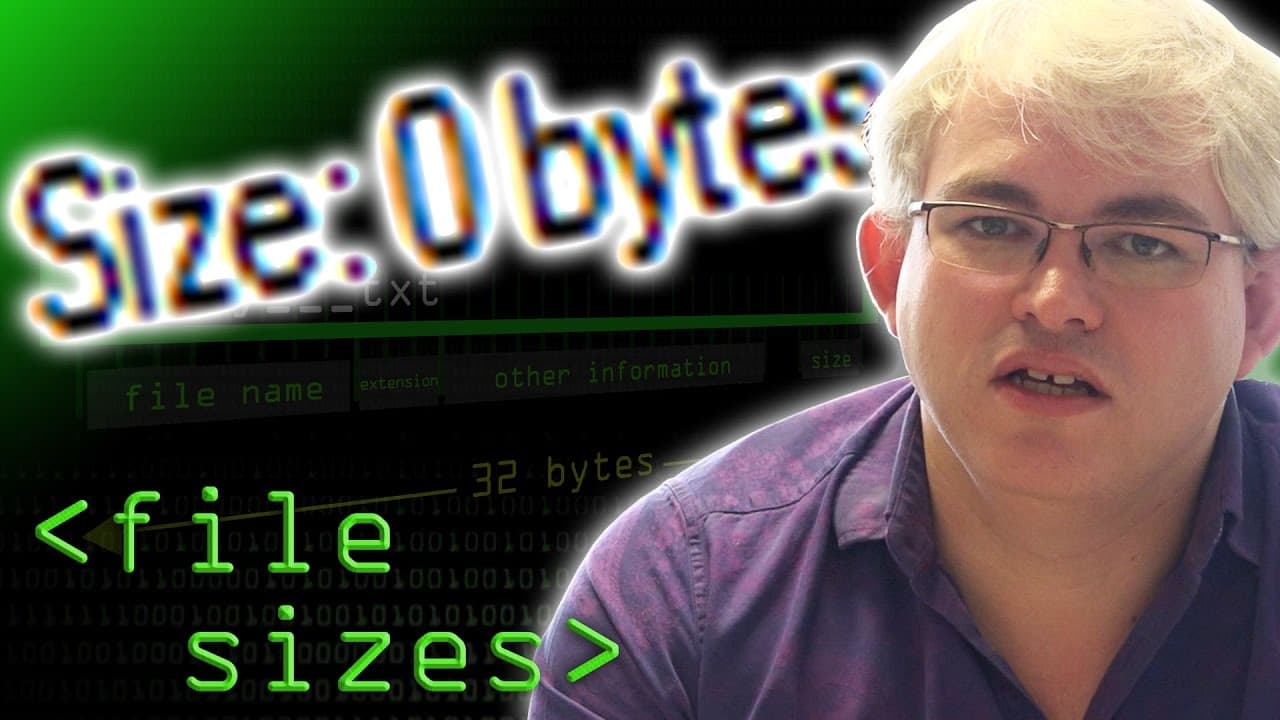
Zero Size Files - Computerphile
October 21, 2016
by
Computerphile
YouTube video player
Zero Size Files - Computerphile

TL;DR

When creating an empty text document, it appears to have zero bytes, but there is actually some information stored alongside it in the file description.

Transcript

One of our loyal viewers sent in a question the other day. He was asking why, when he creates an empty text document on his computer, does it have a file size of zero bytes. Well, there's no text in it, so that sort of makes sense, but he realized - well, actually, there's some information associated with it, this thing - it's got a file name, ther... Read More

Key Insights

  • 📁 Empty text documents appear to have zero bytes, but they have associated file descriptions that store information about the file.
  • 📁 The file system, such as FAT, divides the disk into tracks and sectors to store both data and the directory/catalog.
  • 📁 The directory entry for a file contains details like the file name, extension, size, and starting cluster.
  • 📁 The file description and the document itself are separate entities, allowing for file renaming without modifying the content.

Install to Summarize YouTube Videos and Get Transcripts

Explore YouTube Video Summarizer or Get YouTube Transcript Extractor

Questions & Answers

Q: Why does an empty text document have zero bytes?

An empty text document appears to have zero bytes because it does not contain any text content. However, it does have information stored in its file description.

Q: Where is the information about the file name, size, and creation time stored?

This information is stored in the directory or catalog of the file system. In the FAT system, for example, each file's information is stored in 32-byte entries.

Q: What happens when you rename a file?

When you rename a file, the document itself remains unchanged. Only the file's name in its description is modified. The document retains the same data.

Q: Can empty files take up disk space?

Empty files do not take up disk space because all the necessary information is stored in the file description within the file system. However, when the directory's cluster is full, the next empty file will require additional disk space.

Summary & Key Takeaways

  • Empty text documents appear to have zero bytes, but they contain information such as the file name, size, and creation time.

  • The actual content of a document is separate from its description, which includes information about the document.

  • File systems, like the FAT system, store this information in a directory or catalog that represents where the data is stored.


Read in Other Languages (beta)

English

Share This Summary 📚

Summarize YouTube Videos and Get Video Transcripts with 1-Click

Download browser extensions on:

Try YouTube Summary with ChatGPT & Claude or YouTube Transcript Generator

Explore More Summaries from Computerphile 📚

Breaking RSA - Computerphile thumbnail
Breaking RSA - Computerphile
Computerphile
Error Detection and Flipping the Bits - Computerphile thumbnail
Error Detection and Flipping the Bits - Computerphile
Computerphile
Exploiting the Tiltman Break - Computerphile thumbnail
Exploiting the Tiltman Break - Computerphile
Computerphile
Network Address Translation - Computerphile thumbnail
Network Address Translation - Computerphile
Computerphile
Transport Layer Security (TLS) - Computerphile thumbnail
Transport Layer Security (TLS) - Computerphile
Computerphile
Computer Speeds - Computerphile thumbnail
Computer Speeds - Computerphile
Computerphile

Summarize YouTube Videos and Get Video Transcripts with 1-Click

Download browser extensions on:

Try YouTube Summary with ChatGPT & Claude or YouTube Transcript Generator

Apps & Extensions

  • Chrome Extension
  • Safari Extension
  • Edge Add-ons
  • Firefox Add-ons
  • iOS App
  • Android App

Key Features

  • YouTube Video Summarizer
  • Web & PDF Summarizer
  • Web & PDF Highlighter
  • Chat with PDF
  • Ask AI Clone
  • Audio Transcriber
  • Glasp Reader
  • Kindle Highlight Export
  • Idea Hatch

Integrations

  • Obsidian Plugin
  • Notion Integration
  • Pocket Integration
  • Instapaper Integration
  • Medium Integration
  • Readwise Integration
  • Snipd Integration
  • Hypothesis Integration

More Features

  • APIs
  • MCP Connector
  • Blog & Post
  • Embed Links
  • Image Highlight
  • Personality Test
  • Quote Shots

Company

  • About us
  • Blog
  • Community
  • FAQs
  • Job Board
  • Newsletter
  • Pricing
Terms

•

Privacy

•

Guidelines

© 2026 Glasp Inc. All rights reserved.