What Is MCP (Model Context Protocol) and How Does It Work?
TL;DR
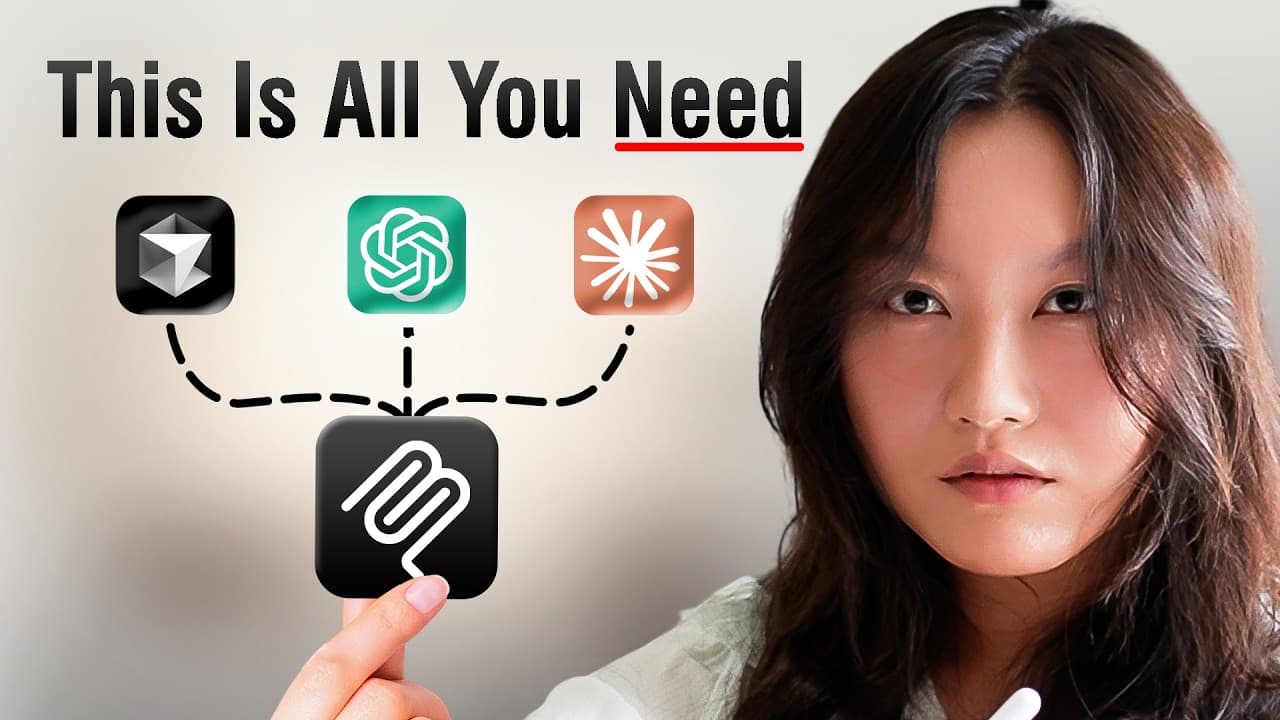
MCP, the Model Context Protocol, is an open protocol from Anthropic that standardizes how LLM applications connect to tools and data sources, working like a USB port for AI agents. It runs on three components: host, client, and server. Servers expose three things: tools, resources, and prompt templates. Over 20,000 pre-built MCP servers already exist to plug into an agent.
Transcript
I learned MCP for you. In the past 68 months, you've probably heard a lot of people talk about MCP. MCP is so amazing. MCP is such a game changer. Well, I must tell you, they are correct. I have taken a bunch of courses, build MCP servers and clients for our team and a couple B2B clients that we work with as well. We've also included a section on M... Read More
Key Insights
- MCP is the abbreviation of Model Context Protocol, defined by Anthropic as an open protocol that standardizes how LLM applications connect to and work with tools and data sources, removing the need for custom integration code per external system.
- The USB analogy explains MCP best: before a universal port standard, connecting a computer to a microphone or webcam meant different cords, different adapters, and software written for each specific port, which was complex and messy.
- Before MCP, every external tool had its own API definition, so a scheduling agent needed separately hand-written code for calendar, email, a note-taking app, Zoom, and Calendly, which made agent development fragmented and slow.
- There are now over 20,000 pre-built MCP servers that can be attached to an AI agent, and anyone can write, publish, and use them, which is why some builders sell the MCP servers they create.
- The client-server architecture of MCP has three components, host, client, and server: the host houses the MCP client, which invokes the MCP protocol to maintain a one-to-one connection with the MCP server.
- A host is any LLM application that wants access to data or tools through MCP, including Claude Desktop, Claude Code, n8n, IDEs, and AI agents, which means a server built once is reusable across many different applications.
- MCP servers expose three major things: tools, resources, and prompt templates. Tools are functions invoked by the client, resources are read-only data exposed by the server, and prompt templates are structured prompt blueprints.
- Resources solve an efficiency problem: instead of calling a weather tool repeatedly to re-collect the same data, a server can expose stored records such as markdown notes, tracking logs, contracts, meeting recordings, or database entries for querying.
Install to Summarize YouTube Videos and Get Transcripts
Explore YouTube Video Summarizer or Get YouTube Transcript Extractor
Questions & Answers
Q: What is MCP (Model Context Protocol)?
MCP is the abbreviation of Model Context Protocol. Anthropic, the company that made it, defines it as an open protocol that standardizes how LLM applications connect to and work with your tools and data sources. In practice it means an AI application no longer needs custom-written integration code for every external system it touches. Instead, the application speaks one protocol, and any tool or data source that follows that protocol can be plugged in and used immediately.
Q: How does the USB analogy explain MCP?
MCP works like a USB plug: it allows any device to connect to any other device so they can work together. Before the universal USB standard, connecting a computer to a microphone or a webcam was painful because all the ports were different, so you needed a range of special cords and adapters, plus software written to cater to each specific port. Standardizing the connector sounds small but it enabled large amounts of innovation through ease of use, and MCP does the same for AI agents and external tools.
Q: Why was building AI agents harder before MCP existed?
Before MCP, giving an agent access to different tools and data meant facing the pre-USB problem again, because each external system had its own specific API defining how you interact with it. Building a scheduling agent, for example, required giving it access to a calendar, email, a note-taking app, Zoom, and Calendly, and writing custom code for each one. That fragmented approach meant custom implementations, custom prompt logic, custom tool calls, and custom data access for every AI app.
Q: What are the three components of the MCP architecture?
The three components are the host, the client, and the server, HCS for short. The host is an LLM application that wants access to certain data or tools through MCP, such as Claude Desktop, Claude Code, n8n, an IDE, or an AI agent. The host houses an MCP client, which lives inside the host and invokes the MCP protocol to maintain a one-to-one connection with the server. MCP servers are lightweight programs that expose different capabilities to that client.
Q: What is contained inside an MCP server?
An MCP server contains three major things: tools, resources, and prompt templates. Tools are functions that can be invoked by the client, such as time series intraday, time series daily, symbol search, global quote, sending a Gmail message, a calculator, retrieval and search, or updating database records. Resources are read-only data exposed by the server that the client can query but cannot change. Prompt templates are structured prompt blueprints so a user does not have to come up with their own prompt.
Q: How do you use an existing MCP server?
Pick a server from a directory listing, for example Alpha Vantage, which lets LLMs and agentic workflows interact with real-time and historical stock market data through the Model Context Protocol. Copy the configuration snippet it provides, then paste it into your LLM application, such as Claude Code, and the application gains access to that server and all the tools defined on it. You can then ask something like plotting coffee stock prices for the past ten years, approve the tool call when the application asks permission, and it fetches the data and builds an interactive visualization.
Q: What is the difference between MCP tools and MCP resources?
Tools are functions the client can invoke to perform an action, such as sending a message, running a calculation, or updating a database record. Resources are read-only data exposed by the server, which the client can query but cannot change. An example of a resource is markdown notes stored on the server, tracking logs, or database records such as contracts, meeting recordings, and notes. Resources also improve efficiency: instead of calling a weather tool repeatedly to gather the same data points, the server can store a record that can be compiled or visualized later.
Q: Where can you learn the foundations of MCP?
The course recommended in the video is Anthropic's own course, made in collaboration with DeepLearning.AI, titled MCP: Build Rich Context AI Apps with Anthropic. It starts by explaining why MCP is important and includes diagrams contrasting fragmented AI development, where each app needs custom implementation, prompt logic, tool calls, and data access, against standardized MCP development, where each MCP-compatible application can reach many types of MCP servers such as data store, CRM, and version control servers.
Summary & Key Takeaways
-
MCP stands for Model Context Protocol and is defined by Anthropic as an open protocol that standardizes how LLM applications connect to and work with tools and data sources. The analogy used is a USB plug: before a universal standard, connecting a computer to a microphone or webcam required different cords, adapters, and custom software for each port.
-
Before MCP, giving an agent access to tools meant custom code for each external system's own API. A scheduling agent would need separate integrations for a calendar, email, a note-taking app, Zoom, and Calendly. MCP standardizes that interaction, and within months the number of available MCP servers exploded to over 20,000 pre-built options.
-
MCP has three components, host, client, and server. The host is an LLM application such as Claude Desktop, Claude Code, n8n, an IDE, or an AI agent. The host maintains an MCP client that invokes the MCP protocol to hold a one-to-one connection with a server, which is a lightweight program exposing capabilities.
-
MCP servers contain three major things: tools, resources, and prompt templates. Tools are functions the client can invoke, such as symbol search, global quote, sending a Gmail message, or updating database records. Resources are read-only data the client can query but not change. Prompt templates are structured prompt blueprints so users do not have to write their own prompts.
Read in Other Languages (beta)
Share This Summary 📚
Summarize YouTube Videos and Get Video Transcripts with 1-Click
Try YouTube Summary with ChatGPT & Claude or YouTube Transcript Generator
Explore More Summaries from Tina Huang 📚




Summarize YouTube Videos and Get Video Transcripts with 1-Click
Try YouTube Summary with ChatGPT & Claude or YouTube Transcript Generator