How to Start Coding with AI for Beginners
TL;DR
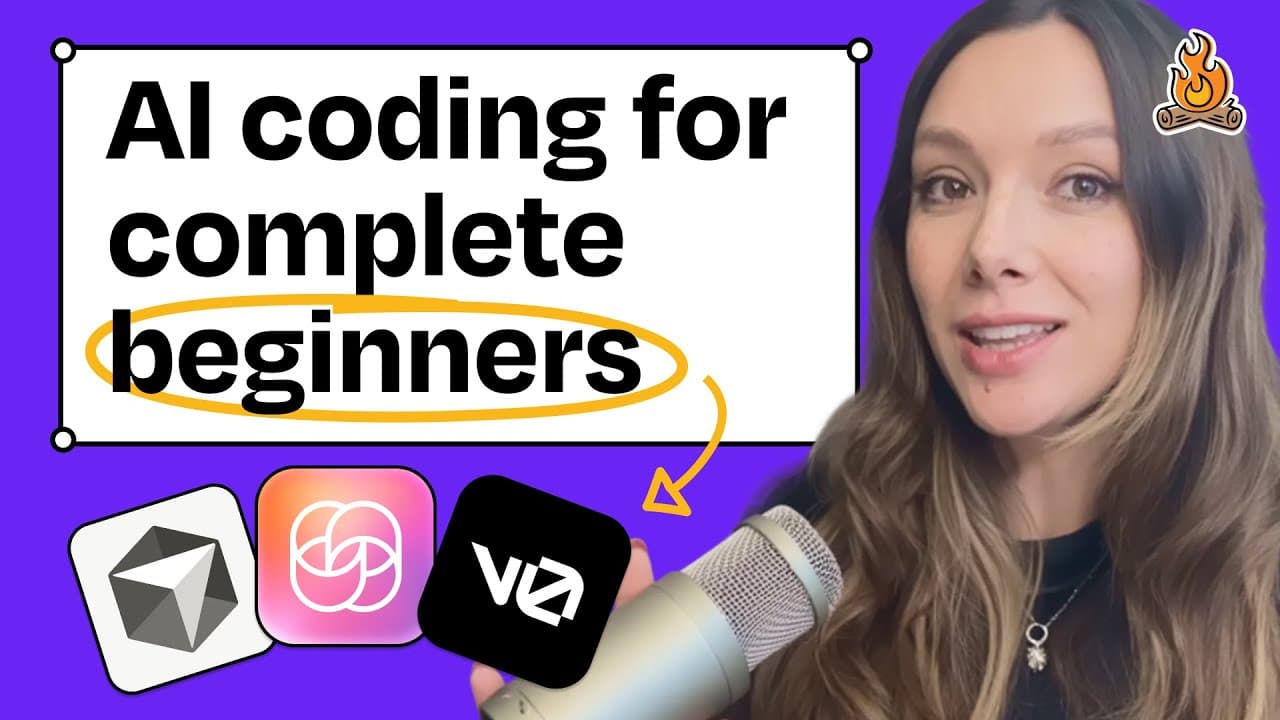
Start coding using AI tools even if you're a complete beginner. Learn to set up a Next.js application, create AI agents for documentation, and build prototypes without complex backend setup. This guide helps you build a personal project hub to manage documents and prototypes using Cursor and other AI tools.
Transcript
Welcome back to How I AI. I'm Claire Vo, product leader and AI obsessive here on a mission to help you build better with these new tools. Today I have an episode that so many of you have asked me for, which is Claire, if I have literally never written a line of code, I have no idea what I'm doing, I do not know how to run anything locally, how do I... Read More
Key Insights
- AI tools can assist in setting up a coding environment for beginners.
- Next.js is a recommended framework for building simple web applications.
- Cursor's AI agent capabilities can automate documentation tasks.
- Prototypes can be created and displayed without backend complexity.
- GitHub is essential for tracking changes and managing code repositories.
- Starting with a personal project hub eases the learning curve for AI-assisted coding.
- Iterating on design and functionality using AI doesn't require deep technical expertise.
- Cursor and ChatPRD are effective tools for beginners to start coding with AI.
Install to Summarize YouTube Videos and Get Transcripts
Explore YouTube Video Summarizer or Get YouTube Transcript Extractor
Questions & Answers
Q: How to start coding with AI if I've never coded before?
Begin by setting up a simple Next.js application using AI tools like Cursor. Create a personal project hub to manage documents and prototypes. Use AI agents to automate tasks such as generating documentation, and utilize GitHub for version control and code management. This approach simplifies the coding process for beginners.
Q: What is the benefit of using Cursor for beginners?
Cursor provides AI agent capabilities that automate tasks like documentation generation, making it easier for beginners to start coding. It allows users to set up a coding environment, manage documents, and create prototypes without needing deep technical expertise, facilitating a smoother learning curve.
Q: Why use Next.js for a beginner coding project?
Next.js is recommended for beginners due to its simplicity and ability to build web applications easily. It allows for straightforward setup and integration with AI tools like Cursor, helping beginners focus on learning coding basics and building functional prototypes without complex backend requirements.
Q: How can AI tools help in creating documentation?
AI tools like Cursor can automate the creation of consistent documentation through AI agents. These agents follow predefined instructions to generate documents like PRDs in markdown format, streamlining the documentation process and ensuring consistency across projects.
Q: What role does GitHub play for non-technical beginners?
GitHub is crucial for tracking changes and managing code repositories. For non-technical beginners, using GitHub Desktop provides a visual interface to understand file changes, commit history, and version control, making it easier to learn coding practices and maintain organized codebases.
Q: How to build prototypes without backend complexity?
Use AI tools like Cursor to build clickable prototypes by creating routes in your project hub. Focus on front-end functionality without worrying about backend databases. This approach allows beginners to experiment with coding and design, showcasing prototypes effectively without complex setups.
Q: What practical tips help in iterating designs using AI?
AI tools enable quick iterations on designs by allowing users to prompt changes and improvements directly in the codebase. Beginners can experiment with aesthetics and functionality, using AI suggestions to refine their projects without needing extensive coding knowledge, making the process creative and accessible.
Q: Why start with a personal project hub for AI coding?
A personal project hub serves as a practical starting point for beginners, allowing them to manage documents and prototypes in a controlled environment. It provides a hands-on learning experience with AI tools, helping users understand coding basics and build confidence in using AI-assisted development techniques.
Summary & Key Takeaways
-
The video guides beginners on using AI tools to start coding, emphasizing setting up a Next.js application and creating AI agents for documentation. It highlights building and displaying prototypes without backend complexity, using Cursor and GitHub for effective code management.
-
Viewers learn practical tips for iterating designs and functionality using AI tools. The video encourages starting with a personal project hub to ease into AI-assisted coding, making it accessible for non-technical individuals.
-
The episode provides a step-by-step approach, from setting up a repository to deploying a functional web app locally, showcasing how AI tools can simplify the coding process for beginners.
Read in Other Languages (beta)
Share This Summary 📚
Summarize YouTube Videos and Get Video Transcripts with 1-Click
Try YouTube Summary with ChatGPT & Claude or YouTube Transcript Generator
Explore More Summaries from How I AI 📚


Summarize YouTube Videos and Get Video Transcripts with 1-Click
Try YouTube Summary with ChatGPT & Claude or YouTube Transcript Generator