How to Create MrBeast Style Text in After Effects
TL;DR
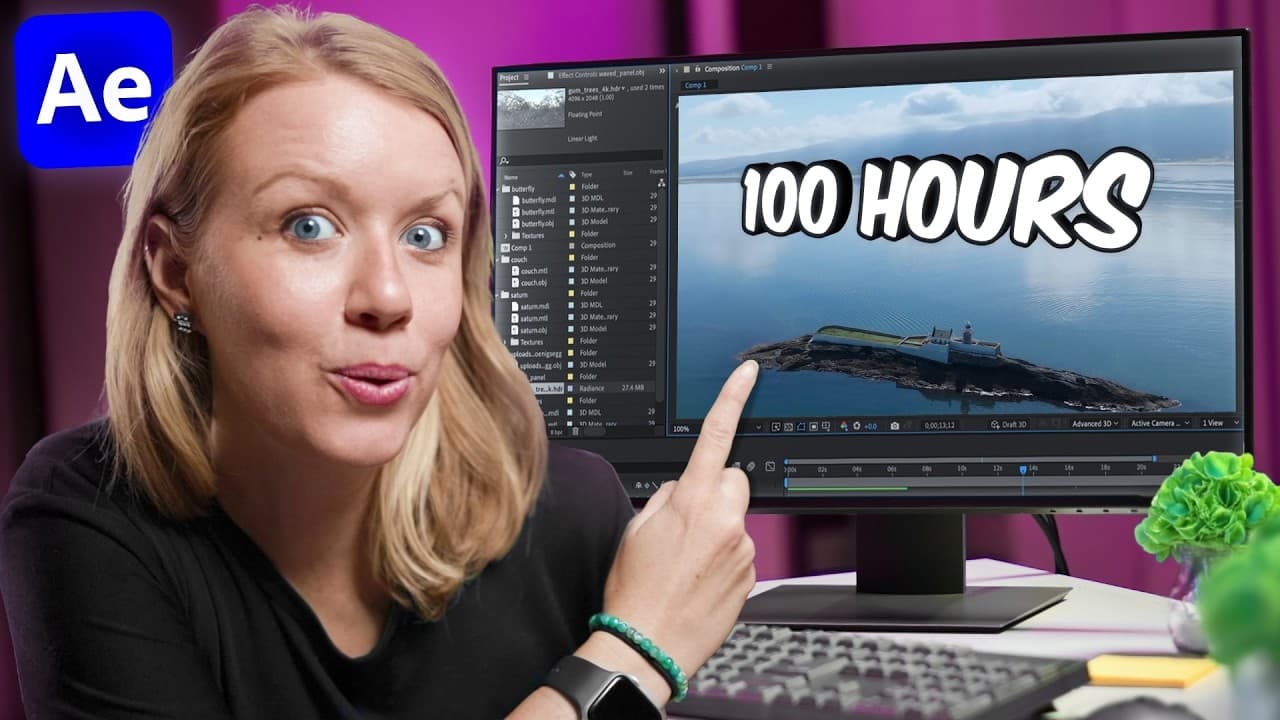
Create attention-grabbing text by combining CC Light Sweep, a separate stroke, layered VR Glow effects, Venetian Blinds, and a Lumetri Color wiggle expression. After Effects tracking can attach the result to a moving subject, while camera tracking, slider-driven counters, rounded values, extrusion, and copied position data can place animated text convincingly into drone footage.
Transcript
Here's how to create awesome text animations like Mr. Beast. And I'm not talking about this, but I'm talking about this and this. Let's jump on in. If you've been watching Mr. Beast for the past couple years, you've probably seen a huge increase in budget. And this is not just the production gear and the crazy amount of prize money, but it's also i... Read More
Key Insights
- CC Light Sweep creates a moving highlight across the text, and setting its direction to 90° makes the light travel horizontally. Its brightness should remain controlled because the glow effects added later increase the overall intensity of the finished graphic.
- A Layer Styles stroke remains separate from the text effect stack, preventing CC Light Sweep from changing the border. Precomposing the styled text then creates a clean layer that can receive glow, line, color, and animation effects as a unified graphic.
- Layered VR Glow effects create both the persistent illumination and the bright entrance flash. Lowering the luma threshold spreads glow across the text, while keyframing the duplicated effect's threshold and brightness makes the graphic begin intensely and settle within a few frames.
- Venetian Blinds produces the horizontal scan-line treatment associated with CCTV imagery. Transition Completion controls the apparent line thickness, a 90° direction makes the pattern horizontal, and reducing the width produces a denser collection of lines across the glowing text.
- Lumetri Color can create flickering by rapidly varying its white values with the expression wiggle(10, 30). The first expression value controls frequency, while the second controls variation amount, allowing the brightness instability to be adjusted for the desired screen-like behavior.
- Motion tracking attaches the completed text to a moving person by analyzing a high-contrast point in the footage. Applying the tracking data to a null object and parenting the text to that null makes the graphic follow the subject while preserving flexible positioning.
- Slider Control can drive a text layer's Source Text value to produce an animated counter. Keyframing the slider changes the displayed value over time, and wrapping the generated expression in Math.round removes unwanted decimal values from the visible counter.
- Camera tracking places floating text into drone footage by reconstructing the scene's spatial movement. A tracked solid verifies the placement, and its position can be copied to a three-dimensional text precomposition so the words remain fixed above the selected location.
Install to Summarize YouTube Videos and Get Transcripts
Explore YouTube Video Summarizer or Get YouTube Transcript Extractor
Questions & Answers
Q: How do you create glowing text in After Effects?
Begin with a text layer, choose the desired font and color, and apply CC Light Sweep with its direction set to 90° for a horizontal highlight. Add the border through Layer Styles, then precompose the text. Apply VR Glow, lower its luma threshold until the text glows, and adjust the radius and brightness without overwhelming the lettering.
Q: How do you make text flash brightly when it appears?
Duplicate the VR Glow effect already applied to the text precomposition. At the first frame, keyframe the duplicated glow's threshold and brightness so the text begins extremely bright. Move forward a few frames and reduce the settings to a normal glow. This short transition creates a strong pop that directs attention to the text as it enters.
Q: How do you add CCTV-style lines to glowing text?
Apply the Venetian Blinds effect to the glowing text precomposition. Set Transition Completion to about 10 as a starting point, change the direction to 90°, and reduce the width to produce more horizontal lines. Transition Completion affects the line thickness, so its value can be refined alongside width until the pattern resembles a CCTV display.
Q: How do you make text flicker with an After Effects expression?
Add Lumetri Color beneath the other effects and locate its white values. Hold Alt on a PC or Option on a Mac while selecting the stopwatch to open the expression field. Enter wiggle(10, 30). This changes the white values rapidly, with the first value controlling frequency and the second limiting the amount of variation.
Q: How do you track animated text to a moving person?
Select the footage, open the Tracker panel, and choose Track Motion. Place the tracking point over a high-contrast feature on the subject, then analyze the footage forward. Create a null layer, assign it as the tracking target, and apply the data. Position the text near the subject and parent its layer to the null so it follows the tracked movement.
Q: How do you create an animated number counter in After Effects?
Create a text layer for the counter and add the Slider Control effect. Expand the text layer's timeline properties, then connect Source Text to the slider with the pick whip. Keyframe the slider so its value rises from 0 to 99. The changing slider value will then appear directly in the text layer throughout the animation.
Q: How do you remove decimal values from an After Effects counter?
Open the Source Text expression created when the text was connected to Slider Control. Place Math.round with a capital M around the original expression by adding an opening parenthesis before it and a closing parenthesis after it. The slider can continue driving the animation, but the displayed counter will show rounded values instead of long decimals.
Q: How do you place three-dimensional text into tracked drone footage?
Run Track Camera on the drone footage and select markers that remain attached to the intended surface. Set those points as the ground plane and origin, then create a solid and camera. Position the solid where the text should appear and confirm that it stays fixed during playback. Copy its position data to the three-dimensional text precomposition, then adjust rotation and size.
Summary & Key Takeaways
-
The glowing CCTV-style treatment begins with formatted text, a horizontal CC Light Sweep, and a stroke added through Layer Styles. Precomposing separates the stroke from the light sweep. Layered VR Glow effects create sustained illumination and a bright entrance, while Venetian Blinds adds horizontal lines and Lumetri Color produces rapid flickering.
-
The completed glowing text can be attached to a moving subject through motion tracking. A high-contrast feature provides the tracking point, and the analyzed movement is applied to a null layer. Parenting the text precomposition to that null makes the graphic follow the subject while allowing independent placement near the person.
-
The floating drone-footage treatment uses camera tracking to establish the ground plane, origin, camera, and a reference solid. Separate text layers support a changing counter and final label. Slider Control, Math.round, scale keyframes, duplicated black layers, extrusion depth, precomposition, and copied position data produce a tracked three-dimensional result.
Read in Other Languages (beta)
Share This Summary 📚
Summarize YouTube Videos and Get Video Transcripts with 1-Click
Try YouTube Summary with ChatGPT & Claude or YouTube Transcript Generator
Explore More Summaries from Premiere Gal 📚
Summarize YouTube Videos and Get Video Transcripts with 1-Click
Try YouTube Summary with ChatGPT & Claude or YouTube Transcript Generator