Podcastle Review: Strong Audio Tools, Some Flaws
TL;DR
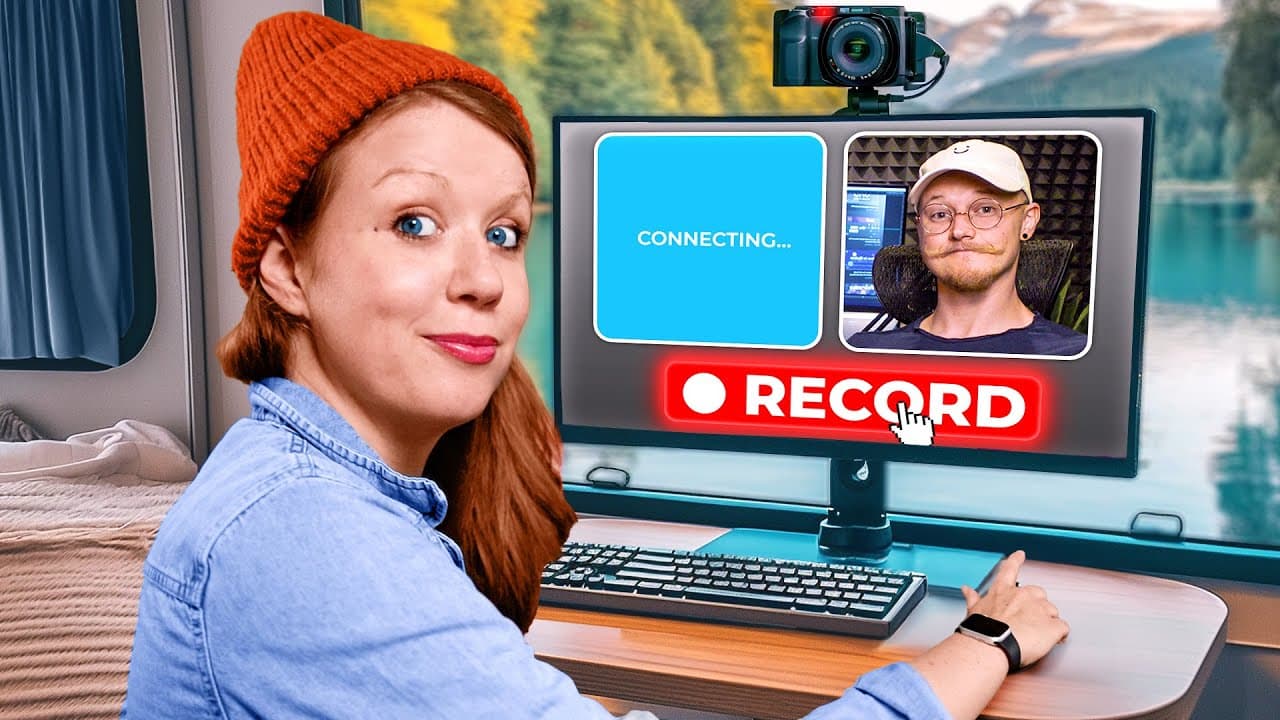
Podcastle is strongest for recording and editing audio podcasts, with multitrack editing, automatic leveling, effects, collaboration, and AI-generated voice patches. Its video studio adds remote recording, screen capture, layouts, and automatic speaker switching, but exported screen recordings lack audio, recorded footage may appear darker, and the timeline interface has room for improvement.
Transcript
a few of you have asked me to compare different types of remote recording studios for podcast or just doing remote interviews now I've talked about Riverside and I've used this on the channel before but today I'm going to do a deep dive review into another option you might want to consider which is called podcastle let's Jump On In All right so I'm... Read More
Key Insights
- Podcastle supports both audio-only and video recording, allowing creators to choose a format before entering the remote studio. The setup screen also provides microphone and camera selection, a participant invitation link, a personal title option, and a setting indicating whether headphones are being used.
- Screen and camera recording can occur at the same time, which makes the studio suitable for reaction-style videos and demonstrations. Shared audio must come from content inside a browser tab, a limitation the reviewer also encountered in other remote recording studios.
- The highlight control creates markers during a live recording, helping editors identify notable moments after the session. These markers appear in Podcastle's editing environment, reducing the need to search manually through an entire interview for moments that were recognized while recording.
- The built-in teleprompter displays pasted text in a movable widget with adjustable text size and scrolling speed. It is useful for referencing a script, although reading from the screen still directs the presenter's eyes away from the camera lens and weakens direct eye contact.
- Podcastle's multitrack audio editor supports recorded speech, additional music or sound-effect tracks, trimming, fades, and built-in effects. Automatic leveling analyzes an audio clip and adjusts its gain, while Magic Dust AI provides another enhancement option within the audio and video editing environments.
- The custom voice-cloning feature requires reading about 70 prompted sentences and produced the reviewer's cloned voice in less than 24 hours. Generated speech sounded somewhat robotic, so the reviewer recommends it for replacing a few missing or incorrect words rather than producing a complete podcast.
- Downloaded participant video tracks remain synchronized for editing in Premiere Pro, but downloaded screen recordings do not contain audio. As a result, an external editor may need to determine their correct positions manually, while Podcastle's online editor keeps the screen footage aligned with the conversation.
- The online video editor supports basic splitting, markers, highlights, landscape and story formats, split-screen arrangements, picture-in-picture layouts, backgrounds, and dynamic-speaker switching. The reviewer found that timeline scaling moved content away from the playhead and also observed that Podcastle recordings appeared slightly darker than direct recordings.
Install to Summarize YouTube Videos and Get Transcripts
Explore YouTube Video Summarizer or Get YouTube Transcript Extractor
Questions & Answers
Q: How do you record a remote interview with Podcastle?
Open the recording studio, name the session, and choose either audio-only or video recording. Before joining, select the microphone and camera sources, indicate whether headphones are being used, and copy the studio link to invite participants through a messaging service. Once everyone joins, start recording. Each invited participant's camera can be recorded, and the completed session is uploaded before becoming available under recordings.
Q: Can Podcastle record a camera and screen together?
Podcastle can capture a presenter's video input and shared screen during the same recording, which is useful for reaction-style videos, walkthroughs, and remote demonstrations. The studio records the elements together for use in its online editor. However, sharing audio requires sharing content within a browser tab. The downloaded screen recordings also lack audio, which complicates editing them in external software.
Q: How does the Podcastle teleprompter work?
The teleprompter accepts pasted script text and displays it as a movable widget inside the recording window. The presenter can adjust the text size and scrolling speed to match the desired delivery. It works well as a quick script reference, but it is not positioned directly over the camera lens, so sustained reading can make the presenter appear to look at the screen instead of the audience.
Q: What audio editing tools does Podcastle include?
Podcastle includes a multitrack audio editor that can record directly from a selected microphone and place the result on a timeline. Users can create additional tracks, add built-in sound effects, trim clips, and create fades. Automatic leveling analyzes volume and adjusts gain, while Magic Dust AI offers another enhancement option. The workspace also supports inviting another editor to continue or refine the production.
Q: How does Podcastle's AI voice cloning feature work?
The reviewer created a custom cloned voice by reading about 70 prompted sentences, and the resulting model was ready in less than 24 hours. A user can type replacement text, generate speech in the cloned voice, place it on another track, or export it as a WAV file for external editing. Because the result sounded somewhat robotic, it is better suited to short corrections than complete episodes.
Q: Can Podcastle recordings be edited in Premiere Pro?
Podcastle allows users to download all recorded assets and import them into Premiere Pro or another preferred nonlinear editor. The separate participant camera tracks have matching lengths and remain synchronized with the conversation. The main drawback is that downloaded screen recordings contain no audio, so editors must manually identify where those screen clips belong. Podcastle's online editor preserves that placement automatically.
Q: What video layouts are available in Podcastle?
The online editor can present a recording in a 16:9 landscape layout or resize it for a vertical story format. Available arrangements include equal split-screen, side-by-side positioning, picture-in-picture, and dynamic-speaker mode. Dynamic speaker automatically switches the featured view according to who is talking, reducing the need to create those changes manually. Users can also change borders and select built-in abstract backgrounds.
Q: What are the main limitations found in the Podcastle review?
The review identifies several limitations. Shared audio must come from a browser tab, the teleprompter does not keep the presenter's gaze directly on the camera lens, and cloned speech can sound robotic. Downloaded screen recordings have no audio and require manual placement in Premiere Pro. Recorded video also appeared slightly darker than direct footage, while timeline scaling moved content away from the playhead.
Summary & Key Takeaways
-
Podcastle provides separate areas for projects and completed recordings, plus a remote studio that supports audio-only or video sessions. Hosts can choose their microphone and camera, invite participants with a shared link, record multiple cameras, capture a screen alongside video, mark highlights during conversations, and reference a movable teleprompter while presenting.
-
The audio editor supports direct microphone recording, multiple tracks, built-in sound effects, fades, trimming, automatic volume leveling, and Magic Dust AI. Editors can collaborate within a workspace, while a custom cloned voice can generate short replacement lines that may be exported as WAV files for use in external software such as Premiere Pro.
-
Video recordings can be edited online or downloaded as separate assets for an external nonlinear editor. Participant camera tracks remain synchronized, but downloaded screen recordings contain no audio and may require manual placement. The online editor offers splitting, markers, highlights, landscape or vertical formats, multiple participant layouts, backgrounds, and automatic dynamic-speaker switching.
Read in Other Languages (beta)
Share This Summary 📚
Summarize YouTube Videos and Get Video Transcripts with 1-Click
Try YouTube Summary with ChatGPT & Claude or YouTube Transcript Generator
Explore More Summaries from Premiere Gal 📚
Summarize YouTube Videos and Get Video Transcripts with 1-Click
Try YouTube Summary with ChatGPT & Claude or YouTube Transcript Generator