Arducam SPI Camera: How Does It Work with Raspberry Pi Pico?
TL;DR
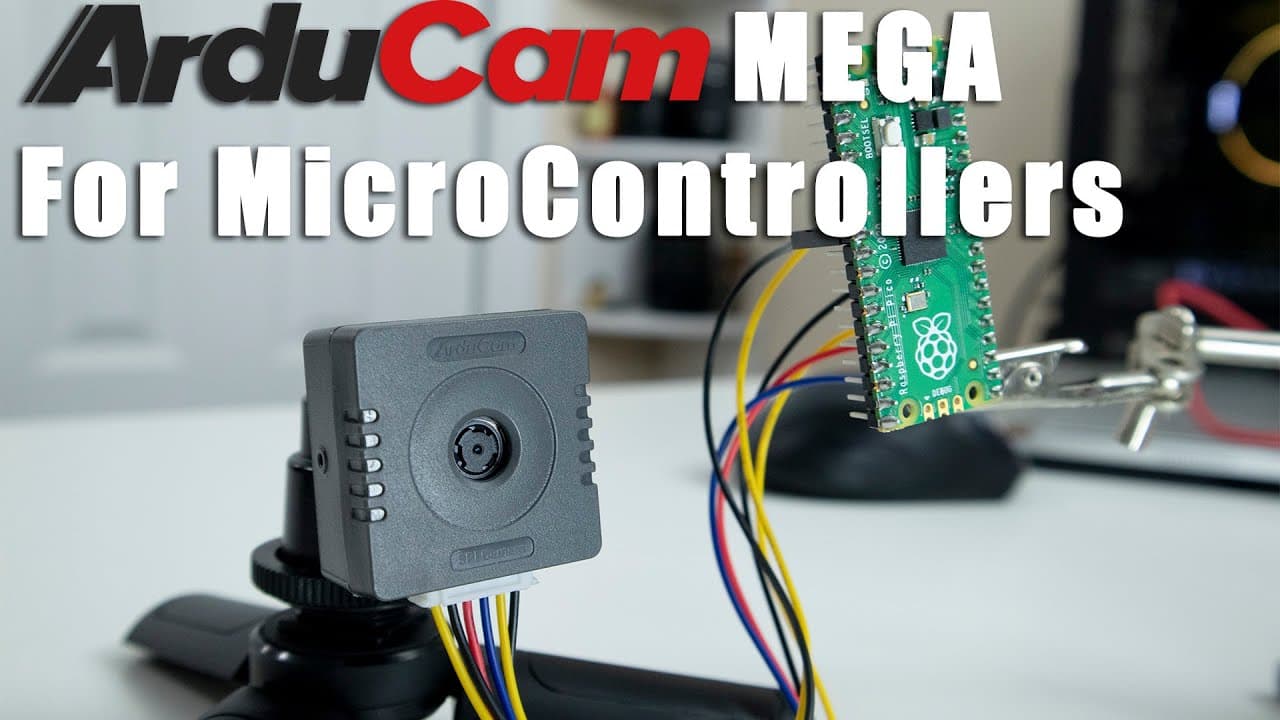
The Arducam SPI camera modules for Raspberry Pi Pico are designed for low-power IoT applications, available in 3MP and 5MP versions with autofocus features. They excel in still image capture rather than video, offering flexibility through various output formats and user-friendly software support, making them ideal for projects like time-lapse photography.
Transcript
hey guys what's going on it's don here from novaspirittech and welcome back to the channel and today we're going to be checking out some spi cameras from arducam for the raspberry pi pico so let's get started now i do want to thank autocam for reaching out to me again to review one of their camera products for the raspberry pi pico the previous vid... Read More
Key Insights
- 🎥 Arducam's SPI cameras are tailored for IoT applications, providing significant adaptability for various projects involving Raspberry Pi Pico.
- 😘 The cameras were designed for low power usage, enhancing their viability for projects requiring long-term deployment without frequent recharging.
- 🤍 Advanced features such as autofocus, auto white balance, and various image effects empower users to take high-quality photos under different conditions.
- 👻 The systems incorporate user-friendly software options, allowing custom commands for camera functions and enabling flexibility in project design.
- 🚵 The compact design and mounting options, including a tripod screw, make these cameras easy to integrate into various setups.
- 😌 Despite being capable of some video functionality, their primary strength lies in still image capture.
- 🧡 Future development for compatibility with CircuitPython could expand the camera's usability further, attracting a wider range of developers.
Install to Summarize YouTube Videos and Get Transcripts
Explore YouTube Video Summarizer or Get YouTube Transcript Extractor
Questions & Answers
Q: What are the main specifications of the Arducam SPI cameras for the Raspberry Pi Pico?
The Arducam SPI cameras come in two models: a 3MP version with a resolution of 2048x1536 and a 5MP version with a resolution of 2592x1944. Both models feature a rolling shutter, autofocus, and are designed to operate with a low power requirement, making them ideal for IoT applications. The cameras also support RGB, YUV, and JPEG image formats, and they can connect via a 6-pin SPI interface.
Q: How does the autofocus feature work on these cameras?
The autofocus feature varies between the two models, with the 3MP camera focusing as close as 16 centimeters, while the 5MP version can focus as close as 8 centimeters. The autofocus operates automatically, adjusting based on distance, which is highly beneficial for close-up photography. Both models allow users to set custom modes for autofocus to fit their specific shooting needs.
Q: Can these cameras be used for video streaming?
While the Arducam SPI cameras can technically handle video streaming, they are primarily designed for image capture. Video resolutions are limited to low quality (320x240 and 640x480) and are slow, so they may not be suitable for high-quality video applications. The focus is on capturing clear photos, with multiple image-adjusting features available to enhance photo quality.
Q: What projects can be built using these cameras with the Raspberry Pi Pico?
One exciting project idea is to create a time-lapse machine using the cameras and the Raspberry Pi Pico. This application utilizes the low power consumption of both the camera and the Pico to capture extended footage over several days. With proper programming, users can set multiple parameters for image capture, including timing, exposure, and white balance adjustments.
Summary & Key Takeaways
-
Don from Novaspirit Tech reviews Arducam's new SPI camera modules designed for IoT applications, specifically for the Raspberry Pi Pico, providing insights into their specifications and features.
-
The cameras come in two versions (3MP and 5MP), both featuring autofocus capabilities, various output formats, and low power consumption, making them suitable for extended use in IoT projects.
-
The review discusses usage examples, potential projects such as a time-lapse machine, and available software support, highlighting the camera's versatility for image capturing rather than video streaming.
Read in Other Languages (beta)
Share This Summary 📚
Summarize YouTube Videos and Get Video Transcripts with 1-Click
Try YouTube Summary with ChatGPT & Claude or YouTube Transcript Generator
Explore More Summaries from Novaspirit Tech 📚






Summarize YouTube Videos and Get Video Transcripts with 1-Click
Try YouTube Summary with ChatGPT & Claude or YouTube Transcript Generator